1
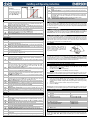
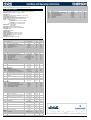
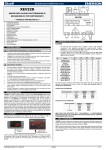
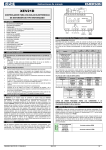
6. FRONT PANEL 8. PARAMETER LIST To display and to modify the set point. In programming mode it selects a parameter or it confirms a value. By pressing and releasing this key, it’s possible to see the values of the probes. In programming mode it slides the codes of the parameters or it increases their values. In programming mode it slides the codes of parameters or it decreases their values. NOTE: REGULATION FtY PEo PEd tEU KEYS COMBINATIONS 6.1 + To lock or to unlock the keyboard + To enter programming mode. tEP XEV22D LEDS On display there are some luminous dots. Their meaning is described in the following table: LED MODE Function ON Low pressure alarm ON Maximum Operating Pressure alarm OFF Valve is completely closed BLINKING ON Valve is moving Valve is completely opened BLINKING Serial communication present OFF Serial communication absent ON Superheat alarm tEP Model 0 1 2 3 4 5 6 7 8 9 10 11 12 13 Manual settings Alco EX4-EX5-EX6 Alco EX7 Alco EX8 500 Danfoss ETS-25/50 Danfoss ETS-100 Danfoss ETS-250/400 Sporlan SEI 0.5-11 Sporlan SER 1.5-20 Sporlan SEI 30 Sporlan SER(I) G,J,K Sporlan SEI 50 Sporlan SEH(I) 100 Sporlan SEH(I) 175 HFS 7.1 HOW TO: SEE THE READ-ONLY VALUES 1) 2) 3) 4) 5) Press and release UP button. First read-only label is showed; Brows parameter labels with UP or DOWN buttons. Press SET to see read-only value. To change parameter, press SET. To leave the fast access menu, press and release SET+UP or wait for time-out to expire (about 3 minutes). 7.2 HOW TO: SEE THE SET POINT 1) 2) Press the SET buttons until the set point will be showed. To come back to see temperature, wait about 5s or press newly SET key. 7.3 HOW TO: MODIFY THE SET POINT LSt USt To change the set point value operate as follows: 1) Press the SET button until the set point will be showed. 2) Use UP or DOWN buttons to change its value. 3) Press SET button to store the new value. ESt Sr HOW TO: ENTERING “PR1” PARAMETER MENU CPP To enter in “Pr1” level menu: 1) Pressing SET+ DOWN buttons for about 3 seconds. 2) Instruments shows first parameter in Pr1 menu CHd oPE 7.5 HOW TO: ENTERING “PR2” PARAMETER MENU SFd To enter to “Pr2” parameters list: 1. Enter to “Pr1”. 2. Select “Pr2” parameter and press SET. 3. The “PAS” label will be shown, then “0--” with 0 blinking. 4. Insert “321” password through UP and DOWN buttons, then press SET to confirm. 7.6 Sti Std MnF FoP HOW TO: CHANGE A PARAMETERS VALUE To change the parameter’s value operate as follows: 1. Enter the Programming mode by pressing the Set and DOWN button for about 3s. 2. Select the required parameter. 3. 4. 5. Kind of gas: (R22, 134, 404, 407, 410, 507, CO2) type of gas used by plant. This is a fundamental parameter for correct functioning of all system. Probe Error opening percentage: (0 to 100%) if a temporary probe error occurs, valve opening percentage is PEo until PEd time is elapsed. If PEO is different from 0 it assures cooling also with probe error, because even if the device cannot calculate superheat the valve can work at PEo percentage. Probe Error delay before stopping regulation: (0 to 239sec; 240=On=unlimited) if probe error duration is higher than PEd, valve will close completely and “Pf” message will be showed. With PEd=on, valve opening is PEo until probe error finishes. Type of Stepper motor: (UP; bP) it permits to select the kind of valve. UP = 5-6 wires unipolar valves; bP = 4 wires bipolar valves. !!!!! WARNING !!!!! by changing this parameter the valve has to be reinitialized. Predefined valve selection: (0 to 13) if tEP=0 the user has to modify all the parameters of configuration in order to use the valve. If tEP is different from 0 the device performs a fast configuration of the following parameters: LSt, USt, Sr, CPP, CHd. To select the right number please read the following table: LSt (steps*10) Par 5 10 10 7 10 11 0 0 0 0 0 0 0 uSt (steps*10) Par 75 160 260 262 353 381 159 159 319 250 638 638 638 CPP (mA*10) Par 50 75 80 10 10 10 16 12 16 12 16 16 16 CHd (mA*10) Par 10 25 50 10 10 10 5 5 5 5 5 5 5 Sr (step/s) Par 500 500 500 300 300 300 200 200 200 200 200 200 200 If tEP is different from 0, previous configuration of LSt, uSt, Sr, CPP and CHd will be overwritten. 7. USER INTERFACE 7.4 All pressure parameters are relatives or absolutes depending on the PrM parameter. Kind of motor movement: (HAF; FUL) HAF = half step. Use this setting for the unipolar valve. FUL = half step. Use this setting for the bipolar valve. Minimum number of steps: (0 to USt (*10)) it permits to select the minimum number of steps. At this number of steps the valve should be closed. So it’s necessary the reading of manufacturer datasheet to set correctly this parameter. It’s the minimum number of steps to stay in advised range of functioning. !!!!! WARNING !!!!! after changing this parameter the valve will have to be reinitialized. The device performs this procedure automatically and restarts its normal functioning when the programming mode ends. Maximum number of steps: (LSt to 800 (*10)) it permits to select the maximum number of steps. At this number of steps the valve should be completely opened. Read the datasheet provided by manufacturer of the valve to set correctly this parameter. It’s the maximum number of steps to stay in advised range of functioning. !!!!! WARNING !!!!! after changing this parameter the valve will have to be reinitialized. The device performs this procedure automatically and restarts its normal functioning when the programming mode ends. Extra step in closing phase: (0 to 255 (*10)) it sets the number of extra steps the controller performs, when the valve is closed at start up, to force the closure of the valve. Step rate: (10 to 600 step/sec) it is the maximum speed to change step without losing precision (=losing steps). It’s advised to stay under the maximum speed. Current per phase (only bipolar valves): (0 to 100 (*10mA)) it is the maximum current per phase used to drive valve. It’s used only with bipolar valves. Holding current per phase (only bipolar valves): (0 to 100 (*10mA)) it is the current per phase when the valve is stopped for more than 4 minutes. It’s used only with bipolar valves. Start opening Percentage: (0 to 100%) opening valve percentage when start function is active and during post defrost phase. This phase duration is SFd time. Start Function duration: (0.0 to 42min 00s, res. 10s) it sets start function duration and post-defrost duration. During this phase the alarms are neglected. Stop regulation interval: (0.0 to 24h 00min. res. 10min) after regulating continuously for Sti time, the valve closes for Std time in order to prevent ice creation. Stop duration: (0 to 60 min) it defines stop regulation time after Sti. During this stop display shows StP message. Maximum opening percentage at normal Functioning: (0 to 100%) during regulation it sets the maximum valve opening percentage. Forced Opening percentage: (0 to 100; nU) if FoP=nU valve works with regulation algorithm. If FoP is different from nU the valve stays at FoP opening percentage. This function could be useful during plant starting or during service operations. PI PARAMETERS (trained staff) Pb Proportional band: (0.1 to 50.0°C; 1 to 90°F) PI proportional band. A value bigger than 5°C is advised. Press the SET button to display the value. Use UP or DOWN to change the value. Press SET to store the new value and move to the following parameter. To exit: Press SET + UP or wait 30s without pressing any button. NOTE: the set value is stored even when the procedure is exited by waiting the time-out to expire. 1592025920 XEV22D GB r3.0 02.02.2011.doc XEV22D 2/2