1
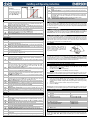
rS
d1S
d2S
Band Offset:
(-12.0 to 12.0°C; -21 to 21°F)
PI band offset. It permits to
move the proportional band of
the PI. With rS=0 the band is
between [SEt to SEt+Pb].
inC
Adr
Mod
Ptb
rEL
Pr2
Integration time: (0 to 255s) PI integration time.
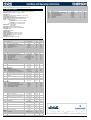
PROBE PARAMETERS
tPP
LPP
PA4
P20
oPr
ttE
otE
Type of Pressure transducer: (420; 5V; LAn) it sets type of pressure transducer to
use. 420 = 4 to 20mA pressure transducer; 5V = 0 to 5V ratiometric transducer; LAn =
the pressure signal comes from another XEV module.
Enable pressure probe sending in LAN: (n; Y) if LPP=Y the value of pressure read
by device is sent in LAN. Only one device of the LAN can have LPP=Y.
Probe value at 4mA or at 0V: (-1.0 to P20 bar; -14 to P20 psi) pressure value
measured by probe at 4mA or at 0V (related to PrM parameter).
Probe value at 20mA or at 5V: (PA4 to 50.0 bar; PA4 to 725 psi) pressure value
measured by probe at 20mA or at 5V (related to PrM parameter).
Pressure probe calibration: -12.0 to 12.0 bar; -174 to 174 psi.
Type of temperature probe: (PtM; ntC) it allows to set the kind of probe used by the
instrument: PtM = PT1000 probe, ntC = NTC-US probe.
Temperature probe calibration: -12.0 to 12.0°C; -21 to 21°F.
DIGITAL INPUTS
i1P
i1F
d1d
i2P
i2F
d2d
Digital Input 1 (Free of voltage) digital input polarity: (cL, oP) CL = activated when
closed; oP = activated when opened.
Digital Input 1 (Free of voltage) digital input function: (CCL, rL) CCL = cooling call;
rL = digital input activates relay.
Digital Input 1 (Free of voltage) activation delay: (0 to 255 min) this activation delay
is used only if digital input is configured as rL.
Digital Input 2 (High voltage) digital input polarity: (CL, oP) CL = activated when
closed; oP = activated when opened.
Digital Input 2 (High voltage) digital input function: (CCL, rL) CCL = cooling call;
rL = digital input activates relay.
Digital Input 2 (High voltage) activation delay: (0 to 255 min) this activation delay is
used only if digital input is configured as rL.
ALARM
dAo
tdA
LPL
MoP
LoP
PHY
dML
MSH
LSH
SHY
SHd
FrC
9. DIGITAL INPUTS
The device is provided with two digital inputs. One is free of voltage and the other is at high voltage
and both can be configured as cooling call. In this way the cooling signal can come from instruments
with direct load outputs or via instruments with output without voltage. One of these inputs must be
configured as cooling call.
10. FORCED OPENING
If necessary, by changing FoP parameter it’s possible to force the valve opening. For example, by
setting FoP=50 the valve will be open at half of full scale. To disable this function it’s necessary to
set FoP=nU (default value). The valve opening is enabled only when CCL digital input is enabled.
11. ELECTRICAL CONNECTIONS
The instrument is provided with pluggable screw terminal block to connect cables with a cross section
up to 2.5 mm2. Heat-resistant cables have to be used. Before connecting cables make sure the power
supply complies with the instrument’s requirements. Separate the probe cables from the power supply
cables, from the outputs and the power connections. Do not exceed the maximum current allowed on
each relay, in case of heavier loads use a suitable external relay.
11.1
CF
PMU
rES
PrM
CLP
tP1
PPr
tP2
oPP
PROBES
Advised temperature probe placement is
illustrated in figure nearby. Between 0 and 180
inclination degrees respect to horizontal pipe
section. For suction pressure probe there aren’t
any particular prescriptions
12. RS485 SERIAL LINE
Alarm delay after restarting regulation: (0.0 to 42min 00s, res. 10s) time between
digital input activation (configured as CCL) and alarm signalling. The LSH alarm is
always signalled also during this time.
Type of alarm signalled by relay: (ALL, SH, PrE, di) ALL = all alarm; SH = superheat
alarm; PrE = pressure alarm; di = activation only when digital input configured as rL is
active.
Lower Pressure Limit for superheat regulation: (PA4 to P20 bar; PA4 to P20 psi)
when suction pressure comes down to LPL, the regulation is performed with a LPL
fixed value for pressure. When suction pressure comes back to LPL, the normal
pressure value is used (related to PrM parameter).
Maximum Operating Pressure threshold: (LoP to P20bar; LoP to P20 psi) if suction
pressure exceeds maximum operating pressure value, the instrument signals this
situation with an alarm LED
(related to PrM parameter).
Lowest Operating Pressure: (PA4 to MoP bar; PA4 to MoP psi) if the suction
pressure comes down to this value, a low pressure alarm will be signalled with an alarm
LED
(related to PrM parameter).
Pressure alarm Hysteresis: (0.1 to 5.0 bar, 1 to 72 psi) pressure hysteresis to disable
alarm signalling.
Delta MoP-LoP: (0 to 100%) when a MoP alarm occurs valve will close of the dML
percentage every one second until MoP alarm is active. When LoP occurs, valve will
open of the dML percentage every one second until LoP alarm is active.
Maximum SuperHeat alarm: (LSH to 80.0°C; LSH to 144°F) when superheat exceeds
this value, an high superheat alarm will be signalled after interval SHd.
Lowest SuperHeat alarm: (0.0 to MSH°C; 0 to MSH°F) when superheat goes down to
this value a low superheat alarm is signalled after interval SHd.
SuperHeat alarm Hysteresis: (0.0 to 25.5°C; 1 to 77°F) hysteresis for superheat alarm
deactivation.
SuperHeat alarm activation delay: (0 to 255 s) when a superheat alarm occurs, the
delay time SHd have to expire before signalling this alarm.
Fast-recovery Constant: (0 to 100 s) permits to increase integral time when SH is
below the set-point. If FrC=0 fast recovery function is disabled.
All models can be connected to the monitoring and supervising system XWEB3000. If Mod=Std
standard ModBUS-RTU protocol is used, if Mod=AdU custom XWEB library is required. This last
configuration makes possible to use the same serial address of the thermostat that gives the cooling
request to XEV. In this way, it’s possible to reduce the number of addresses used.
13. HOW TO: USE THE HOT-KEY
13.1
PROGRAM A HOT KEY FROM THE INSTRUMENT (UPLOAD)
1)
2)
Program one controller with the front keypad.
When the controller is ON, insert the “Hot-Key” and push UP button; the “uPL” message
appears followed a by flashing “End”.
Push SET button and the “End” will stop flashing.
Turn OFF the instrument, remove the “Hot-Key” and then turn it ON again.
3)
4)
NOTE: the “Err” message is displayed in case of any failed programming operation. In this case, push
again UP button if you want to restart the upload again or remove the “Hot-key” to abort the operation.
13.2
PROGRAM AN INSTRUMENT USING A HOT KEY (DOWNLOAD)
1)
2)
3)
Turn OFF the instrument.
Insert a pre-programmed “Hot-Key” into the 5-PIN connector and then turn the Controller ON.
Automatically the parameter list present into the “Hot-Key” will be downloaded into the
Controller memory. The “doL” message will blink during this operation, followed a by a flashing
“End” label.
After 10 seconds the instrument will restart working with the new parameters.
Remove the “Hot-Key”.
4)
5)
NOTE: the “Err” message is displayed in case of any failed programming operation. In this case, push
again UP button if you want to restart the upload again or remove the “Hot-Key” to abort the operation.
14. DISPLAY MESSAGES
Mess.
“nA”
DISPLAY
Lod
Free of voltage digital input State (read only): it shows the free of voltage digital
input.
High voltage digital input State (read only): it shows the high voltage digital input
state.
RS485 Serial Address: (1 to 247) Identifies the instrument address when connected to
a ModBUS compatible monitoring system.
ModBus: (AdU; Std) AdU = (Only for XWEB systems) in this case XEV and
thermostatic controller are considered an alone instrument (it requires a custom library
for XWEB); Std = to use XEV in stand-alone mode, in this case normal Modbus-RTU
protocol is used.
Parameters map: (read only) it identifies parameters map written by factory.
Release Firmware: (read only) it shows firmware release.
Second level menu.
Local display: (SH; PEr; P1; P2) SH = superheat; PEr = valve opening percentage;
P1 = value of temperature measured; P2 = pressure measured by P2 probe.
Temperature measurement units: (°C; °F) °C = Celsius degree; °F = Fahrenheit
degree. NOTE: by changing measurement unit, the regulation parameters have to be
correctly changed.
Pressure Measurement units: (bAr, PSi) bAr = bar; PSi = psi. NOTE: by changing
measurement unit, the regulation parameters have to be correctly changed.
Resolution (only °C): (dE; in) dE = decimal format; in = integer format.
Pressure visualization Mode: (rEL; AbS) rEL = relative pressure; AbS = absolute
pressure. All pressure parameters depend on this parameter.
Cooling Percentage (read only): Display the cooling percentage.
Temperature Probe value (read only): it shows temperature probe value from P1.
Pressure probe value (read only): it shows pressure probe value. The value depends
on PrM.
Temperature from P2 (read only): it shows temperature obtained from conversion of
pressure value.
Opening Percentage (read only): it shows the actual opening percentage of the valve.
1592025920 XEV22D GB r3.0 02.02.2011.doc
“PF”
“P1”
“P2”
“HSH”
“LSH”
“LPL”
“MoP”
“LoP”
“StF”
“StP”
“EE”
14.1
Cause
None of digital inputs configured as CCL are
activated
The Ped time is elapsed and the regulation is
stopped
Temperature probe fault
Pressure transducer fault
High superheat alarm
Low superheat alarm
Low pressure limit
Maximum Operating Pressure
Lowest Operating Pressure
Start Function enabled
Regulation stop caused by Std and Sti
Memory error
Outputs
Valve closed
Valve closed after PEd. There is a probe
error
According to PEo and PEd.
According to PEo and PEd.
By PI
Valve Closed
see LPL parameter
see dML parameter
see dML parameter
see SFd parameter
Valve closed
-
ALARM RECOVERY
Probe alarms “P1”, “P2” start few seconds after the fault in the probe; they automatically stop few
seconds after the probe restarts normal operation. Check connections before replacing the probe. Max.
And min. Alarms “HSH”, “LSH”, “MoP” and “LoP” automatically stop as soon as the variable returns to
normal values.
XEV22D
3/3