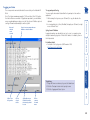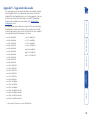
1
AdderLink IP Gold
User Guide
LOC
A
REM VNC
B
100
LNK PWR
AdderLink
GOLD
Configuration
Initial configuration...................................................................15
Part 1 – Local configuration..................................................15
Encryption settings............................................................17
Hot plugging and mouse restoration..............................18
Resetting the configuration ............................................19
Part 2 – Remote configuration..............................................20
Operation
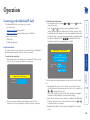
Connecting to the AdderLink IP Gold.......................................28
Local connection....................................................................28
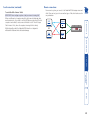
Remote connections..............................................................29
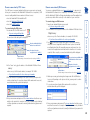
Remote connection by VNC viewer..................................30
Remote connection by Web browser...............................30
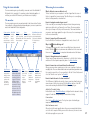
Using the viewer window.....................................................31
The menu bar....................................................................31
When using the viewer window......................................31
Mouse pointers..................................................................32
Configure...........................................................................32
Auto calibrate
.............................................................33
Re-synchronise mouse
.................................................33
Access mode - shared/private ..........................................33
Power control....................................................................33
Controls..............................................................................34
Contents - page 2
Mounting......................................................................................6
Connections..................................................................................7
Host computer links: Keyboard and mouse...........................7
Host computer links: Video.....................................................8
Host computer links: Audio.....................................................9
Host computer links: Adder Virtual Media............................9
Local console connections: Keyboard and mouse...............10
Local console connections: Video.........................................11
Local console connections: Audio.........................................12
IP network port......................................................................12
Modem/ISDN port..................................................................13
Power supply connection......................................................13
Power control port................................................................14
Installation
Networking issues......................................................................21
Positioning AdderLink IP Gold in the network....................21
Placing AdderLink IP Gold behind a router or firewall..21
Placing AdderLink IP Gold alongside the firewall...........23
Power switching configuration.................................................24
The KVMADMIN utility..............................................................25
Performing a flash upgrade.......................................................26
Flash upgrade using the remote method.............................26
Flash upgrade using the ‘dip switch’ method......................27
AdderLink IP Gold features - front and rear...............................4
What’s in the box.........................................................................5
What you may additionally need................................................5
Introduction
Contents
1
Index
Getting assistance.......................................................................40
Troubleshooting.........................................................................40
Appendix 1 - Local configuration menus..................................41
Unit configuration.................................................................42
Network configuration..........................................................43
Modem configuration...........................................................44
Reset configuration...............................................................45
Clear IP access control............................................................46
Appendix 2 - VNC viewer connection options..........................47
Colour/Encoding....................................................................47
Inputs......................................................................................48
Scaling....................................................................................49
Misc.........................................................................................49
Identities.................................................................................50
Load / Save.............................................................................50
Appendix 3 - VNC viewer window options...............................51
Appendix 4 - Browser viewer options.......................................52
Encoding and colour level.....................................................52
Inputs......................................................................................52
Security...................................................................................52
Misc.........................................................................................52
Further information
Appendix 5 - Remote configuration menus..............................53
User accounts.........................................................................54
Unit configuration.................................................................55
Advanced unit configuration...........................................56
Time & date configuration....................................................57
Network configuration..........................................................58
Setting IP access control....................................................59
Serial port configuration.......................................................60
Host configuration.................................................................61
Hotkey sequences and Adder Port Direct............................62
Logging and status................................................................63
Appendix 6 – Addresses, masks and ports................................64
IP addresses............................................................................64
Net masks...............................................................................64
Net masks - the binary explanation.................................65
Calculating the mask for IP access control.......................66
Ports........................................................................................67
Security issues with ports..................................................67
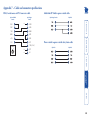
Appendix 7 – Cable and connector specifications....................68
RS232 serial mouse to PS/2 converter cable ........................68
AdderLink IP Gold to power switch cable ...........................68
Power switch to power switch daisy chain cable.................68
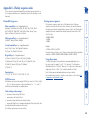
Appendix 8 – Hotkey sequence codes.......................................69
Permissible key presses..........................................................69
Creating macro sequences....................................................69
Appendix 9 – Supported video modes......................................70
Other products in the Adder range...........................................71
Warranty.....................................................................................71
Safety information.....................................................................71
End user licence agreement.......................................................72
Radio Frequency Energy............................................................73
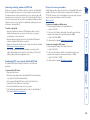
Connecting via dial up (modem or ISDN) link.................38
Downloading VNC viewer from the AdderLink IP Gold.38
If you need to enter a port number.................................38
Viewer encryption settings...............................................39
Supported web browsers..................................................39
2
IP network/Internet
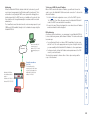
The IP port allows direct connection to
an Ethernet-based local network and
from there onto the wider Internet.
Alternatively, the robust AdderLink IP
Gold security system will allow direct
connection to the outside world.
Modem or ISDN
LOC
A
REM VNC
100
LNK PWR
Dual formats for flexibility
The AdderLink IP Gold supports both
DVI digital and analog video types. It
also accepts PS/2 or USB-style keyboard
and mouse connections.
AdderLink
GOLD
B
Main KVM connection
Power switch
OR
KVM switch
Adder Virtual Media feature
Allows an authorised remote user to
transfer files and folders to a host
computer, such that they appear as
though presented locally on removable
media (as would a memory stick, CDROM or floppy). Via the IP/modem link,
the remote user can then control the
host and make use of the transferred
files and folders. An indispensible
feature when remotely upgrading or
patching distant host systems.
IP network/
Internet
Modem/ISDN port
This port offers a
connection option that
can be used alongside,
or instead of, the IP
network link. It also
offers a backup route
should the network fail.
Local user console
The console port allows control of the
system(s) by a keyboard, video monitor
and mouse connected directly to the
AdderLink IP Gold.
Modem or ISDN
Audio over IP
Full stereo audio is
supported both locally
and remotely via the
IP/modem links.
One host or many
On its own, the AdderLink IP Gold
provides remote access to one host
computer. However, when linked to
a suitable KVMA switch, the remote
user(s) can easily control up to 128
separate host computer.
Optional power control
AdderLink IP Gold
provides the opportunity
to attach one or more
power switches. These
control the supply to the
host system(s) and allow
the remote user to hard
reset any host computer
that has suffered a
failure.
Thank you for choosing the AdderLink IP
Gold from Adder Technology. This intelligent
product delivers straightforward setup,
secure operation and the ability to fully
control one or more computers from almost
anywhere.
Remote control via a network connection is
nothing new and software-only solutions to
facilitate this are commonplace. However,
they all present two major drawbacks: a)
Special software must be used on all of the
computers involved, especially the host, and
b) if that host ceases to operate, the remote
user is powerless to intervene.
AdderLink IP Gold is different and requires
only the remote system(s) to run a small
utility. The host system can run its usual
operating system completely unchanged
and needs only to be connected (via its
keyboard, video and mouse ports) to the
compact AdderLink IP Gold box.
It is this external connection to the AdderLink
IP Gold that keeps the remote user in control.
Even in the midst of a system crash, the
remote user can still view the host’s condition
as if sitting next to it. Additionally, when the
power switch option is employed, a host
system can be remotely rebooted, no matter
how badly it has locked-up.
Digital audio is supported across the IP links,
as are digital and analogue video signals.
The Adder Virtual Media feature allows
remote administrators to easily transfer
upgrade files to any host computer.
AdderLink IP Gold really starts to excel when
it is hooked to a suitable KVMA switch.
Then its robust, secure and adaptable
operation is available across up to 128
separate host systems.
Four simultaneous remote users
AdderLink IP Gold can support four
remote users at any one time. All of
these may be connected via the IP
network port or one may be linked
via the modem/ISDN channel.
Introduction
3
Power control port
Optionally use this port
to control one or more
power switches. These
allow the remote user to
take full control of the
host system(s).
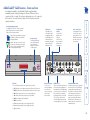
MODEM
LOC
REM VNC
100
LNK PWR
AdderLink
INDOOR
USE ONLY
POWER CONTROL
A
B
GOLD
1 2
ON
A
B
12
5V
2A
CFG
K/M
Indicators
These six indicators clearly show the key aspects of operation:
• LOC Keyboard or mouse data are being received from the local console.
• REM Keyboard or mouse data are being received from a remote viewer.
• VNC Indicates that a remote viewer is connected and active.
• 100 Indicates the Ethernet network speed (10/100Mbs).
• LNK Network link and activity indication.
• PWR Power indicator.
• A Illuminates permanently if power supply A has failed.
RealVNC are creators of remote control
software for a wide variety of computer
systems. Speed, simplicity and security
are their particular strengths.
IP network port
This intelligent Ethernet
port can automatically
sense whether it is
attached to a 10Mb or
100Mb network.
Configuration
switches
Used for flash
upgrades and
total reset
functions. They
are not required
under normal
circumstances.
Dual power inputs
Connect one or
two power adapters
here. When two
units are connected,
load is shared
between them.
DVI
VGA
KVMA CONSOLE
KVMA console
Devices connected here allow you to
perform the initial configuration of
the AdderLink IP Gold. Additionally,
you can use these to locally control
the connected host computer(s).
Keyboards and mice can be either
USB or PS/2, the video monitor
can be DVI digital or analog (via a
converter plug) plus stereo speakers.
DVI
VGA
K/M
VM
COMPUTER / KVMA SWITCH
Computer/KVMA Switch
Link these connectors to the keyboard
and mouse (USB or PS/2), DVI digital
or analog video and speaker ports of
the device to be remotely controlled,
either a single host computer or a
KVM switch. The USB port on the
right is used by the Adder Virtual
Media feature to allow remote file
transfer, and can be connected to a
standard USB port.
Adder Technology Limited are renowned
worldwide for their professional KVM
switching hardware.
Modem port
Optionally use this
port to attach either
a standard modem or
an ISDN adapter. This
feature provides an
alternative, direct-dial,
remote link into the
AdderLink IP Gold.
Created through partnership
The AdderLink IP Gold is the result of a creative
partnership between two companies that are
leaders in their respective markets:
Considering its capabilities, the AdderLink IP Gold is supplied within a
remarkably compact casing. Measuring just 198mm x 120mm x 43mm, it
occupies just half of a single (1U) rack space and provides most of its connectors
at the rear face. The smart front face features the IP network port and the
operation indicators.
AdderLink IP Gold features - front and rear
• B Illuminates permanently if power supply B has failed.
•
Power indicator.
4
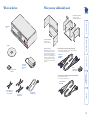
What’s in the box
What you may additionally need
Double unit rack brackets
Includes twelve screws
Part number: RMK-ALIP-DUAL
AdderLink IP
Gold
LO
C
RE
M
VN
C
100
LN
K
PW
R
A
Single unit rack brackets
Includes four screws
Part number: RMK-ALIP
Add
erL
ink
LD
CD-ROM
For analogue VGA style connections, Adder recommends:
• 2 metre KVM cable (VKVM-2M) or 5 metre KVM cable (VKVM-5M)
• DVI-I to analogue VGA adapter (VSA11)
KVM cable set
(VKVM-2M or
VKVM-5M)
Power supply
and countryspecific power
lead
DVI-I to
analogue VGA
adapter (VSA11)
For connection to older style 8-pin Sun systems, Adder recommends:
• Sun style KVM cable (CCSUN-2M)
• DVI-I to analogue VGA adapter (VSA11)
Sun style KVM cable
(CCSUN-2M)
Audio cable (VSC22)
stereo audio jack to
stereo audio jack
2 x USB cables
(VSC24) 2m long
DVI video cable
(VSCD1) 2m long
Four Self-adhesive
rubber feet
Cables and connectors
The AdderLink IP Gold’s connectors are
wired in a standard manner so that you
can use standard cables throughout your
installation. The unit is supplied with
cables to connect to DVI and USB systems.
Other cables are available from Adder
to support systems that have VGA style
video connections and/or PS/2 keyboard
and mouse.
GO
B
5
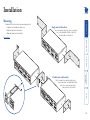
Mounting
AdderLink IP Gold offers three main mounting methods:
• Supplied four self-adhesive rubber feet
• Optional single unit rack brackets
• Optional double unit rack brackets
Single unit rack brackets
These two brackets (plus four screws), extend the
size of the AdderLink IP Gold so that it fills
the full width of a 1U rack slot.
M
IN
US DOO
EO R
NLY
A
B
5V
2A
1
ON 2
12
CF
G
K /M
KV
MA
DV
I
CO
NS
OL VGA
E
DV
I
PO
WE
RC
V
CO GA
MP
UT
ER
MO
VM
AS
ON
TR
OL
K/
WIT M
CH
VM
DE
M
IN
US DOO
EO R
NLY
A
5V
/K
1
B
ON 2
2A
12
MO
DE
Connections
Installation
CF
K /M
MA
DV
I
CO
NS
OL VGA
E
DV
I
PO
WE
RC
V
CO GA
MP
UT
ER
/K
VM
AS
K/
WIT
Double unit rack brackets
ON
TR
OL
This kit comprises four brackets (plus twelve
screws) and allows two AdderLink IP Gold
units to be connected side by side
and fitted into a 1U rack slot.
M
CH
VM
MO
DE
M
IN
US DOO
EO R
NLY
A
5V
OW
E
RC
ON
TR
OL
2A
1
ON 2
12
CF
G
M
H
B
MO
DE
M
MA
IN
US DOO
EO R
NLY
A
5V
K /M
KV
VM
1
B
ON 2
2A
12
CF
G
DV
I
CO
NS
OL VGA
E
DV
I
PO
WE
RC
V
CO GA
MP
UT
ER
K /M
KV
G
/K
VM
AS
ON
TR
OL
K
/
WIT M
CH
VM
6
Connections
DE
M
IN
US DOO
EO R
NL
Y
A
Host computer links: Keyboard and mouse
1
B
ON 2
2A
12
CF
G
The AdderLink IP Gold supports both PS/2-style and USB-style keyboard/mouse
connections.
To make a keyboard and mouse links
1 Wherever possible, ensure that power is disconnected from the AdderLink IP Gold
and the host computer (or KVMA switch) to be connected.
(Note: If it is not possible to switch off devices prior to connection, then a ‘Hot plug’
procedure is available – see the Hot plugging and mouse restoration section for
more details).
2 As appropriate, connect the PS/2 or USB link cables to the COMPUTER / KVMA
SWITCH section of the AdderLink IP Gold rear panel:
• PS/2 links Connect the keyboard and/or mouse PS/2 style link cables to the
ports marked
and
within the COMPUTER / KVMA SWITCH section of
the rear panel.
• USB link Connect a USB link cable that has a type B plug (more square than
rectangular) to the port marked K / M within the COMPUTER / KVMA SWITCH
section of the rear panel.
IMPORTANT: There is no internal conversion between PS/2 keyboard and mouse
connections and USB. Hence, if you use a PS/2 style connection to the computer
/ KVMA switch, you must also use a PS/2 style keyboard and mouse on the local
console. Similarly, if you use a USB style connection to the computer / KVMA switch,
you must also use a USB style keyboard and mouse on the local console. You may
use the USB Virtual Media link with any combination of other devices. You must not
mix USB and PS/2 style keyboards and mice on the same device.
5V
K/
M
KV
MA
DV
I
CO
NS
OL VGA
E
DV
I
PO
WE
RC
V
CO GA
MP
UT
ER
MO
DE
A
5V
M
/K
VM
AS
WI
K/
ON
TR
OL
M
TC
H
VM
MO
PS/2 style keyboard
and mouse links
IN
U DO
SE OR
ON
LY
1
B
ON 2
2A
12
Host computer links: (Keyboard and mouse ) (Video) (Audio) (Virtual Media)
Local console connections: (Keyboard and mouse) (Video) (Audio)
IP network port
Modem/ISDN port
Power input(s)
Power control port
CF
G
K/
M
KV
MA
DV
I
CO
NS
OL VGA
E
DV
I
PO
WE
RC
V
CO GA
MP
UT
ER
USB style keyboard/mouse link
/K
VM
AS
WI
K/
ON
TR
OL
•
•
•
•
•
•
Single host computer or many?
The AdderLink IP Gold can either connect directly to a single host
computer or to range of hosts via one or more KVMA switches.
Installation of the AdderLink IP Gold involves a number of basic connections to some or
all of the following items:
M
TC
H
VM
3 Connect the plugs at the other end of the used cable set(s) to the corresponding
sockets on the host computer or KVMA switch.
7
MO
DE
M
Host computer links: Video
IN
US DOO
EO R
NL
Y
A
5V
1
B
ON 2
2A
12
K/
M
KV
MA
DV
I
CO
NS
OL VGA
E
DV
I
PO
WE
RC
V
CO GA
MP
UT
ER
MO
DE
M
VM
AS
WI
K/
TR
OL
M
TC
H
VM
Digital video link
IN
US DOO
EO R
NL
Y
A
5V
/K
ON
1
B
ON 2
2A
12
CF
G
K/
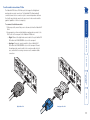
To make a video link
1 Wherever possible, ensure that power is disconnected from the AdderLink IP
Gold and the host computer (or KVMA switch) to be connected.
2 As appropriate, connect either a digital or analogue video link cable to the
DVI/I socket on the AdderLink IP Gold rear panel:
• Digital Connect a digital video link cable to the port labelled DVI VGA
within the COMPUTER / KVMA SWITCH section of the rear panel.
• Analogue Connect a converter module to the port labelled DVI VGA
within the COMPUTER / KVMA SWITCH section of the rear panel.
Connect an analogue video link cable to the converter module. In both
cases, ensure that the securing screws are used to maintain reliable links.
3 Connect the plugs at the other end of the used cable set to the corresponding
video output socket of the host computer or KVMA switch.
M
KV
MA
DV
I
CO
NS
OL VGA
E
DV
I
PO
WE
RC
V
CO GA
MP
UT
ER
/K
VM
AS
WI
K/
ON
TR
OL
G
CF
M
TC
H
Analogue video link
VM
The AdderLink IP Gold uses DVI/I video ports that support both digital and
analogue video monitor connections. The AdderLink IP Gold automatically
converts between the two connection styles to ensure independence between
the locally connected video monitor (at the KVMA CONSOLE port), the remote
user’s video monitor and the graphics capabilities of the host computer(s).
8
within the COMPUTER /
1
ON 2
12
M
CF
K/
To make an Adder Virtual Media link
1 Connect a USB link cable that has a type B plug (more square than
IN
US DOthe
rectangular) to
port marked VM within the COMPUTER / KVMA SWITCH
E OOR
NL
A
Y
section
of
the
rear
panel.
B
M
KV
MA
DV
I
CO
NS
OL VGA
E
1
5V
ON 2
2A
12
CF
DV
I
CO
RC
VG
A
MP
G
PO
WE
UT
ER
/K
K/
M
ON
TR
OL
KV
MA
VM
AS
WI
K/
M
TC
H
DV
I
CO
NS
OL VGA
E
VM
DV
I
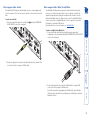
2 Connect the plug at the other end of the audio link cable to the speaker / line
out socket of the host computer or KVMA switch.
PO
WE
RC
V
CO GA
MP
UT
ER
/K
VM
AS
WI
K/
ON
TR
OL
M
TC
H
VM
2 Connect the plug at the other end of the USB link cable to a vacant USB
socket on the host computer or KVMA switch.
Note: If this connection is being made via a KVMA switch, ensure that the
USB port used on the switch is a non-interpreted or switched port, sometimes
labelled as ‘Devices’.
G
2A
To make an audio link
IN
U DOO
R
NL
1 Connect
an audioSE Olink
cable to the port labelled
A
Y
B
KVMA
5V SWITCH section of the rear panel.
The AdderLink IP Gold provides an ingenious feature that allows authorised
remote users to transfer files and folders to a host computer, such that they
appear as though presented locally on removable media. In order to use the
Adder Virtual Media feature, the VM port at the rear of the AdderLink IP Gold
must be connected to a standard USB port of a host computer or a switched
USB channel of a suitable KVMA switch.
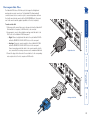
For details
about how to use this feature, see Virtual Media.
MO
DE
Host computer links: Adder Virtual Media
The AdderLink IP Gold supports and distributes the stereo sound originated by
MO
DE
the host computer
to the local console port, and also to the remotely connected
M
users.
Host computer links: Audio
9
Local console connections: Keyboard and mouse
Local console. Why?
A locally connected keyboard, video monitor and mouse are
required during the initial configuration of the AdderLink IP Gold.
However, these are also useful during normal use to allow quick
local control of any connected host computers.
The AdderLink IP Gold supports both PS/2-style and USB-style keyboard and
mouse connections.
DE
IN
US DOO
EO R
NL
Y
A
5V
MO
DE
M
ON 2
2A
12
5V
CF
G
K/
IN
US DOO
EO R
NL
Y
A
1
B
M
1
B
ON 2
2A
12
CF
G
M
KV
MA
M
KV
DV
I
CO
K/
MA
NS
OL VGA
E
DV
I
CO
MP
PS/2 style keyboard and mouse connections
RC
UT
ER
/K
DV
I
CO
NS
OL VGA
E
DV
I
PO
WE
VG
A
MO
To connect a local keyboard and mouse
1 Wherever possible, ensure that power is disconnected from the AdderLink
IP Gold. Position a suitable keyboard and mouse in the vicinity of the
AdderLink IP Gold such that their cables will easily reach.
2 Connect the PS/2 or USB style keyboard and mouse to the KVMA CONSOLE
section of the AdderLink IP Gold rear panel:
• PS/2 style Connect PS/2 style keyboard and mouse cables to the ports
marked
and
within the KVMA CONSOLE section of the rear
panel.
• USB link Connect USB style keyboard and mouse cables to the ports
marked K / M within the KVMA CONSOLE section of the rear panel.
IMPORTANT: There is no internal conversion between PS/2 keyboard and
mouse connections and USB. Hence, if you use a PS/2 style keyboard and
mouse at the local console, you must also use PS/2 style links from the
AdderLink IP Gold to the computer / KVMA switch. Similarly, if you use a
USB style keyboard and mouse at the local console, you must also use a USB
style link from the AdderLink IP Gold to the computer / KVMA switch. You
may use the USB Virtual Media link with any combination of other devices.
You must not mix USB and PS/2 style keyboards and mice on the same
device.
ON
TR
OL
PO
WE
RC
V
CO GA
MP
UT
VM
ER
AS
WI
K/
M
TC
H
USB style keyboard and mouse connections
VM
/K
VM
AS
WI
K/
ON
TR
OL
M
TC
H
VM
10
Local console connections: Video
The AdderLink IP Gold uses DVI/I video ports that support both digital and
analogue video monitor connections. The AdderLink IP Gold automatically
converts between the two connection styles to ensure independence between
the locally connected video monitor, the remote user’s video monitor and the
graphics capabilities of the host computer(s).
M
1
B
ON 2
2A
12
5V
CF
G
IN
US DOO
EO R
NL
Y
A
B
2A
1
ON 2
12
IN
US DOO
EO R
NL
Y
A
5V
MO
DE
DE
M
CF
K/
G
M
KV
MA
MA
NS
OL
E
VG
A
DV
I
CO
RC
UT
ER
/K
VM
AS
WI
K/
H
NS
OL VGA
E
PO
WE
RC
V
CO GA
MP
UT
ON
TR
OL
ER
M
TC
DV
I
CO
DV
I
PO
WE
VG
A
MP
Digital video link
M
KV
DV
I
CO
K/
VM
/K
VM
AS
MO
To connnect a local video monitor
1 Wherever possible, ensure that power is disconnected from the AdderLink IP
Gold.
2 As appropriate, position a suitable digital or analogue video monitor to the
DVI/I socket on the rear panel of the AdderLink IP Gold unit:
• Digital Connect the digital video monitor cable to the port labelled DVI
VGA within the KVMA CONSOLE section of the rear panel.
• Analogue Connect a converter module to the port labelled DVI
VGA within the KVMA CONSOLE section of the rear panel. Connect
the analogue video monitor cable to the converter module. In both
cases, ensure that the securing screws are used to maintain reliable
connections.
WI
K/
ON
TR
OL
M
TC
H
Analogue video link
11
VM
The AdderLink IP Gold provides an autosensing Ethernet IP port that can operate
at 10 or 100Mbps, according to the network speed. The AdderLink IP Gold is
designed to reside quite easily at any part of your network:
• It can be placed within the local network, behind any firewall/router
connections to the Internet, or
• It can be placed externally to the local network, on a separate sub-network
or with an open Internet connection.
Wherever in the network the AdderLink IP Gold is situated, you will need to
determine certain configuration issues such as address allocation and/or firewall
adjustment to allow correct operation. Please refer to Networking issues within
the Configuration chapter for more details.
IMPORTANT: When the AdderLink IP Gold is accessible from the public Internet
or dial up connection, you must ensure that sufficient security measures are
employed.
To connect local speakers
1 Position a speakers in the vicinity of the AdderLink IP Gold such that their
cables will easily reach.
DE
M
IN
US DOO
EO R
NL
Y
1
B
ON 2
2A
12
To connect the IP network port
1 Depending upon where in the network the AdderLink IP Gold is being
connected, run a category 5e or 6 cable from the appropriate hub or router
to the AdderLink IP Gold.
CF
G
K/
M
KV
MA
DV
I
CO
NS
OL VGA
E
LO
C
RE
M
VN
C
DV
I
PO
WE
ER
/K
VM
AS
K/
ON
TR
OL
100
LN
K
PW
R
A
RC
V
CO GA
MP
UT
2 Connect the main speaker cable to the port labelled
CONSOLE section of the rear panel.
5V
B
M
WI
TC
within the KVMA
H
VM
Add
erL
ink
GO
LD
2 Connect the plug of the category 5e or 6 cable into the IP port on the front
panel of the AdderLink IP Gold.
3 Configure the network settings as appropriate to the position of the
AdderLink IP Gold within the network - see Networking issues for details.
A
MO
IP network port
The AdderLink IP Gold supports and distributes the stereo sound originated by
the host computer to the local console port, and also to the remotely connected
users.
Local console connections: Audio
12
The AdderLink IP Gold is supplied with a single power supply and an appropriate
country-specific IEC power lead. However, it has two power input sockets to
allow a second power supply to connected as a fail-safe. The AdderLink IP
Gold can operate easily from a single power input. However, when two power
supplies are connected, the power load is shared between them. There is no
on/off switch so operation begins as soon as a power supply is connected.
To connect a modem or ISDN port
1 Wherever possible, ensure that power is disconnected from the AdderLink IP
Gold and the modem or ISDN adapter.
2 Connect a suitable serial modem (non-crossover) cable to the serial port on
the modem/ISDN adapter.
3 Connect the other end of the serial cable to the port labelled MODEM at the
rear of the AdderLink IP Gold.
To connect the power supply
1 Connect the low voltage output lead from the power supply unit to either
power socket on the rear panel of the AdderLink IP Gold.
2 If required, connect the low voltage output lead from a second suitable
power supply to the other power socket on the rear panel of the AdderLink
IP Gold.
Power supply connection
The AdderLink IP Gold provides a serial port specifically for you to connect either
a modem or ISDN terminal adapter. This can be used as a primary, secondary or
backup access port for remote systems, as best suits your overall configuration.
IMPORTANT: When the AdderLink IP Gold is accessible from the public Internet
or dial up connection, you must ensure that sufficient security measures are
employed.
Modem/ISDN port
MO
DE
M
DE
M
ON 2
2A
12
2A
12
G
CF
G
ON 2
CF
1
B
1
B
K/
M
KV
K/
MA
M
KV
MA
DV
I
CO
NS
OL VGA
E
DV
I
CO
NS
OL VGA
E
DV
I
DV
I
Note: The default serial port speed is 115200 and a standard Hayes-compatible
auto-answer string is sent during startup. The default startup string is
‘ATZHS0=1’. Both the serial port speed and startup string settings can easily be
altered during the local or remote configuration - see Initial configuration for
more details. The other serial settings are fixed at: No parity, 8 bit word and 1
stop bit. PO
3 Connect
the IEC connector of the supplied country-specific power lead to
WE
RC
ON
CO
TR of the power supply. Repeat for the second power supply, if used.
the
socket
MP
OL
UT
ER
/ 4
KV Connect the power lead(s) to a nearby main supply socket.
MA
K
SW / M
ITC
H The correct operation of one or both connected power supplies are
Note:
VM
confirmed during power-up by the A and B indicators on the front panel as
power is applied.
A
5V
5V
IN
US DOO
EO R
NL
Y
IN
US DOO
EO R
NL
Y
A
V
CO GA
MP
UT
VG
A
MO
13
ER
/K
VM
A
The AdderLink IP Gold provides a serial port for connection to one or more
optional power control units. This allows you to control the mains power being
supplied to the connected host(s) so that an authorised remote user can, if
necessary, perform a complete cold reboot on a failed host system.
The control connector of the first power switch is connected, via serial cable,
to the rear panel of the AdderLink IP Gold. Any additional power switches are
then connected via a ‘daisy-chain’ arrangement to the first power switch. Each
power switch box is then given a unique address and access to each power port
(8 ports on each power switch box) is gained using a combination of the switch
box address and the port number.
MO
DE
A
5V
B
2A
M
To connect and address the switch boxes
Note: The AdderLink IP Gold can be powered on during this procedure,
however, the switch boxes should be switched off. The instructions given here
relate to the power switch recommended and supplied by Adder. Other switches
may have alternative installation and configuration requirements.
1 Mount
up to four switch boxes in positions where they are close to the
IN
US DOO
EO R
NL
computers
that they will control and not too distant from the AdderLink IP
Y
Gold (preferably within 2.5 metres).
12
2 Use a serial cable with an RJ9 and a 9-pin D-type connector (see Appendix
CF
G
7 for
specification). Connect the RJ9 plug to the socket marked ‘IN’ on
K/
M
the first switch box. Connect the other end to the socket marked ‘POWER
KV
DV
MA on
CONTROL’
I the AdderLink IP Gold.
CO
1
ON 2
LNK PWR
Power
switch
boxes
AdderLink
GOLD
B
OL VGA
E
DV
I
IN
1
2
3
4
5
6
7
IN
1
2
3
4
5
6
7
RC
ER
OUT
Box 2
PO
WE
V
CO GA
MP
UT
8
/K
VM
AS
WI
K/
ON
TR
OL
M
TC
H
VM
8
OUT
Power to computer
Box 2, port 6 - address: 26
Box 3
IN
1
2
3
4
5
6
7
8
1
2
3
4
5
6
7
8
OUT
Box 4
IN
The power ports are connected to the power inputs of each computer and the
power switch box(es) are then connected to a mains power supply.
IMPORTANT: Power switching devices have a maximum current rating. It is
essential to ensure that the total current drawn by the equipment connected
to the power switching device does not exceed the current rating of the power
switching device. You must also ensure that the current drawn from any mains
socket does not exceed the current rating of the mains socket.
Setting up, configuring and using power switching requires three main steps:
• Connect and address the switch boxes
• Configure the power strings
• Operate remote power switching
3 For each of the remaining switch boxes (if used), use a serial cable with RJ9
connectors at both ends (see Appendix 7 for specification). Connect one
end to the socket marked ‘OUT’ of the previous box and the other end to
the socket marked ‘IN’ of the next box.
4 Set the addressing switches on each switch
Box Switch 1 Switch 2
box using the two micro switches marked
Off
Off
‘Slct’ on the front panel. The box connected 1 directly to the AdderLink IP Gold is Box 1
2On Off
and so on, down the daisy-chain line to Box 3Off On
4 at the end.
4On On
5 Connect IEC to IEC power leads between
Off = switch upwards
each port and the power input socket
On = switch downwards
Switch 1 is on the left side
of each computer that requires power
switching. Carefully note to which power
ports, on which boxes, each computer is connected. If server systems have
multiple power inputs, then each input must be connected via separate
ports, which can be on the same, or different boxes.
6 Connect each box to a suitable mains power input.
Now proceed to the configuration stage covered in the Power switching
configuration section within the Configuration chapter.
100
A
REM VNC
LOC
NS
‘Daisy-chain’
control
connections
Box 1
Power control port
14
Configuration
Initial configuration
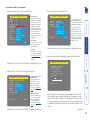
The initial configuration occurs as two distinct parts:
When you switch on the AdderLink IP Gold unit for the first time
it will take you (using the locally connected keyboard and video
monitor) through a set up sequence consisting of four main
screens:
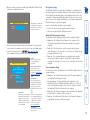
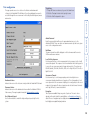
AdderLink IP Gold Unit Config
Screen 1 of 5
AdderLink IP Gold Network Config
>
Hardware
Rev 1
Firmware
1.0
Keybd Layout UK
Admin Passwd
Unit Name
Hot Keys
Ctrl+Alt
Screensaver
10 mins
Time
21 : 27 : 31
Date
15
Apr
2004
Encryption
Prefer Off
Video Source Analogue
MAC Address
Use DHCP
IP Address
Net Mask
Gateway
VNC Port
HTTP Port
00:0F:58:00:00:04
No
192.168.42.154
255.255.255.0
5900
80
Screen 2 of 5
Next
AdderLink IP Gold Modem Config
>
192.168.3.1
Server IP
192.168.3.2
Client IP
115200
Baud Rate
Init String ATZS0=1
Initialize Port
Restore Defaults
Screen 3 of 5
Next
>
AdderLink IP Gold Secure Keys
>
Random data is required to
generate encryption keys
for secure VNC access
Please move the mouse or
press keys until the bar
becomes full
{
{
Screen 4 of 5
Next
Unit config screen
Network config screen
Modem config screen
Secure keys screen
Allows you to determine a mixture
of basic and fundamental setup
details such as the keyboard layout,
admin password, time and date.
Requires you to configure the
various key aspects of the IP
network port addressing.
Allows you to optionally alter the
current settings for the serial port that
is used to connect a modem or ISDN
terminal adapter. The IP addresses are
used to emulate a two-port network
connection and are suitable for most
situations.
This screen uses your mouse
movements or keyboard inputs
to create random data. This
unpredictable information is then
combined with several other
factors to develop the basis of the
encryption keys that are used to
establish secure remote links.
Controlling the local configuration menus
The local menus use only the keyboard. Use the
keyboard arrow keys to move the green highlight
indicator to the required position. Then, either type the
required information or use the left and right arrows to
change multiple choice items, as appropriate.
Problems?
The AdderLink IP Gold asks for an unknown admin password
The AdderLink IP Gold does not display the configuration sequence
Part 1 – Local configuration
Part 2 – Remote configuration
This part of the configuration takes place using a remote connection
(network or dial-up modem/ISDN). It allows fine tuning of the part 1
configuration items plus the creation of multiple user accounts and
host details. Go to Part 2 - Remote configuration.
Part 1 – Local configuration
This part of the configuration takes place using the locally
connected keyboard and video monitor. It allows you to set up
key basic details, network essentials, modem/ISDN parameters
and security key creation.
continued
15
To perform the initial local configuration
Next
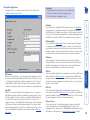
Time and Date
Set these correctly as all entries
in the activity log are time
stamped using them.
Encryption
Arrange this setting according
to your security requirements.
See Encryption settings for
a description of the issues and
the settings.
When all items are correct, select the Next option to display the next screen.
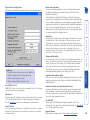
2 Edit the Network config screen. The key elements here are:
AdderLink IP Gold Network Config
MAC Address
Use DHCP
IP Address
Net Mask
Gateway
VNC Port
HTTP Port
00:0F:58:00:00:04
No
192.168.42.154
255.255.255.0
5900
80
Screen 2 of 5
Next
Use DHCP/IP Address/Net
Mask/Gateway
You need to either set the
DHCP option to ‘Yes’ or
manually enter a valid IP
address, Net mask and
Gateway. See Networking
issues for more details.
VNC and HTTP ports
These should remain set to
5900 and 80, respectively,
unless they clash with an
existing setup within the
network. See Networking
issues for more details.
When all items are correct, select the Next option to display the next screen.
Initialize Port
Restore Defaults
Screen 3 of 5
Next
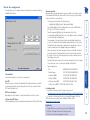
The Server IP and Client IP
addresses are used to form
an isolated two-device PPP
network connection via the
dial up link. Their settings are
not related to any other ‘real’
network settings within the
AdderLink IP Gold.
When all items are correct, select the Next option to display the next screen.
4 Move the mouse and enter changing key sequences within this screen.
AdderLink IP Gold Secure Keys
Random data is required to
generate encryption keys
for secure VNC access
Please move the mouse or
press keys until the bar
becomes full
{
{
Screen 4 of 5
With every mouse move and keypress, the single dash will move across the
screen (unless the same key is pressed repeatedly). Periodically, a new star
character will be added to the bar as the random data are accepted as part
of the new encryption key. When the bar is full, the final encryption keys for
your AdderLink IP Gold will be created – this process takes roughly 30 to 40
seconds.
continued
The default items here are
perfectly adequate for the
majority of modem and ISDN
terminal adapter installations.
192.168.3.1
Server IP
192.168.3.2
Client IP
115200
Baud Rate
Init String ATZS0=1
Screen 1 of 5
AdderLink IP Gold Modem Config
Hardware
Rev 1
Firmware
1.0
Keybd Layout UK
Admin Passwd
Unit Name
Hot Keys
Ctrl+Alt
Screensaver
10 mins
Time
21 : 27 : 31
15
Apr
2004
Date
Encryption
Prefer Off
Video Source Analogue
Admin password
Enter a password of at least
six characters that has a mix
of letters and numerals. The
background colour provides
an indication of password
suitability and is initially red
to indicate that the password
is not sufficient. When a
password with reasonable
strength has been entered it
changes to blue.
AdderLink IP Gold Unit Config
3 If necessary, edit the Modem config screen.
1 Edit the Unit config screen. The key elements here are:
16
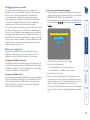
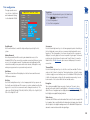
AdderLink IP Gold Control
Logoff
Restore Mouse Functions
Configuration
Access Mode Shared
Host
Server 1
Return To Host
Access mode
Allows you to choose between
Shared mode (where all other
logged on users can see your
operations) and Private mode
(where the screens of all other
users are blanked).
Logoff
Select to close your current
session and display the
screensaver.
Restore mouse functions
Select to revive a mouse
that has ceased to function
correctly. See Hot plugging
and mouse restoration for
details.
Configuration
Select to gain access to the
Unit, Network and Modem
configuration screens. Within
here you can also reset the
AdderLink IP Gold to its initial
state.
Host
Indicates the currently selected
host computer and allows you
to select others. This item will
be blank unless host details
have been set within the
remote configuration.
Return to host
Quits the menu and returns to
the host screen.
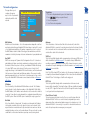
Viewer encryption settings
The web browser viewers and VNC viewers (of level 4.0b5S or higher) offer four
encryption settings:
• Always on - This setting will ensure that the link is encrypted, regardless of
the AdderLink IP Gold encryption setting.
• Let server choose - This setting will follow the configuration of the
AdderLink IP Gold. If the AdderLink IP Gold has ‘Always on’ or ‘Prefer on’
set, then the link will be encrypted. If the ‘Prefer off’ setting is selected at
the AdderLink IP Gold, then the link will not be encrypted.
• Prefer off - This setting will configure an un-encrypted link if the AdderLink
IP Gold will allow it, otherwise it will be encrypted.
• Prefer on - If the AdderLink IP Gold allows it, this setting will configure an
encrypted link, otherwise it will be un-encrypted.
Once the username and password have been accepted, the screen should
now show the host computer screen (or, if none is connected, a blank image).
6 To view the options menu: Press
. More about hotkeys.
(if the standard hotkeys were altered, use the new hotkeys plus C)
AdderLink IP Gold encryption settings
The AdderLink IP Gold configuration page offers three encryption settings:
• Always on - This setting will force all viewers to use encryption. Note:
This setting will preclude any VNC viewer versions that do not support
encryption.
• Prefer off - This setting does not enforce encryption unless a viewer
specifically requests it. If a viewer has its ‘Let server choose’ setting, then an
un-encrypted link will be set up.
• Prefer on - This setting generally enforces encryption unless an earlier
viewer version is unable to support it, in which case the link will be unencrypted. If a viewer has its ‘Let server choose’ setting, then the link will be
encrypted.
Username: <
Password:
At this stage the username will
be ‘admin’ and the password
will be whatever you entered
in the first setup screen.
The AdderLink IP Gold offers a great deal of flexibility in its configuration and
this extends equally to its encryption settings. Due to the variety of situations in
which it might be used and the range of viewer applications that need to view
it, a number of settings are available that might not make perfect sense at first
glance. However, these settings should allow you to configure the AdderLink IP
Gold and the viewers to operate as required.
Factors to consider when setting these options might be:
• Do all of the connections and operations require encryption?
• Will some users be using older VNC viewer versions?
AdderLink IP Gold Logon
Encryption settings
5 Once the secure keys have been calculated the AdderLink IP Gold will restart
and present a standard logon screen.
17
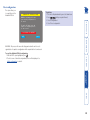
Restore PS/2 Mouse
Restore IntelliMouse
Back
Which restore setting do I use?
The general rule is that unless both the mouse and the driver are both
IntelliMouse compatible then you need to restore the mouse as ‘PS/2’. An
IntelliMouse can operate in either mode, whereas a PS/2 mouse cannot.
Recognising an IntelliMouse-style mouse
The IntelliMouse format was introduced to support, among other features, the
scroll wheel function. If the mouse has a scroll wheel, then it is likely to support
the IntelliMouse format. If it is a Microsoft-branded mouse, then it will usually
state that it is an IntelliMouse on its underside label.
Recognising an IntelliMouse driver
Before hot plugging to the AdderLink IP Gold (or afterwards using only keyboard
control), access the Windows Control Panel of the computer and select either
the Mouse option (on Windows NT, 2000 and XP) or the System option (on
Windows 95, 98, ME). Look for the name of the driver, which will usually
include the words PS/2 or IntelliMouse.
3 Select the ‘Restore mouse functions’ option to display:
4 Select one of the following options:
• Restore Standard Mouse – if PS/2 mode is required, or
• Restore IntelliMouse – if IntelliMouse mode is required.
5 Select the ‘Return to host’ option.
6 Move the mouse a short distance and check for appropriate on-screen
cursor movement. If the mouse cursor darts erratically around the screen,
then cease moving the mouse. This is an indication that the chosen restore
function is incorrect. Try again using the other restore function.
Note: The restore functions predict the likely mouse resolution settings but
may not restore the exact speed or sensitivity settings that were originally
set.
AdderLink IP Gold Restore Mouse
To restore mouse operation when hot plugging:
1 Using a KVM cable set, carefully make the keyboard, monitor and mouse
connections between the host computer and the ports collectively labelled
COMPUTER / KVMA SWITCH on the AdderLink IP Gold.
2 Using a keyboard and monitor directly connected to the AdderLink IP Gold,
log on and then press
to view the options menu. More about
hotkeys
It is strongly recommended that you switch off a host computer before
attempting to connect it to the AdderLink IP. However, if this is not possible
then you need to ‘hot plug’ the computer while it is still running. There
is not normally a danger of damage to the computer, however, when
mouse communications are interrupted, often they fail to re-initialise when
reconnected. The AdderLink IP Gold provides a feature to reinstate mouse
communications once the necessary connections have been made.
There are two main types of data formats used by current PC mice, these are the
older ‘PS/2’ format and the more recent ‘IntelliMouse®’ format introduced by
Microsoft. These use slightly different data arrangements and it is important to
know which type was being used before you hot-plugged the computer to the
AdderLink IP Gold. The previous setting depends both on the type of mouse and
the type of driver, as various combinations of PS/2 and IntelliMouse are possible.
Using the incorrect restore function may produce unpredictable results and
require the computer to be re-booted.
Hot plugging and mouse restoration
18
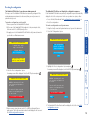
To invoke a configuration reset by switch
1 Remove power from the AdderLink IP Gold unit.
2 At the rear of the AdderLink IP Gold, adjacent to the power input socket,
click mini switch 1 to its ON (down) position.
3 Re-apply power to the AdderLink IP Gold. On the locally connected monitor
you should see a Maintenance menu:
The AdderLink IP Gold does not display the configuration sequence
If the AdderLink IP Gold has been previously configured it may not automatically
display the first of the setup screens. In this case you have two options, either:
• Access the Unit, Network and Serial configuration screens separately, or
• Reset the configuration:
To invoke a configuration reset by main menu
1 Using the locally connected keyboard and screen, log on as the admin user.
2 Select the ‘Configuration’ option.
The AdderLink IP Gold asks for an unknown admin password
This may occur if the AdderLink IP Gold has been previously configured. If the
existing admin password cannot be discovered, then your only recourse is to
perform a factory reset.
AdderLink IP Gold Configuration
AdderLink IP Gold Maintenance
Unit Configuration
Network Configuration
Modem Configuration
To upgrade unit, visit:
http://192.168.42.154
Configure Network
Reset Configuration
Resetting the configuration
Reset Configuration
Back
Put option switch 1 up to
return to normal operation.
AdderLink IP Gold Reset Config
WARNING: Continuing will cause
your existing configuration to
be erased.
WARNING: Continuing will cause
your existing configuration to
be erased.
The unit will then reset and
require re-configuring before
it can be used.
The unit will then reset and
require re-configuring before
it can be used.
DO YOU WISH TO CONTINUE?
DO YOU WISH TO CONTINUE?
RESET
AdderLink IP Gold Reset Config
RESET
Cancel
.
.
4 Select the ‘Reset configuration’ option.
A warning screen will be displayed. Select the RESET option and press
3 Highlight the ‘Reset configuration’ option and press
.
A warning screen will be displayed, select the RESET option and press
Cancel
5 Remove power, return the mini switch 1 to its OFF position and then reapply power. The locally connected monitor should display the first screen of
the initial configuration sequence.
4 The AdderLink IP Gold will reset and then display the first of the four initial
configuration screens.
19
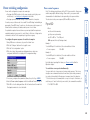
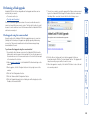
To perform the remote configuration
1 Use either the VNC viewer or a standard web browser to make remote
contact with the AdderLink IP Gold – see Connecting to the AdderLink IP
Gold for more details.
2 If the username entry is not blanked out, enter ‘admin’. Then enter the
password that was set during the local configuration stage (if no password
was set, then just press
). Once logged in, the AdderLink IP Gold will
show the video output from the host system (if one is connected), or
otherwise a ‘No Signal’ message.
3 Click the Configure button in the top right hand corner of the window to
display the configuration menu
The second part of the configuration requires you to log into the AdderLink IP
Gold from a system via either a network connection or a dial-up connection (via
modem or ISDN). In either case there are two types of access applications that
you can use:
• The VNC viewer – a small application supplied on the CD-ROM or
downloadable from the Adder and RealVNC websites or even downloadable
from the AdderLink IP Gold itself.
or
• A standard browser that supports Java – As soon as a web browser makes
contact, the AdderLink IP Gold downloads a Java application to it. This
allows a viewer window to be opened and operation to commence just as it
would with the VNC viewer application.
User accounts
Allows you to create and manage up to sixteen separate user
accounts, each with separate access permissions.
Unit configuration
Allows you to alter both basic and fundamental
settings within the AdderLink IP Gold.
Time & Date Configuration
Allows you to set the current time and date as well as the
timezone specifier and specify a network timeserver, if necessary
Network configuration
Here you can alter any of the existing network settings plus you
can take advantage of the IP access control feature that lets you
to specifically include or exclude certain addresses or networks.
Serial port configuration
Lets you setup or alter the details concerning
the modem and power control serial ports.
Host configuration
Allows you to configure user access, hot key switching and
power control codes for up to 128 host systems that may be
connected to the AdderLink IP Gold via KVM switch units.
Logging and status
Provides various details about the user
activity on the AdderLink IP Gold.
For more information about each menu option, please see Appendix 5
- Remote configuration menus in the ‘Further information’ chapter.
Shaded items signify
options that are not
available at the local
configuration stage.
Part 2 – Remote configuration
Many of the options within the configuration menu duplicate those
that were set (or are available) in the local configuration. However,
there are numerous other settings that are only available here.
20
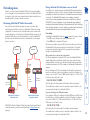
Networking issues
Internet
Firewall/
router
Firewall/
router
LOC
A
LOC
A
KVM link to
host system
REM VNC
B
100
LNK PWR
REM VNC
100
LNK PWR
B
AdderLink
GOLD
Local
network
connection
AdderLink IP Gold situated
behind the firewall
Local
network
connection
KVM link to
host system
AdderLink IP Gold situated
alongside the firewall
IMPORTANT: When the AdderLink IP Gold is accessible from the public Internet
or dial up connection, you must ensure that sufficient security measures are
employed.
AdderLink
GOLD
When a web server is also on the local network
Port 80 is the standard port used by web (HTTP) servers. If the AdderLink IP Gold is
situated within a local network that also includes a web server or any other device
serving port 80 then, if you want to use the web browser interface from outside the
local network environment, the HTTP port number of the AdderLink IP Gold must be
changed.
When you change the HTTP port to anything other than 80, then each remote
browser user will need to specify the port address as well as the IP address. For
instance, if you set the HTTP port to ‘8000’ and the IP address is ‘192.168.47.10’
then browser users will need to enter:
http://192.168.47.10:8000
(Note the single colon that separates the IP address and the port number).
The firewall/router would also need to be informed to transfer all traffic to the
new port number through to the AdderLink IP Gold.
If you need to change the VNC port number
If you change the VNC port to anything other than 5900, then each VNC viewer
user will need to specify the port address as well as the IP address. For instance,
if you set the VNC port to ‘11590’ and the IP address is ‘192.168.47.10’ then
VNC viewer users will need to enter:
Internet
Port settings
As standard, the AdderLink IP Gold uses two ports to support its two types of viewer:
• Port 80 for users making contact with a web browser, and
• Port 5900 for those using the VNC viewer.
When these port numbers are used, VNC viewers and web browsers will locate
the AdderLink IP Gold correctly using only its network address. The firewall/
router must be informed to transfer traffic, requesting these port numbers,
through to the AdderLink IP Gold.
Every network setup is different and great care needs to be taken when
introducing a powerful device such as the AdderLink IP Gold into an existing
configuration. A common cause of potential problems can be in clashes with
firewall configurations. For this reason the AdderLink IP Gold is designed to be
intelligent, flexible and secure. With the minimum of effort the AdderLink IP
Gold can reside either behind the firewall or alongside with its own separate
Internet connection.
Positioning AdderLink IP Gold in the network
A possible point of contention between the AdderLink IP Gold and a firewall can
occasionally arise over the use of IP ports. Every port through the firewall represents
a potential point of attack from outside and so it is advisable to minimise the number
of open ports. The AdderLink IP Gold usually uses two separate port numbers,
however, these are easily changeable and can even be combined into a single port.
IMPORTANT: The correct configuration of routers and firewalls requires advanced
networking skills and intimate knowledge of the particular network. Adder Technology
cannot provide specific advice on how to configure your network devices and strongly
recommend that such tasks are carried out by a qualified professional.
Thanks to its robust security the AdderLink IP Gold offers you great flexibility
in how it integrates into an existing network structure. The AdderLink IP Gold
is designed to reside either on an internal network, behind a firewall/router or
alternatively with its own direct Internet connection.
Placing AdderLink IP Gold behind a router or firewall
192.168.47.10::11590
(Note the double colons that separate the IP address and port number).
The firewall/router would also need to be informed to transfer all traffic to the
new port number through to the AdderLink IP Gold.
21
AdderLink IP Gold has
a local address and net
mask, i.e.
IP address: 192.168.0.3
Net mask: 255.255.255.0
LOC
A
REM VNC
B
100
LNK PWR
AdderLink
GOLD
Firewall/router address:
129.7.1.10
The firewall routes the
request from the VNC viewer
on port 5900 through to the
AdderLink IP Gold at local
address 192.168.0.3
DNS addressing
As with any other network device, you can arrange for your AdderLink IP Gold
to be accessible using a name, rather than an IP address. This can be achieved in
two main ways:
• For small networks that do not have a DNS (Domain Name System) server,
edit the ‘hosts’ files on the appropriate remote systems. Using the hosts file,
you can manually link the AdderLink IP Gold address to the required name.
• For larger networks, declare the IP address and required name to the DNS
server of your local network.
The actual steps required to achieve either of these options are beyond the
scope of this document.
Internet
Remote user with VNC
viewer accesses IP
address: 129.7.1.10 and
automatically uses port
5900.
To discover a DHCP-allocated IP address
Once a DHCP server has allocated an IP address, you will need to know it in
order to access the AdderLink IP Gold via a network connection. To discover the
allocated IP address:
1 In the local Network configuration screens, set the ‘Use DHCP’ option to
‘Yes’ and select ‘Save’. Once the page is saved, the AdderLink IP Gold will
contact the DHCP server and obtain a new address.
2 Re-enter the same ‘Network configuration’ screen where the new IP address
and network mask should be displayed.
Addressing
When the AdderLink IP Gold is situated within the local network, you will
need to give it an appropriate local IP address and IP network mask. This is
achieved most easily using the DHCP server option which will apply these
details automatically. If a DHCP server is not available on the network, then
these details need to be applied manually in accordance with the network
administrator.
The firewall/router must then be informed to route incoming requests to port
5900 or port 80 (if available) through to the local address being used by the
AdderLink IP Gold.
22
Addressing
When the AdderLink IP Gold is situated alongside the firewall, it will require a
public static IP address (i.e. one provided by your Internet service provider).
More addressing information:
Discover DHCP-allocated addresses
DNS addressing
Ensuring sufficient security
The security capabilities offered by the AdderLink IP Gold are only truly effective
when they are correctly used. An open or weak password or unencrypted link
can cause security loopholes and opportunities for potential intruders. For
network links in general and direct Internet connections in particular, you should
carefully consider and implement the following:
• Ensure that encryption is enabled.
By local configuration or by remote configuration.
• Ensure that you have selected secure passwords with at least 8 characters
and a mixture of upper and lower case and numeric characters.
By remote configuration.
• Reserve the admin password for administration use only and use a nonadmin user profile for day-to-day access.
• Use the latest Secure VNC viewer (this has more in-built security than is
available with the Java viewer). To download the viewer.
• Use non-standard port numbers.
• Restrict the range of IP addresses that are allowed to access the AdderLink IP
Gold to only those that you will need to use. To restrict IP access.
• Do NOT Force VNC protocol 3.3. Remote configuration. Protocol 3.3 is a
legacy version that does not offer any encryption.
• Add a further level of inherent security by restricting access only via modem
or ISDN dialup.
• Ensure that the computer accessing the AdderLink IP Gold is clean of viruses
and spyware and has up-to-date firewall and anti-virus software loaded that
is appropriately configured.
• Avoid accessing the AdderLink from public computers.
Ports
In this configuration there should be no constraints on the port numbers
because the AdderLink IP Gold will probably be the only device at that IP
address. Therefore, maintain the HTTP port as 80 and the VNC port as 5900.
IMPORTANT: If you make the AdderLink IP Gold accessible from the public
Internet or from a modem, care should be taken to ensure that the maximum
security available is activated. You are strongly advised to enable encryption and
use a strong password. Security may be further improved by restricting client
IP addresses, using a non-standard port number for access or limiting remote
access to dial up connections only.
Security can be further improved by using the following suggestions:
• Use a KVM switch with On-Screen-Display driven security access and an
auto-logout (after inactivity) feature to provide a second level of security. KVM
switches such as the AdderView Matrix or SmartView XPro are recommended.
• Place the AdderLink IP Gold behind a firewall and use port the numbers to
route the VNC network traffic to an internal IP address.
• Review the activity log from time to time to check for unauthorized use.
• Lock your server consoles after they have been used. A security white paper that gives further details is available upon request from
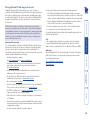
Adder Technology Limited.
AdderLink IP Gold is built from the ground-up to be secure. It employs a
sophisticated 128bit public/private key system that has been rigorously analysed
and found to be highly secure (a security white paper is available upon request
from Adder Technology Ltd). Therefore, you can position the AdderLink IP Gold
alongside the firewall and control hosts that are also IP connected within the
local network.
Placing AdderLink IP Gold alongside the firewall
23
Example 1
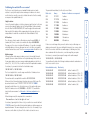
To switch ON port 5 of switch box 2, the code would be as follows:
• Power sequence: P25=1\0D
Example 2
To switch OFF port 8 of switch box 3, the code would be as follows:
• Power sequence: P38=0\0D
For details about operating this feature, see Power control within the
Operation chapter.
5 If necessary, configure other parameters (Name, Users, Hot Keys - MORE).
6 Enter the Power control sequences in the Power On and Power Off fields
7 Click OK to close the dialog and then click the Save button in the main Host
Configuration window to store the details.
To control two or more ports simultaneously
You can control up to four power ports using a single sequence. This is done
using the same command structure as shown above, plus a delay command,
for each port. Immediately following a port command, insert the characters
‘\*’ before the next port command, and so on up to four ports. For instance, to
switch on ports 1 and 2 in the first power switch, the command line would be:
P11=1\0D\*P12=1\0D
Where:
x is the switch box number,
y is the power port number,
z is ‘0’ for OFF or ‘1’ for ON, and
\0D represents Enter (or Carriage return).
Pxy=z\0D
To configure the power sequences for each host computer
1 Using VNC viewer or a browser, log on as the ‘admin’ user.
2 Click the ‘Configure’ button in the top right corner.
3 Click the ‘Host configuration’ option.
4 Click a host entry (only numbers are displayed when no entries are
configured) within the list to display a Host configuration dialog:
Note: The settings given below are for the EPS-S8 power switch - other power
switches may require different settings. Please refer to your power switch
documentation for details about codes required by other power switches.
The structure of each power sequence (OFF and ON) is as follows:
Power switch configuration comprises two main steps:
• Configure the COM2 serial port to the same speed as used by the power
switch box(es) - see Serial port configuration for details.
• Configure power ON and OFF strings for each relevant host computer.
For each power port there needs to be a valid ‘Power ON string’ and similarly an
appropriate ‘Power OFF string’. In each case, the strings are a short sequence of
characters that combine a port address and a power on or off value.
If a particular computer has more than one power input (and thus requires an
equivalent number of power ports to control them), collections of strings can be
combined to switch all of the required ports together as a group.
Power control sequences
Power switching configuration
24
Particularly useful for complex AdderLink IP Gold configurations and the control
of remote installations, KVMADMIN is a powerful administration tool.
KVMADMIN is based upon the successful VNC viewer and uses the same
security system. Rather than a graphical interface such as the standard viewer,
KVMADMIN uses command line control to provide the following administration
facilities:
• Discover and adjust the AdderLink IP Gold configuration, including host
systems,
• Save and restore the AdderLink IP Gold configuration,
• Set user names and passwords,
• Download the event log,
• Set custom video modes.
The use of KVMADMIN is strictly limited to the ‘admin’ user and for security
purposes it is not possible to retrieve user names or passwords from the
AdderLink IP Gold.
To use KVMADMIN you require the IP address and admin password of the
AdderLink IP Gold unit. The command line is as follows:
kvmadmin <command> <ip address> [<parameters>]
where <command> is one of the following:
• -setconfig <config-file>
• -getconfig <config-file>
• -setusers <csv-file>
• -getlog <log-file>
• -gethosts <csv-file>
• -sethosts <csv-file>
• -setmodes <csv-file>
For instance, the command line:
kvmadmin -getconfig kvm1.cfg 192.168.2.1
... downloads the current configuration from the AdderLink IP Gold unit at the
given address and stores it in the local file kvm1.cfg.
Whereas the command line:
kvmadmin -setusers users.csv 192.168.2.1
... configures the usernames and passwords for the same unit from the local file
users.csv.
For more information about KVMADMIN, please refer to the user notes supplied
with the utility.
The KVMADMIN utility
25
Performing a flash upgrade
7 The unit is now ready to accept the upgrade files. Open your browser and
log into the AdderLink IP Gold using the IP address that was confirmed in
the dialog. Once connected, the unit will offer the following screen:
Flash upgrade using the remote method
8 Click the ‘Browse’ button and locate the .bin upgrade file that you
downloaded earlier. Click the ‘Perform Upgrade’ button. The upgrade will
take place and its progress will be shown on screen.
9 When the upgrade is complete, click the link ‘Click here to reboot the unit
into normal operation’.
To perform a flash upgrade using the remote method
1 Download the latest firmware revision for the AdderLink IP Gold from the
Adder website and decompress the download file. View the decompressed
files and make a note of the name and location of the .bin file that was part
of the download file collection.
2 Make a remote connection to the AdderLink IP Gold unit and login as the
admin user.
3 Once logged in, click the ‘Configure’ button in the top right corner of the
window.
4 Click the ‘Unit Configuration’ button.
5 Click the ‘Advanced Unit Configuration’ button.
6 Click the ‘Upgrade Firmware’ button. A dialog box will be displayed, note the
IP address shown and click OK.
Using this method, the AdderLink IP Gold is upgraded via remote connection
(through the IP network port). Upgrades are digitally signed by Adder using
a secure key. This prevents unauthorised or altered firmware images being
downloaded into the unit.
AdderLink IP Gold is fully reconfigurable via flash upgrade and there are two
methods that you can use:
• The remote method, or
• The ‘dip switch’ method.
The most streamlined upgrade procedure is the remote method because it is
carried out completely from a remote system. The ‘dip switch’ method is useful
because it can be carried out even if the firmware within the AdderLink IP Gold
unit has been corrupted.
26
Flash upgrade using the ‘dip switch’ method
This upgrade procedure requires remote computer access to the AdderLink IP
Gold unit and also physical access to the dip switches on the unit.
Configure Network
Reset Configuration
Current network
address of the
AdderLink IP Gold
Put option switch 1 up to
return to normal operation.
The Maintenance menu should display the current network address
of the AdderLink IP Gold.
• If the current network address is incorrect then select
the ‘Configure network’ option to change it:
5 Using the web browser (not the VNC viewer) on the previously used remote
system, connect to the network address shown in the local Maintenance
menu.
6 Follow the on screen instructions to upload the firmware file (previously
obtained from the Adder site) to the AdderLink IP Gold.
IMPORTANT: Wait until the upgrade is complete.
7 When the upload is complete and confirmed on screen, log off the remote
system and then power down the AdderLink IP Gold.
8 At the rear of the unit, return the mini switch 1 to its OFF position and then
re-apply power.
OK
Use DHCP
When this option is selected, your
AdderLink IP Gold will attempt to locate
a DHCP server on the network. If such
a server is located, it will supply three
things to the AdderLink IP Gold: an
IP address, an IP network mask (also
known as a Subnet mask) and a Gateway
address.
IP address
This is the identity of the AdderLink IP
Gold within a network. It can either
be entered manually or configured
automatically using the DHCP option.
When the DHCP option is enabled, this
entry is greyed out.
Net mask
Also often called the ‘subnet-mask’, this
value is used alongside the IP address
to help define a smaller collection (or
subnet) of devices on a network. In
this way a distinction is made between
locally connected devices and ones that
are reachable elsewhere, such as on the
wider Internet.
Gateway
This is the address of the device that
links the local network (to which the
AdderLink IP Gold is connected) to
another network such as the Internet.
Usually this is a network switch or router
and it will be used whenever a device
to be contacted lies outside the local
network.
MAC Address 00:0F:58:00:00:04
Use DHCP
No
IP Address 192.168.42.154
Net Mask
255.255.255.0
Gateway
To upgrade unit, visit:
http://192.168.42.154
AdderLink IP Gold Network Config
MAC address
Media Access Control address – this is
the unique and unchangeable code that
was hard coded within your AdderLink
IP Gold unit when it was built. It
consists of six 2-digit hexadecimal (base
16) numbers separated by colons. A
section of the MAC address identifies
Adder Technology as the manufacturer,
while the remainder is effectively the
unique electronic serial number of your
particular unit.
AdderLink IP Gold Maintenance
Configure network option
To perform a flash upgrade using the ‘dip switch’ method
1 Using a remote connection, log on as the admin user and access the Unit
configuration page to determine the current firmware version of the
AdderLink IP Gold unit.
2 Visit the Adder website, locate the downloads section and select an
AdderLink IP Gold firmware revision that is later than the one currently
installed.
3 Power down the AdderLink IP Gold unit. At the rear of the unit, adjacent to
the power input socket, click mini switch 1 to its ON (down) position.
4 Re-apply power to the AdderLink IP Gold. On the locally connected monitor
you should see a Maintenance menu:
27
Local connection
The keyboard, video monitor and mouse connected directly to the AdderLink IP
Gold offer password protected access to the host computer(s).
To make a local connection:
1 Using the keyboard connected directly to the AdderLink IP Gold, press any
key to exit the screensaver and display the logon prompt.
AdderLink IP Gold Control
Logoff
Restore Mouse Functions
Configuration
Access Mode Shared
Host
Server 1
The AdderLink IP Gold offers you three ways to connect:
• Local connection,
• Remote connection by network link,
• Remote connection by direct dial up (modem or ISDN) link,
...and two types of viewer:
• VNC viewer,
• Standard web browser.
To view the local control menu
1 Press and hold the hotkeys (usually
and
), then press
and finally
release all three keys.
Note: The
and
keys when pressed in combination are called
‘hotkeys’ and they signal to the AdderLink IP Gold that you wish to control
it, rather than the host computer. However, if these particular hotkeys clash
with another device or program, then your administrator may change them
to a different combination. If the
combination fails to work,
then please contact the system administrator for details.
Connecting to the AdderLink IP Gold
Operation
Username: <
Password:
2 Enter your username and password. Providing you have the correct
permissions, the screen will display the currently selected host computer.
The local control menu contains numerous options, the most useful of which
are:
• Access mode - Allows you to select a ‘Private’ mode in order to prevent
other logged on users from viewing your actions on the host computer. Use
and
to change between modes.
Note: For the courtesy of other users, this mode should be used sparingly.
The admin user has the ability to overrule the private setting.
• Host - Where more than one host computer is available via the AdderLink IP
Gold, this option allows you to easily switch between them. Use
and
to change between host computers.
• Return to host - Quits the control menu and displays the host computer
screen.
AdderLink IP Gold Logon
Return To Host
28
OR
OR
Web
browser
Dial up
link
LOC
A
REM VNC
B
100
LNK PWR
AdderLink
GOLD
Network
link
VNC
viewer
From a remote system, you connect to the AdderLink IP Gold using a viewer and
a link. There are two types of viewer and two types of link, which can be used in
any combination.
To avoid the ‘hall of mirrors’ effect
IMPORTANT: Never configure a system so that your viewer is viewing itself.
When controlling a host computer using the locally connected keyboard, video
monitor and mouse, it is possible to use the VNC viewer or a browser (if the host
computer is networked) to create a remote link back to itself. This will set up a
‘hall of mirrors’ effect, where the computer is viewing itself into infinity.
While technically possible, the AdderLink IP Gold unit is not designed to
withstand this treatment and could sustain damage.
Remote connections
Local connection (continued)
29
To connect using your Web browser
1 Launch your standard Web browser as usual.
• If you are using a dial up link.
2 In the Address section, type the address of the AdderLink IP Gold as follows:
http://v.w.x.y
Enter the AdderLink IP Gold
address here and click OK
If required, select the
encryption mode - MORE [+]
Options button
Provides a range of viewer and connection settings - MORE [+]
2 In the ‘Server:’ entry, type the address of the AdderLink IP Gold as follows:
v.w.x.y
where v.w.x.y is the IP network address, for example 192.168.0.3
• If you have been asked to also enter a port number.
3 Click the OK button. Depending on the options selected, you may need to
confirm certain items. A connection attempt will be made and if successful,
an authentication dialog should be displayed:
4 Enter your username and password. The viewer window should now open
and show the current host computer. Note: If the Username entry is blanked
out then only admin user account is currently defined and only a password is
required.
where v.w.x.y is the IP network address, for example 192.168.0.3
• If you have been asked to also enter a port number.
3Press
. A connection attempt will be made. In the browser window,
select the ‘Connect using built-in Java VNC viewer’ option to download
a small application that will temporarily empower your browser (on slow
connections the application download can take several tens of seconds to
complete). Once complete, a connection details dialog will be displayed:
The previously entered AdderLink
IP Gold address will be shown
here
If required, select the
encryption mode - MORE [+]
Options button
Provides a range of viewer and connection settings - MORE [+]
4 Make any necessary option/encryption changes and click the OK button
to proceed. Depending on the options selected, you may need to confirm
certain items.
5 A second connection attempt will be made and if successful, an
authentication dialog will be displayed:
A connection details dialog will be displayed:
You can use a standard Web browser (supported versions) to gain access to
the AdderLink IP Gold and its host computer(s). As soon as you make contact
with the AdderLink IP Gold it will begin downloading a small Java application to
your browser, which will be used only for the duration of your connection.
To connect using the VNC viewer
1 Locate and select the VNC viewer icon
• If you are using a dial up link.
Remote connection by Web browser
The VNC viewer is a compact application that runs on your remote system and
allows you to view and use the AdderLink IP Gold and its host computer(s). VNC
viewer is readily available from a number of different sources:
• from the AdderLink IP Gold installation CD
• from the AdderLink IP Gold itself
• from the RealVNC website
Remote connection by VNC viewer
6 Enter your username and password. The viewer window should now open
and show the current host computer. Note: If the Username entry is blanked
out then only admin user account is currently defined and only a password is
required.
30
Using the viewer window
When using the viewer window
Controls
Displays a menu of
options concerning
keyboard, video and
mouse operation.
Power
Click to access the
power on/off options
for the current host
computer.
Digital/Analogue switch
Determines the monitor
type information that is
sent from the AdderLink
IP Gold to the host
computer.
How do I escape from full screen mode?
Press the F8 button. This button is changeable but is most often set to F8.
Why is the
button flashing red?
This happens when a new host screen is viewed (that has not been viewed
before). Click the
button to perform an auto calibration for the screen and
the mouse. See Auto calibrate for important information about this feature.
How do I change between host computers?
The best way to change between host computers is to click the ‘Hosts’ button
and then select the required computer by name. See Host selection.
Re-sync mouse
Ensures that the
mouse pointer
which you move
and the mouse
pointer on the
host system
are correctly
synchronised.
Auto calibrate
Determines the
optimum video and/or
mouse settings for the
currently selected host
computer. This button
will flash red when
a new host screen is
encountered. Click this
button when you first
visit a new screen. This
option has no effect on
DVI digital video which
requires no calibration.
Hosts
Click to display
a list of hosts.
Choose an
entry to
connect to
that host
computer.
Access mode
Allows you
to choose
between
Shared and
Private access
modes.
Configure
This option is only
available to the
admin user and
provides access
to the main
configuration
menus.
How do I remove traces of moved items from the screen?
When you move an item or window across the screen, sometimes it can leave
unsightly trails. These are called artifacts and can be particularly prevalent when
the connection speed is low. To remove artifacts, click the ‘Controls’ button and
select the ‘Refresh screen’ option. See Controls.
How do I make the most of a slow connection?
The VNC viewer is slightly better suited to slower connections than the browser
viewer because it offers more options. Click the Options button of the VNC
viewer when entering the AdderLink IP Gold address during log on.
Adjust the Threshold setting
Ensure that the video Threshold setting is set higher than the automatic setting
suggests. Tweak this setting manually to ensure the best setting.
Fewer colours
Select the Low (64 colours) mode. The Very low option offers hardly any
improvement and looks a lot worse.
Rate limit mouse events
When selected, this mode greatly reduces the mouse movement data that are
sent to the host computer. When you move the local mouse, the remote cursor
will catch up roughly once per second.
Ctrl Alt Del
Sends the
control
string to
the host
computer.
Viewer options
(VNC viewer
only) Click the
VNC icon to
view the viewer
window options.
How do I navigate around a larger screen?
If the screen that you are viewing has a larger resolution than your viewing
window you will need to scroll around to see all items. The viewer window
allows you to ‘bump scroll’ (only in full screen mode). This means that when
your mouse cursor bumps against the edge of the screen, the screen image will
scroll across automatically.
The viewer window presents a menu bar similar to that shown below. Certain
items within the toolbar are displayed depending upon your access permissions
and/or the AdderLink IP Gold configuration.
The menu bar
What is the best screen resolution to use?
The best resolution for your computer is one that is larger than the screen of
the host computer that you are viewing. This will allow you to see everything
without scrolling around, as described next.
The viewer window gives you the ability to view and control the AdderLink IP
Gold and its host computer(s). Its operation is almost identical regardless of
whether you used the VNC viewer or your Web browser to display it.
31
Remote host cursor
Configure
For the VNC viewer, the local
cursor is a dot:
Local dot cursor
Remote host cursor
Additionally, for fast network
connections, the VNC viewer also
provides a single mouse mode.
See Controls - Single Mouse for
details.
This option is displayed only when you are logged on as the ‘admin’ user. When
selected it provides access to a wide range of AdderLink IP Gold settings.
See Appendix 5 - Remote configuration menus for more details.
To select a host
1 Click the Hosts button to display a list of computers.
2 Click the required computer name to view and control it.
See Appendix 5 - Host configuration for details about programming new
hosts into the AdderLink IP Gold (‘admin’ user status required).
Local cursor
The Hosts button on the menu bar provides the quickest and most efficient way
to switch between host computers. This is because the button is close at hand,
but also because the screen calibration details for each host are reused when
this method of switching is used. The alternative is to use KVM switch hotkey
combinations or the KVM switch on screen display.
Note: The Hosts button is displayed only when the
switching details for two or more computers have
been declared within the configuration section by the
admin user.
For the browser viewer, the local
cursor is a typical arrow:
Host selection
Both viewers provide a double mouse cursor to help overcome any delays
caused by slow connections. When you move your mouse you will see two
mouse cursors, a local one that responds immediately to your movements and a
second, slower moving, cursor that represents the current mouse position at the
host.
Mouse pointers
Single local cursor
32
Upon completion
an information
dialog will
explain the
results:
To re-synchronise the mouse
1 Use the Hosts button to select the required computer.
2 Click the
button and then click OK in the subsequent pop-up message.
Note: If you find that this doesn’t work, you may need to perform a mouse
calibration again.
If you find that your local mouse pointer and that of the host are not correctly
synchronised, use this feature to re-align their movements. This operation is also
selectable from the Controls menu.
Up to five users can be simultaneously logged-on (four remote users plus one
local user) and during normal operation, all are able to see the same view of
the currently selected host. If you need to perform a sensitive task that should
not be viewed by other users, you can change the access mode to Private. This
action blanks the viewer window for all other logged on users.
Note: For the courtesy of other users, this mode should be used sparingly. The
admin user has the ability to overrule the private setting.
To change the access mode
1 Click one of the arrow buttons adjacent to the
Shared/Private indicator.
Access mode - shared/private
To auto calibrate the screen and/or mouse
1 Use the Hosts button to select the required computer.
2 Click the
button to display the
Calibrate options dialog:
(Note: Certain items may be
greyed out.)
3 Click the required action.
A progress indicator will be
displayed while the necessary
calculations are made.
Re-synchronise mouse
Power control
When configured (and where you have access rights) this option allows you to
control the mains power input to the currently selected host computer.
Note: This option is generally used to power cycle remote systems that have
failed to respond. Before switching a system off, ensure that all attempts have
first been made to power it down through normal means.
To switch a system on or off
1 Use the Hosts button to select the required computer.
2 Click the Power button and then select the Switch on
or Switch off option, as appropriate.
Note: Every power control action is recorded within
the internal log.
When you visit a host computer for the very first time, your viewer may need to
determine the optimum video and mouse settings for that particular computer.
Note: Host computers that provide digital video do not need video calibration.
The button will remind you to click it by flashing red when a new analogue
computer screen is encountered that requires calibration. Performing this step is
important because it can help to decrease unnecessary video information being
sent across the link, thus improving overall performance.
Once this has been done, providing you use the ‘Hosts’ button to switch
between host computers, the video settings for each machine will be re-used.
Note: When performing an auto calibration, ensure that the screen image
is static (no moving images) and also try to remove any on-screen displays
generated by KVM switches (such as host names or menus). This is because
they can affect the calibration process and result in a lower overall performance
level. For mouse calibration, ensure that there are no application windows
located around the upper left corner of the screen. This is because as the mouse
calibration takes place, the cursor may change (to match the application as it
skims across the window) and this may confuse the calculation. Also ensure that
the host system does not have the mouse cursor trails option enabled.
Auto calibrate
33
Controls
Refresh Screen
This option refreshes the whole screen image to remove any artifacts from
moved screen items. This is useful when using very low refresh rates on slow
speed communication links.
Click to move the remote
mouse cursor up, down,
left or right
Allows you to reinstate a
mouse that has failed to
operate correctly.
For advice on which mouse
type to choose.
Click to produce a
continuous mouse click
and hold for the left,
centre or right mouse
buttons
Click to calibrate the
remote mouse
For a USB mouse, allows you
to choose between Relative
(standard) and Absolute
positioning modes.
For the latter, all connected host
computers must support absolute
positioning devices.
Resync Mouse
This option has the same effect as the button on the menu bar and
resynchronises the local and remote mouse pointers.
Click to produce a single
mouse click for the left,
centre or right mouse
buttons
Mouse Control
This option displays a mouse control dialog and is useful when the remote
cursor is failing to respond correctly to your mouse movements, even after using
the Resync mouse option.
The mouse control dialog allows you to control the remote mouse cursor using a
selection of buttons that you click with your local mouse.
Single Mouse Mode
This mode is for fast network connections where the
cursor response is sufficient to provide instant visual
feedback on the remote screen. When enabled, the
cursor is ‘captured’ within the viewer window until
you use the ‘escape’ hot keys.
To escape from single mouse mode, press F8 and then P. Alternatively,
enable and use the mouse button escape sequences - see Advanced unit
configuration for details.
The single mouse mode does not require calibration.
When clicked, this button reveals a menu of
options concerned with keyboard, video and mouse
operation.
34
Channels
Allows you to
choose between
Mono and Stereo.
Click to take text from
the remote viewer
clipboard and present
it at the host computer
as though it had been
typed there directly
When entering codes:
+ means press down the key that follows
– means release the key that follows
+– means press down and release the key that follows
* means wait 250ms (note: if a number immediately follows the asterisk, then the delay will equal the number, in milliseconds)
It is automatically assumed that all keys specified will be released at the end, so
there is need to specify -Ctrl or -Alt if these keys are to be released together.
See Appendix 8 for a list of key sequence codes that can be used.
Examples:
‘Ctrl + Alt 12’ would be expressed as: +Ctrl+ Alt+1–1+2
+N means press the ‘N’ key
+Scroll means press the Scroll lock key
+Space means press the space key
Window size (ms)
The time frame in
which the unit requires
an acknowledgement
from the remote viewer
when data is sent. If
acknowledgements are
not received, the unit
will stop sending audio
data - Click the Restart
Sound button.
Restart Sound
Click to reenable audio
transmission
following an
automatic
cutout. If cutouts
occur regularly,
try increasing
the Window size
setting.
Threshold
The level above which
the audio level should be
before it is considered to
be not background noise
and hence should be
transmitted. A level of 25
means the audio input
needs to be above 25%
of the maximum before it
is transmitted.
Min burst (ms)
The time period for
which the audio input
must fall below the
threshold level before
audio transmission
ceases. Transmission
will begin again as
soon as the threshold
level is once again
exceeded.
Settings can be adjusted to suit transmission characteristics and audio quality
requirements (unsuitable audio settings can affect video quality):
For use on slow links:
Format: uLaw
Sample rate: 8000
Channels: Mono
For maximum audio quality:
Format: Linear
Sample rate: 48000
Channels: Stereo
Where necessary, adjust the Window size, Threshold and Min burst settings until
optimum audio output is obtained.
Linear - Use when
high quality audio
performance is required
- 16-bit uncompressed
(raw) data is
transmitted.
Format
uLaw - Use when
transmitted data needs
to be minimised - 8-bit
compressed data.
Click to send
the code
Sample rate
The number of
audio samples per
second (in Hz).
8000 produces less
samples and hence
minimised data.
48000 (48KHz)
produces the best
sound reproduction.
Enter the
code here
Sound control
This option provides a range of options related to the audio capabilities of the
AdderLink IP Gold.
Keyboard Control
This option displays a keyboard control dialog and is useful for sending keyboard
combinations (to the host) that are needed regularly or that are trapped by the
AdderLink IP Gold.
Video Settings
see next page
35
Vertical position
Determines the
vertical position
of the host screen
image within the
viewer window.
Colour, brightness &
contrast
Provides manual
sliders and also an
automatic setting
button to optimise
these important video
constituents for the
current host and
connection speed.
Calibrate all
Click to
determine the
optimum settings
for all aspects of
video the video
connection from
the host system.
Display activity
Indicates the level
of video activity
currently in
progress.
Setting the Threshold manually
Occasionally it can be useful to manually adjust the Threshold setting, in order to
achieve a setting that best suits your particular requirements.
1 Use the ‘Calibrate All’ function to ensure that all other settings are
optimised.
2 Click the Threshold left arrow button to decrement the setting by one and
observe the ‘Display Activity’ indicator.
3 Repeat step 2 until the Display Activity indicator suddenly rises to a much
higher level (i.e. 50%). This will mean that you have reached the noise
boundary. At this point, increment the Threshold value by 2 or 3 points to
achieve an optimum setting.
Horizontal position
Determines the
horizontal position of
the host screen image
within the viewer
window.
Threshold
The threshold
is effectively a
noise filter that
differentiates
between valid
video signals
and background
noise or
interference.
This has
the effect
of reducing
unnecessary
video signals
between the
iPEPS and the
remote system,
thus improving
performance.
Phase
The phase setting
adjusts the alignment
of the host video
output and the
remote system video
display to achieve the
sharpest image.
Using automatic configurations
• Every setting can be individually subjected to an automatic configuration
(click the appropriate ‘Auto’ button) and most can also be manually
adjusted.
• Use the ‘Calibrate All’ button to automatically determine the optimum
settings for all items.
Note: Before using the ‘Calibrate All’ option, if possible, remove on-screen
display (OSD) elements generated by any connected KVM switches (such as
a host name label or menu). These OSD elements use different video rates
to those of the host system(s) and can affect the setting of the automatic
threshold value. AdderLink IP Gold uses an improved calculation procedure
to filter out the effect of these elements. However, best results are obtained
when the screen contains only host system information.
Note: To maximise performance, the threshold level is automatically
increased by 50% when a slow link is detected.
Note: When the AdderLink IP Gold is used with one or more CATx switches,
the threshold needs to be higher than 32 due to the significant amounts of
‘noise’ that these switches introduce. The AdderLink IP Gold configuration
should detect such noise and adjust the threshold accordingly.
Video Settings
This dialog provides access to all of the key video settings that determine image
quality and link performance.
Note: Calibration is not required for digital video sources.
36
3 You can select entire drives or individual files/folders:
• Select a disk drive: Click the checkbox adjacent to the listed disk drive
(if any) that you wish to copy to the host computer,
or
• Select files or folders: Click the Browse... button to display a file dialog
box which will allow you to locate files, folders or complete drives (up
to a maximum of 2GB) that you wish to transfer to the selected host
computer. In the file dialog box, highlight the required file(s), folder(s)
or drive and click the Open button. Note: The Use Entire Folder button
provides a quick way to select a whole folder while you are viewing its
contents.
Removable disk entry
The virtual media files are
represented on the host
computer as a removable
disk. The designated drive
letter will depend upon
other drives installed on the
host computer.
Note: Remember, at this point the selected files/folders or drive have not yet
been transferred to the host system, they still reside on the remote system.
5 On the host computer (either directly from AdderLink IP Gold local console
or via the VNC viewer) locate the new virtual drive (shown as a Removable
Disk) and copy the files to the required location on the host computer.
Remote Files or Folders
Click Browse to search
for and select single or
multiple files/folders to
be copied to the host
computer.
Remote Drive(s)
This section lists any
located storage devices
on the remote system that
are 2GB or less, and which
could be copied en masse
to the host computer, if
desired.
4 In the Virtual Media dialog box, click the OK button to announce the
availability of files to the host computer.
On the host computer, the new files will appear in the same way as any
removable drive would on your computer. On a Windows XP computer,
within the My Computer dialog box, you will see the following:
To remotely transfer files to a host computer
1 On the remote system, log into the AdderLink IP Gold using the VNC viewer
and select the required host computer in the usual manner.
2 Within the VNC viewer window (on the remote system), press F8 and then V
to display a Virtual Media dialog box similar to the following:
Virtual Media
The Adder Virtual Media feature allows you to remotely make files available
to any host computer that is linked to the AdderLink IP Gold. Single files or
collections of files and folders up to 2GB in size can be quickly transferred via
the VNC link. This can prove to be an invaluable tool when upgrading host
computers from remote positions.
In order to use the Adder Virtual Media feature, the VM link must be made
between the AdderLink IP Gold and a USB port on the host computer or KVMA
switch. See Host computer links: Adder Virtual Media for details.
37
Downloading VNC viewer from the AdderLink IP Gold
The AdderLink IP Gold has the ability to distribute its own VNC viewer
application.
To download the VNC viewer
1 Open your Web browser.
2 Enter the network address where the AdderLink IP Gold is situated (in the
form: http://192.168.0.3) and make the link.
3 In the opening AdderLink IP Gold screen, click the link that offers to
download the secure VNC viewer ‘from the unit’.
4 Save the download file (vncviewer.exe) to your system.
5 Select and run the downloaded file and then connect to the AdderLink IP
Gold using the VNC viewer application.
To enter a port number in VNC viewer
1 Enter the required IP address in the usual ‘Server’ box,
i.e. http://192.168.0.3
2 At the end of the IP address, add two colons and then enter the port
number (in this example, the required port number is 115900),
i.e. http://192.168.0.3::115900
3 Continue with the standard VNC viewer instructions.
To enter a port number in a Web browser
1 Enter the required IP address in the usual Address box,
i.e. http://192.168.0.3
2 At the end of the IP address, add a single colon and then enter the port
number (in this example, the required port number is 8000),
i.e. http://192.168.0.3:8000
3 Continue with the standard Web browser instructions.
Usually, when you make a network connection to the AdderLink IP Gold (either
using the VNC viewer or a Web browser) you simply enter the IP address, i.e.
192.168.0.3. However, if a special configuration is necessary, then you may be
asked to specify a port number as well as the IP address.
What is a port?
To initiate a dial up link
1 Using a system that has a modem or ISDN adapter installed, locate the
dial-up networking option on your system. Please refer to your system
documentation for more information.
2 Using the dial-up networking option, enter the telephone/ISDN number
where the AdderLink IP Gold can be contacted.
3 Initiate the call and when the link is made, continue with either the standard
VNC viewer or browser connection.
Note: For the viewer network connection address, you must use the IP
address that the admin user has set as the Server address (or PPP server IP
address) within the Modem configuration screen.
If you need to enter a port number
When you use a modem or ISDN link to make the connection, the AdderLink IP
Gold uses standard network protocols to create a private two-device network.
This approach ensures consistency and allows you to use exactly the same VNC
viewer or browser to view the hosts systems. This is achieved using PPP (Point to
Point Protocol) and means that you need to use a dial-up networking method to
initiate the connection. Such software is standard with operating systems such
as Windows, Linux and Mac OS.
Connecting via dial up (modem or ISDN) link
38
Supported web browsers
Linux
• Netscape 4.61 and above,
with Java Runtime Environment 1.1 or above.
• Opera,
with Java Runtime Environment 1.1 or above.
Windows
• Internet Explorer 5.50 and above,
with Microsoft [Java] Virtual Machine (release 5.50).
with Java Runtime Environment 1.3 or above.
The following web browsers have been tested and found to work correctly with
AdderLink IP Gold.
The web browser viewers and VNC viewers (of level 4.0b5S or higher) offer four
encryption options. The resulting actions of certain options depend upon how
the AdderLink IP Gold to which you are connecting is configured:
• Always on - This setting will ensure that the link is encrypted, regardless of
the AdderLink IP Gold encryption setting.
• Let server choose - This setting will follow the configuration of the
AdderLink IP Gold. If the AdderLink IP Gold has a preference to encrypt the
link, then it will be so, otherwise the link will not be encrypted.
• Prefer off - This setting will configure an un-encrypted link if the AdderLink
IP Gold will allow it, otherwise it will be encrypted.
• Prefer on - If the AdderLink IP Gold allows it, this setting will configure an
encrypted link, otherwise it will be un-encrypted.
Whenever encryption does take place, the viewer will first need to create the
necessary secure key before the connection process can continue.
Viewer encryption settings
39
Further information
If you are still experiencing problems after checking the list of solutions in the
Troubleshooting section then we provide a number of other solutions:
• Adder Technology website – www.adder.com
Check the Support section of our website for the latest solutions and driver
files.
• Email – [email protected]
• Fax
in the UK:
in the US:
01954 780081
+1 888 275 1117
• Phone
in the UK:
in the US:
01954 780044
+1 888 932 3337
When logging on using VNC viewer, I cannot enter a username
• Either, the VNC viewer is an old version (download a new one) or only the
admin user has been configured on the AdderLink IP Gold.
The remote cursor is not correctly responding to my mouse movements
• Recalibrate the mouse. When doing so, ensure that the host system does
not have mouse cursor trails enabled and that the top left corner of the
screen is clear of application windows.
Remote network users are unable to contact the AdderLink IP Gold
• Check that the correct address is being used by the remote users.
• Check the network settings. Check that the users network address has not
been excluded in the IP access control section.
• If the AdderLink IP Gold is situated behind a firewall, check that the relevant
ports are being allowed through the firewall and are being correctly
routed.
• Check the front panel indicators, the LNK indicator should be on. If the
network link is a 100Mbps connection, the 100 indicator should also be on.
Getting assistance
Troubleshooting
This chapter contains a variety of information, including the following:
• Getting assistance - see below
• Troubleshooting - see right
• Appendices
• Appendix 1 - Local configuration menus
• Appendix 2 - VNC viewer connection options
• Appendix 3 - VNC viewer window options
• Appendix 4 - Browser viewer options
• Appendix 5 - Remote configuration menus
• Appendix 6 - Addresses, masks and ports
• Appendix 7 - Cable specifications
• Appendix 8 - Hotkey sequence codes
• Appendix 9 - Supported video modes
• Safety information
• Warranty
• End user licence agreement
• Radio frequency energy statements
40
Appendix 1 - Local configuration menus
Return To Host
Use the Host entry to switch to the
required host computer (when a KVM
switch is used).
Select the ‘Configuration’ option to display:
AdderLink IP Gold Configuration
Unit Configuration
Network Configuration
Modem Configuration
Reset Configuration
Back
Select the required option:
• Unit configuration
• Network configuration
• Modem configuration
• Reset configuration
Access Mode Shared
Host
Server 1
If you are not logged on as the
‘admin’ user then the Configuration
menu will not be available.
Logoff
Restore Mouse Functions
Configuration
AdderLink IP Gold Control
To access the local configuration menus
• On the locally connected keyboard, simultaneously press
.
Note: If the standard hotkeys (CTRL + ALT) have been changed, then you
need to use those keys together with C to access the menus.
This section covers the control menus that are available when you are using the
locally connected keyboard, video monitor and mouse.
41
Cancel
Keybd Layout
Use the arrow buttons to match the keyboard layout expected by the host
system.
Admin Password
Enter the password that will be used to gain administrator access to the
AdderLink IP Gold. There can only be one admin user and only that user is given
access to the configuration menus. The admin password background will be
red until a reasonably secure password has been entered, although this is only
advisory as any password or no password may be entered.
Unit Name
The name entered here will be displayed on the local menus and the remote
VNC/browser windows.
Hot Keys
Use the left and right arrow keys to select an appropriate hot key sequence for
the locally connected keyboard. This sequence is used in combination with other
keypresses to access the on-screen menus and to change between hosts. The
options are: Ctrl+Alt (default), Ctrl+Shift, Alt+Shift, Alt Gr, Left + Right Alt, Left
Ctrl + Alt or Right Ctrl + Alt.
Screensaver
Use the left and right arrow keys to select an appropriate period of inactivity on
the local keyboard or mouse before a screensaver is displayed and the user is
logged out. This setting applies to local users only and once the screensaver is
displayed, for security purposes the user is required to log in again. The timeout
period can be selected between 5 minutes and 1 day (24 hours), it cannot be
disabled. Note: The Idle timeout option serves a similar purpose for remote
connections.
Time and Date
Use the left and right arrow keys to select the correct time and date. The time
entry uses the 24 hour clock notation. The internal real time clock will continue
to run for roughly one week without power to the AdderLink IP Gold, after that
it will be lost and require resetting. Use the up and down arrow keys to move
between each of the sections within the time and date entries.
Encryption
Three options are available: Always on, prefer off, prefer on. The one to choose
depends on the specific details of your installation - see Encryption settings for
details. The use of encryption imposes a slight performance overhead of roughly 10%
but is highly secure against third party intrusion.
Video Source
Determines the DDC video monitor information that is sent to the host computer. The
host computer’s video controller will use this information to determine how it should
alter its output to suit a digital or analogue monitor. The AdderLink IP Gold performs
automatic conversion between both video signal types.
Save
Hardware
Rev 1
Firmware
1.0
Keybd Layout UK
Admin Passwd
Unit Name
Hot Keys
Ctrl+Alt
Screensaver
10 mins
Time
21 : 27 : 31
Date
15
Apr
2004
Encryption
Prefer Off
Video Source Digital
To get here
1 Use the local keyboard and log on as the ‘admin’ user.
2Press
(hotkeys may be different).
3 Select ‘Configuration’.
4 Select ‘Unit configuration’.
AdderLink IP Gold Unit Config
This page provides access
to a selection of both basic
and fundamental settings
for the AdderLink IP Gold.
Unit configuration
42
5900
80
Clear IP Access Control
Save
Cancel
MAC Address
Media Access Control address – this is the unique and unchangeable code that
was hard coded within your AdderLink IP Gold unit when it was built. It consists
of six 2-digit hexadecimal (base 16) numbers separated by colons. A section of
the MAC address identifies Adder Technology as the manufacturer, while the
remainder is effectively the unique electronic serial number of your particular unit.
Use DHCP
DHCP is an acronym for ‘Dynamic Host Configuration Protocol’. Its function is
particularly useful when connecting to medium size or larger networks, such as
the Internet. When this option is selected, your AdderLink IP Gold will attempt
to locate a DHCP server on the network. If such a server is located, it will
supply three things to the AdderLink IP Gold: an IP address, an IP network mask
(also known as a Subnet mask) and a Gateway address. These are not usually
granted permanently, but on a ‘lease’ basis for a fixed amount of time or for as
long as the AdderLink IP Gold remains connected and switched on. Discover
allocations.
IP Address
This is the identity of the AdderLink IP Gold within a network. The IP address
can be thought of as the telephone number of the AdderLink IP Gold. Unlike
the MAC address, the IP address can be altered to suit the network to which it is
connected. It can either be entered manually or configured automatically using
the DHCP option. When the DHCP option is enabled, this entry is greyed out.
Net Mask
Also often called the ‘subnet-mask’, this value is used alongside the IP address
to help define a smaller collection (or subnet) of devices on a network. In this
way a distinction is made between locally connected devices and ones that are
reachable elsewhere, such as on the wider Internet. This process helps to reduce
overall traffic on the network and hence speed up connections in general.
Gateway
This is the address of the device that links the local network (to which the
AdderLink IP Gold is connected) to another network such as the Internet. Usually
this is a network switch or router and it will be used whenever a device to be
contacted lies outside the local network.
VNC Port
This is the logical link through which communications with a remote VNC viewer
will be channelled (see What is a port?). The default setting is 5900 which is
a widely recognised port number for use by VNC software. However, in certain
circumstances it may be advantageous to alter this number - see Security issues
with ports for more details.
Note: The VNC port and HTTP port can be set to the same port number in order
to simplify router and firewall configuration. If this is done then the AdderLink IP
Gold will “listen” for both types of traffic on the single port.
HTTP Port
This is the logical link through which communications with a remote web
browser will be channelled. The default setting of 80 is an established standard
for web (HTTP – HyperText Transfer Protocol) traffic though this can be changed
to suit your local network requirements.
Clear IP Access Control
This option removes all entries from the IP access control feature within the
AdderLink IP Gold. The IP access control feature (configurable by a remote
admin user) allows certain network address ranges to be denied access to the
AdderLink IP Gold. If set incorrectly, it is possible to exclude all network users
and so this option provides an emergency recovery point.
00:0F:58:00:00:04
No
192.168.42.154
255.255.255.0
MAC Address
Use DHCP
IP Address
Net Mask
Gateway
VNC Port
HTTP Port
To get here
1 Use the local keyboard and log on as the ‘admin’ user.
2Press
(hotkeys may be different).
3 Select ‘Configuration’.
4 Select ‘Network configuration’.
AdderLink IP Gold Network Config
This page allows you to
configure the various
aspects of the IP port and its
relationship with the local
network.
Network configuration
43
Save
Cancel
Server IP / Client IP
When a user dials into the AdderLink IP Gold via a modem or ISDN adapter, the
AdderLink IP Gold sets up a temporary two-device network using PPP (Point to
Point Protocol). For this purpose, both devices must have ‘dummy’ IP addresses
so that they can communicate correctly. These two addresses can be almost
anything expressed in the quad octet format (i.e. 192.168.3.1.). However, it is
advisable not to make them the same as the real IP addresses used by either the
remote system or the AdderLink IP Gold.
Baud Rate
This option configures the speed of the serial connection between the AdderLink
IP Gold and a connected modem or ISDN terminal adapter. The default setting is
115200. The other communication settings are fixed as: No parity, 8 bit word, 1
stop bit.
Init String
The codes entered here are used to prepare the connected modem or ISDN
terminal adapter for use with the AdderLink IP Gold. The default code is
a Hayes-compatible string to configure auto answer mode and would be
understood by the vast majority of modem/ISDN devices. The code is sent when
the AdderLink IP Gold is first switched on or whenever the Initialize button is
clicked.
Initialize Port
When selected, this option sends the characters entered in the ‘Init string’ field
to the connected modem or ISDN terminal adapter.
Restore Defaults
When selected, this option resets the ‘Baud rate’ and ‘Init string’ values to their
original default settings.
Initialize Port
Restore Defaults
192.168.3.1
Server IP
192.168.3.2
Client IP
Baud Rate
115200
Init String ATZS0=1
To get here
1 Use the local keyboard and log on as the ‘admin’ user.
2Press
(hotkeys may be different).
3 Select ‘Configuration’.
4 Select ‘Modem configuration’.
AdderLink IP Gold Modem Config
This page allows you to
configure the COM1 serial
port located at the rear of
the AdderLink IP Gold.
Modem configuration
44
AdderLink IP Gold Reset Config
WARNING: Continuing will cause
your existing configuration to
be erased.
The unit will then reset and
require re-configuring before
it can be used.
DO YOU WISH TO CONTINUE?
To reset the AdderLink IP Gold configuration
1 With the RESET option highlighted, press
.
2 The first screen of the initial configuration process will be displayed. See
Initial configuration for details.
WARNING: This process will remove all settings and return the unit to use its
original state. A complete reconfiguration will be required before it can be used.
Cancel
RESET
To get here
1 Use the local keyboard and log on as the ‘admin’ user.
2Press
(hotkeys may be different).
3 Select ‘Configuration’.
4 Select ‘Reset configuration’.
This option allows you
to completely reset the
AdderLink IP Gold.
Reset configuration
45
Clear IP access control
5900
80
Clear IP Access Control
Save
Cancel
VNC Port
HTTP Port
To clear IP access control
1 Use the local keyboard and log on as the ‘admin’ user.
2Press
(hotkeys may be set differently).
3 Select ‘Configuration’.
AdderLink IP Gold Network Config
4 Select ‘Network
configuration’.
MAC Address 00:0F:58:00:00:04
Use DHCP
No
5 Highlight the ‘Clear IP
IP Address 192.168.42.154
access control’ option
Net Mask
255.255.255.0
Gateway
and press
.
What is IP access control?
The IP access control feature (configurable by a remote admin user) allows
certain network address ranges to be denied access to the AdderLink IP Gold.
If set incorrectly, it is possible to exclude all network users and so this option
provides an emergency recovery point.
This option removes all entries from the IP access control feature within the
AdderLink IP Gold.
46
Appendix 2 - VNC viewer connection options
Auto select
When ticked, this option will
examine the speed of your
connection to the AdderLink IP
Gold and apply the most suitable
encoding method. This option
is suggested for the majority of
installations.
Preferred encoding
There are three manually selectable
encoding methods which are
accessible when the Auto select
option is unticked.
• ZRLE – This is a highly
compressed method that is
best suited to slow modem
connections.
• Hextile – This method offers
better performance than the ZRLE when used over a high speed network
because there is no need for the AdderLink IP Gold to spend time highly
compressing the data.
• Raw – This is a primitive, uncompressed method that is mainly used for
technical support issues. You are recommended not to use this method.
Colour level
This section allows you to select the most appropriate colour level for the speed
of the connection to the AdderLink IP Gold. Where the connection speed is slow
or inconsistent there will be a necessary compromise between screen response
and colour depth.
• Full – This mode is suitable only for fast network connections and will pass
on the maximum colour depth being used by the host system.
• Medium (256 colours) – This mode reduces the host system output
to a 256 colour mode and is more suitable for ISDN and fast modem
connections.
• Low (64 colours) – This mode is suitable for slower modem connections
and reduces the host system output to 64 colours.
• Very low (8 colours) – This mode provides very rudimentary picture
quality and hardly any speed advantage over the 64 colour setting. You are
recommended not to use this mode.
Colour/Encoding
Click here to
access the options
IMPORTANT: If you make any changes to the options given here and wish to
retain them for successive connection sessions, you must save the changes.
To do this, change to the ‘Defaults’ tab and click the ‘Save as defaults’ button.
When you are connecting to the
AdderLink IP Gold using the VNC
viewer, a number of options are
available.
There are six tabbed pages of
options:
47
Customise
Allows you to select which data can
be transferred between server and
viewer.
Send pointer events to server
When un-ticked, the VNC viewer
will not send mouse movement or
click data to the AdderLink IP Gold or host system.
Send keyboard events to server
When un-ticked, the VNC viewer will not send keyboard information to the
AdderLink IP Gold or host system.
Pass special keys directly to server
When ticked, ‘special’ keys (the Windows key, the Print Screen key, Alt+Tab,
Alt+Escape and Ctrl+Escape) are passed directly to the AdderLink IP Gold rather
than being interpreted locally.
Suppress local Input Method Editors (IMEs)
This option does not apply to AdderLink IP Gold connections.
Menu key
This feature allows you to select which function key is used to display the VNC
viewer options menu. The menu key is only way to exit from the full screen
viewer mode.
Send clipboard changes to server
This feature is restricted to software server versions of VNC and has no effect on
AdderLink IP Gold installations.
Accept clipboard changes from server
This feature is restricted to software server versions of VNC and has no effect on
AdderLink IP Gold installations, except for retrieving the activity log as described
in the logging and status section.
IMPORTANT: If you make any changes to the options given here and wish to
retain them for successive connection sessions, you must save the changes.
To do this, change to the ‘Defaults’ tab and click the ‘Save as defaults’ button.
Enable 3-button mouse emulation
This feature allows you to use a 2-button mouse to emulate the middle button
of a 3-button mouse. When enabled, press the left and right mouse buttons
simultaneously to create a middle button action. You are advised to generally
use a 3-button mouse.
Disable all inputs (view-only
mode)
When selected, prevents control
data being passed between server
and viewer. Viewer can display the
server output, but cannot control it.
Rate-limit mouse move events
When ticked, this feature reduces the mouse movement information that is sent
to the AdderLink IP Gold and host system. This is useful for slow connections
and you will notice that the remote cursor will catch up with the local cursor
roughly once every second.
Enable all inputs
When selected, allows keyboard,
mouse and clipboard data to be
transferred between server and
viewer systems.
Inputs
48
Preserve Aspect Ratio
When ticked, maintains a consistent
ratio between the horizontal and
vertical dimensions of the screen
image.
Full-screen mode uses all
monitors
This option does not apply to
AdderLink IP Gold connections.
Render cursor locally
This option does not currently apply
to AdderLink IP Gold connections.
Allow dynamic desktop resizing
When ticked, the viewer window
will be automatically resized whenever the host system’s screen resolution is
altered.
Beep when requested to by the server
When ticked, your local system will beep in response to any error beeps emitted
by the AdderLink IP Gold.
Offer to automatically reconnect
When ticked, the viewer will offer to restore a lost connection with the server.
Try Single Sign-On if server allows it
This option does not apply to AdderLink IP Gold connections.
Enable sound
When ticked, enables audio transmissions to the remote viewer.
IMPORTANT: If you make any changes to the options given here and wish to
retain them for successive connection sessions, you must save the changes.
To do this, change to the ‘Defaults’ tab and click the ‘Save as defaults’ button.
Custom Size
Adjusts the server screen image
according to the Width and Height
settings in the adjacent fields. A drop
box to the right of the fields allows
you to define the image size by
percentage or by pixels, as required.
Full-screen mode matches server
resolution
This option does not apply to
AdderLink IP Gold connections.
Scale to Window Size
Adjusts the server screen image to
suit the size of the viewer window.
Full-screen mode
When ticked, the VNC viewer will
launch in full screen mode. Use the
menu key (usually F8) to exit from
full screen mode.
No Scaling
No attempt is made to make the
screen image fit the viewer window.
You may need to scroll horizontally
and/or vertically to view all parts of
the screen image.
Misc
Scaling
49
Load / Save
Defaults - Reload
When clicked, all connection
options are returned to the default
settings that are currently saved.
Defaults - Save
When clicked, saves the current connection options as the default set that will
be used in all subsequent VNC connections.
Configuration File - Save As...
Allows you to save the current
settings under a new name so that
they can be copied from one viewer
to another.
Configuration File - Save
Allows you to save the current
settings so that they can be copied
from one viewer to another.
Configuration File - Reload
Allows you to load a configuration
file saved from this, or another
viewer.
This feature helps your VNC
viewer to confirm that a revisited
AdderLink IP Gold is genuine and
not another device masquerading
as an AdderLink IP Gold. The list
given will retain the identities of all
visited units (that have full security
enabled).
When you first make a secure
connection to the AdderLink IP
Gold, the security information
for that AdderLink IP Gold unit is
cached within this Identities tab
(i.e. the “identity” is known). The
next time that you connect to the
AdderLink IP Gold, its identity is
checked against the stored version.
If a mismatch is found between the
current and the stored identities
then a warning will be issued to you.
If an existing AdderLink IP Gold is fully reconfigured then it will need to issued
with a new identity. In this case the previous identity, listed in this tab, should be
removed so that a new identity can be created on the next connection.
Identities
50
Appendix 3 - VNC viewer window options
Refresh Screen
Requests data from the server for a complete redraw of the
screen image, not just the items that change.
Virtual Media...
As part of the Adder Virtual Media feature, this dialog allows
you to select a drive to be shared across the connection
New Connection...
Displays the connection dialog so that you can log on to a
different AdderLink IP or VNC server location.
Options...
Displays the full range of connection options - see Appendix
2 for more details.
Connection Info...
Displays various connection and display details.
Ctrl, Alt, Send F8, Send Ctrl-Alt-Del
Sends the selected keypress(es) to the AdderLink IP and
host system. This is necessary because certain keys and key
combinations are trapped by the VNC viewer.
Single mouse mode (P)
Used for fast network connections where a second,
“predictor” cursor is not required.
Full screen
Expands the VNC viewer window to fill the whole screen
with no visible window edges or toolbar. Press F8 to redisplay this menu.
Standard window control items
Click the VNC icon in the top left corner of the viewer window (or press F8) to
display the window options:
About...
Displays information about your VNC viewer.
51
Encoding and colour level
Auto select
When ticked, this option will examine the speed
of your connection to the AdderLink IP Gold
and apply the most suitable encoding method.
This option is suggested for the majority of
installations.
Preferred encoding
There are three manually selectable encoding
methods which are accessible when the Auto
select option is unticked.
• ZRLE – This is a highly compressed method that is best suited to slow
modem connections.
• Hextile – This method offers better performance than the ZRLE when used
over a high speed network because there is no need for the AdderLink IP
Gold to spend time highly compressing the data.
• Raw – This is a primitive, uncompressed method that is mainly used for
technical support issues. You are recommended not to use this method.
Colour level
The colour level is fixed at Medium (256 colours) for almost all browsers.
Security
512 bits (low security)
Selects the lowest level of encoding for
communications between the browser and the
AdderLink IP Gold.
1024 bits (medium security)
Selects the middle level of encoding for
communications between the browser and the
AdderLink IP Gold.
2048 bits (high security)
Selects the highest level of encoding for communications between the browser
and the AdderLink IP Gold.
Misc
Shared (don’t disconnect other viewers)
This feature is restricted to software server
versions of VNC and has no effect on AdderLink
IP Gold installations.
Render cursor locally
This feature is restricted to software server
versions of VNC and has no effect on AdderLink
IP Gold installations.
Fast CopyRect
This feature is restricted to software server versions of VNC and has no effect on
AdderLink IP Gold installations.
Send clipboard to server
This feature is restricted to software server versions of VNC and has no effect on
AdderLink IP Gold installations.
There are four options pages:
Accept clipboard from server
This feature is restricted to software server
versions of VNC and has no effect on AdderLink
IP Gold installations.
Click here to
access the options
View only (ignore mouse & keyboard)
When ticked, the viewer will not send keyboard
or mouse information to the AdderLink IP Gold
or host system.
When you are connecting to the
AdderLink IP Gold using a Web
browser, a number of options
are available.
Inputs
Appendix 4 - Browser viewer options
52
Appendix 5 - Remote configuration menus
This section covers the configuration menus that are available to remote admin
users using either the VNC viewer or the browser methods of access.
To access the remote configuration menus
• Click the Configure button in the top right
corner of the window when logged on as
the admin user.
Click the required option
• User accounts
• Unit configuration
• Time & Date Configuration
• Network configuration
• Serial port configuration
• Host configuration
• Logging and status
Logged on users
Indicates the current users
irrespective of whether they are
connected locally, by modem/
ISDN or via a network.
Main configuration menu
53
Local
When ticked, the selected user can gain access using the local KVM console
directly connected to the AdderLink IP Gold.
Modem
When ticked, the selected user can gain access via a modem or ISDN link
(requires external modem/ISDN equipment to be connected to the AdderLink).
Remote
When ticked, the selected user can gain access via an IP network link, such as a
local intranet or the wider Internet (depending on how the AdderLink IP Gold is
connected).
To create a new account
1 Enter the required User Name to activate that position (the Password and
access tick box positions will become editable).
2 Optionally enter a password for the user account.
3 Tick/untick the Local, Modem, Remote and Power options that are
appropriate to the user.
4 Click the Save button to register your changes.
Password
Passwords are case sensitive and can include certain keyboard symbols. The
password can be between 1 and 16 characters in length. It is important to note,
however, that the password background remains shaded in amber while the
AdderLink IP Gold considers your entered password to be too easy to guess. A
suitable password is best constructed using a mixture of more than 6 letters,
numbers and punctuation characters.
User Name
All user names must consist of lower case characters or numbers only. No
symbols or upper case characters are permissible. The user name can be
between 1 and 16 characters in length.
To get here
1 Using VNC viewer or a browser, log on as the ‘admin’ user.
2 Click the ‘Configure’ button in the top right corner.
3 Click the ‘User accounts’ option.
This section allows you to manage up to sixteen separate accounts.
The first of the sixteen accounts is the admin account and is the only account
with access rights to the configuration menus. The user name and access rights
are fixed for the admin account, the only change possible for this account is the
password.
There are fifteen user account positions.
Power
When ticked, the selected user will be permitted to control the power input to
host systems (requires optional power control switch unit(s) to be fitted).
User accounts
54
Unit configuration
To get here
1 Using VNC viewer or a browser, log on as the ‘admin’ user.
2 Click the ‘Configure’ button in the top right corner.
3 Click the ‘Unit Configuration’ option.
Hardware Version
Indicates the version of the electronic circuitry within the AdderLink IP Gold unit.
Firmware Version
Indicates the version of the hardwired software within the AdderLink IP Gold
flash memory. This may be updated using the flash upgrade procedure.
Host Keyboard Layout
Use the arrow buttons to match the keyboard layout expected by the host
system.
Screensaver Timeout
Use the arrow keys to select an appropriate period of inactivity before a
screensaver is displayed and the user is logged out. This setting applies to local
users only and once the screensaver is displayed, for security purposes the user is
required to log in again. The timeout period can be selected between 5 minutes
and 1 day (24 hours), it cannot be disabled.
Encryption
Three options are available: Always on, prefer off, prefer on. The one to choose
depends on the specific details of your installation - see Encryption settings for
details. The use of encryption imposes a slight performance overhead of roughly 10%
but is highly secure against third party intrusion.
Local Hot Key Sequence
Use the arrow buttons to select an appropriate hot key sequence for the locally
connected keyboard. This sequence is used in combination with other keypresses
to access the on-screen menus and to change between hosts. The options are:
Ctrl+Alt (default), Ctrl+Shift, Alt+Shift, Alt Gr, Left + Right Alt, Left Ctrl + Alt or
Right Ctrl + Alt.
Unit Name
The name entered here will be displayed on the local menus and the remote
VNC viewer/browser windows.
Admin Password
Enter the password that will be used to gain administrator access to the
AdderLink IP Gold. There can only be one admin user and only that user is given
access to the configuration menus.
This page provides access to a selection of both basic and fundamental
settings for the AdderLink IP Gold. Many of the settings displayed here are also
accessible through the on-screen menu on the locally attached keyboard, mouse
and monitor.
55
To get here
1 Using VNC viewer or a browser, log on as the ‘admin’ user.
2 Click the ‘Configure’ button in the top right corner.
3 Click the ‘Unit Configuration’ option.
4 Click the ‘Advanced Unit Configuration’ option.
Force VNC Protocol 3.3
IMPORTANT: The use of this option is not recommended. Protocol 3.3 is a legacy
version that does not offer any encryption.
Idle Timeout
Determines the period of inactivity on a remote connection before the user is logged
out. The idle timeout period can be set to any time span, expressed in minutes.
Note: The Screensaver option serves a similar purpose for local connections.
Protocol Timeout
Sets the time period by which responses should have been received to outgoing
data packets. If the stated period is exceeded, then a connection is considered
lost and terminated.
Background Refresh Rate
Use the arrow keys to alter the refresh rate for screen images via remote links. This
allows you to tailor the screen refresh to suit the network or modem connection
speeds. The options are: Slow, Medium, Fast or Disabled. When the disabled
option is selected, the remote users will need to manually refresh the screen.
Note: When a low connection speed is detected, the background refresh is
automatically disabled, regardless of the settings of this option.
Single Mouse Mode Mouse Switch
Allows you to select the mouse button combination that can be used to exit from
single mouse mode (when active). Options are: Disabled, Middle+Right Button,
Middle+Left Button.
Behaviour for admin connections when limit reached
Determines what should occur when four global connections already exist and
a fifth, administrator connection attempt is made. Options are: Replace oldest
connection, Replace newest connection and Don’t replace. Only non-administrator
connections can be terminated in this way.
Mouse Rate
Defines the rate at which mouse movement data are transmitted to the system.
The default option is 20ms, which equates to 50 mouse events per second.
This default rate can prove too fast when passed through certain connected
KVM switches from alternative manufacturers. In such cases, data are discarded
causing the local and remote mouse pointers to drift apart. If this effect is
encountered, increase the mouse rate to around 30ms (data are then sent at a
slower rate of 33 times per second).
Mouse Latency Allowance
This option is used during calibration to account for latency delays (caused
as signals pass through a device) introduced by some KVM switches from
alternative manufacturers.
During calibration, the AdderLink IP Gold waits for 40ms after each mouse
movement before sampling the next. If a KVM device adds a significant delay to
the flow of data, the calibration process can be lengthened or may fail entirely. The
value entered here is added to (or subtracted from) the default 40ms sampling time.
Note: You can enter negative values (down to -40) in order to speed up the
calibration process when using fast KVM switches. Use this option with caution
as it can adversely affect the calibration process.
Click this button to display advanced options that do not normally require alteration.
Advanced unit configuration
Use VESA GTF
When ticked, the VESA Generalized Timing Formula will be used to help
determine the correct input video resolution and timing details. See Appendix 9
for a list of all supported video modes.
Upgrade firmware
Places the unit into upgrade mode. See Performing a flash upgrade.
56
Time and Date
Use the arrow buttons to set the correct current time.
Use NTP
When this option is selected, the AdderLink IP Gold will synchronise its internal
clocks using information from the (Network Time Protocol) server listed in the
NTP Server IP address field.
NTP Server IP address
Optionally enter the IP address for a known Network Time Protocol server.
Set Time from NTP Server
Click to immediately use the time and date information from the listed NTP server.
For further details
• For details of timezone specifier formats, please refer to:
http://www.gnu.org/software/libc/manual/html_node/TZ-Variable.html
• For details of the Network Time Protocol (main RFC number: 1305; the
SNTP subset used as the basis for the AdderLink IP Gold: 4330)
http://www.ietf.org/rfc.html
To get here
1 Using VNC viewer or a browser, log on as the ‘admin’ user.
2 Click the ‘Configure’ button in the top right corner.
3 Click the ‘Time & Date Configuration’ option.
CET and -1, or EST and 5, respectively.
The dst string and [offset] specify the name and offset for the
corresponding Daylight Saving Time zone; if the offset is omitted, it defaults
to one hour ahead of standard time.
The remainder of the specification describes when Daylight Saving Time is
in effect. The start field is when Daylight Saving Time goes into effect and
the end field is when the change is made back to standard time. The most
common format used for the daylight saving time is: Mm.w.d
Where: m specifies the month and must be between 1 and 12. The day d
must be between 0 (Sunday) and 6. The week w must be between 1 and
5; week 1 is the first week in which day d occurs, and week 5 specifies the
last d day in the month.
The time fields specify when, in the local time currently in effect, the change
to the other time occurs. If omitted, the default is 02:00:00.
Typical examples are:
UK: GMT0BST,M3.5.0/1,M10.5.0/2
Central Europe: CET-1CEST,M3.5.0/2,M10.5.0/3
US Eastern (2006): EST5EDT,M4.1.0/2,M10.5.0/2
US Pacific (2006): PST8PDT,M4.1.0/2,M10.5.0/2
US Eastern (from 2007): EST5EDT,M3.2.0/2,M11.1.0/2
US Pacific (from 2007): PST5PDT,M3.2.0/2,M11.1.0/2
std offset dst [offset],start[/time],end[/time]
The std and offset specify the standard time zone, such as GMT and 0, or
Timezone specifier
Optionally enter a recognised timezone specifier related to the current position
of the AdderLink IP Gold unit. When an NTP server is used, the specifier will be
used to provide the correct real time.
The timezone specifier takes the following form:
This page allows you to configure all aspects relating to time and date within the
AdderLink IP Gold unit.
Time & date configuration
57
IP Gateway
This is the address of the device that links the local network (to which the
AdderLink IP Gold is connected) to another network such as the wider Internet.
Usually the actual gateway is a network switch or router and it will be used
whenever a required address lies outside the current network.
MAC address
Media Access Control address – this is the unique and unchangeable code that
was hard coded within your AdderLink IP Gold unit when it was built. It consists
of six 2-digit hexadecimal (base 16) numbers separated by colons. A section of
the MAC address identifies Adder Technology as the manufacturer, while the
remainder is effectively the unique electronic serial number of your particular unit.
Use DHCP
DHCP is an acronym for ‘Dynamic Host Configuration Protocol’. Its function is
particularly useful when connecting to medium size or larger networks, such as
the Internet. When this option is selected, your AdderLink IP Gold will attempt
to locate a DHCP server on the network. If such a server is located, it will
supply three things to the AdderLink IP Gold: an IP address, an IP network mask
(also known as a Subnet mask) and a Gateway address. These are not usually
granted permanently, but on a ‘lease’ basis for a fixed amount of time or for as
long as the AdderLink IP Gold remains connected and switched on. Discover
allocations.
VNC Port
This is the logical link through which communications with a remote VNC viewer
will be channelled (see What is a port?). The default setting is 5900 which is
a widely recognised port number for use by VNC software. However, in certain
circumstances it may be advantageous to alter this number - see ‘Security issues
with ports’ for more details.
HTTP Port
This is the logical link through which communications with a remote web
browser will be channelled (see What is a port?). The default setting of 80 is an
established standard for web (HTTP – HyperText Transfer Protocol) traffic though
this can be changed to suit your local network requirements.
IP Access Control
This section allows you to optionally specify ranges of addresses which will
or won’t be granted access to the AdderLink IP Gold. If this option is left
unchanged, then the default entry of ‘+0.0.0.0/0.0.0.0’ ensures that access from
all IP addresses will be permitted. See Setting IP access control for details.
IP Network Mask
Also often called the subnet-mask, this value is used alongside the IP address
to help define a smaller collection (or subnet) of devices on a network. In this
way a distinction is made between locally connected devices and ones that are
reachable elsewhere, such as on the wider Internet. This process helps to reduce
overall traffic on the network and hence speed up connections in general.
IP Address
This is the identity of the AdderLink IP Gold within a network. The IP address
can be thought of as the telephone number of the AdderLink IP Gold. Unlike
the MAC address, the IP address can be altered to suit the network to which it is
connected. It can either be entered manually or configured automatically using
the DHCP option. When the DHCP option is enabled, this entry is greyed out.
To get here
1 Using VNC viewer or a browser, log on as the ‘admin’ user.
2 Click the ‘Configure’ button in the top right corner.
3 Click the ‘Network Configuration’ option.
This page allows you to configure the various aspects of the IP port and its
relationship with the local network.
Network configuration
58
To get here
1 Using VNC viewer or a browser, log on as the ‘admin’ user.
2 Click the ‘Configure’ button in the top right corner.
3 Click the ‘Network Configuration’ option.
Access
Use the arrow buttons to
select either ‘Allow’ or
‘Deny’ as appropriate.
2 Enter the base network address, the mask and select the appropriate
access setting.
3 Click the OK button.
To reorder access control entries
IMPORTANT: When reordering, ensure that any specific allowed addresses are
listed higher in the list than any denied addresses. Take care not to invoke any
deny access settings that would exclude valid users.
1 In the access control list, click on the entry to be moved.
2 Click the Up or Down buttons as appropriate.
To edit/remove access control entries
1 In the access control list, click on the appropriate entry.
2 Click either the Edit or Remove button as appropriate.
Mask
Enter an IP network mask
that indicates the range of
addresses that are to be
allowed or denied access.
For instance, if only a single
specified IP address were to be
required, the mask entry would
be 255.255.255.255 in order
to specify a single location. See
Calculating the mask for IP
access control for details.
Network/Address
Enter the network address
that is to be allowed or denied
access. If a range of addresses
is being specified then specify
any one of the addresses
within the range and use the
Mask entry to indicate the size
of the range.
In the list, access control addresses prefixed by ‘+’ are allow entries while those
prefixed by ‘– ‘ are deny entries.
To define a new IP access control entry
1 Click the Add button to display a popup dialog:
The golden rule with this feature is ‘Include before you exclude’ or to put it
another way ‘Arrange allowed addresses in the list before the denied addresses’.
This is because the positions of entries in the list are vitally important. Once a
range of addresses is denied access, it is not possible to make exceptions for
particular addresses within that range. For instance, if the range of addresses
from A to F are denied access first, then the address C could not be granted
access lower down the list. Address C needs to be placed in the list before the
denied range.
IMPORTANT: This feature should be configured with extreme caution as it is
possible to deny access to everyone. If such an error occurs, see Clear IP access
control for details about how to regain access.
Setting IP access control
59
Serial port configuration
Initialization Sequence
The codes entered here are used to prepare the connected modem or ISDN
terminal adapter for use with the AdderLink IP Gold. The default code is
a Hayes-compatible string to configure auto answer mode and would be
understood by the vast majority of modem/ISDN devices. The code is sent when
the AdderLink IP Gold is first switched on or whenever the Initialize button is
clicked.
Initialize
When clicked, this option sends the characters entered in the Initialisation
sequence field to the connected modem or ISDN terminal adapter.
To get here
1 Using VNC viewer or a browser, log on as the ‘admin’ user.
2 Click the ‘Configure’ button in the top right corner.
3 Click the ‘Serial Port Configuration’ option.
Restore Defaults
When clicked, this option resets the Baud rate and Initialisation sequence values
to their original default settings.
Power control port
Baud Rate
This option configures the speed of the serial connection between the AdderLink
IP Gold and a connected power control unit. The default setting is 9600 as used
by the majority of power units. The other communication settings are fixed as:
No parity, 8 bit word, 1 stop bit.
Baud Rate
This option determines the speed of the serial connection between the
AdderLink IP Gold and a connected modem or ISDN terminal adapter. The
default setting is 115200. The other communication settings are fixed as: No
parity, 8 bit word, 1 stop bit.
PPP Server IP Address / PPP Client IP Address
When a user dials into the AdderLink IP Gold via a modem or ISDN adapter, the
AdderLink IP Gold sets up a temporary two-device network using PPP (Point to
Point Protocol). For this purpose, both devices must have ‘dummy’ IP addresses
so that they can communicate correctly. These two addresses can be almost
anything expressed in the quad octet format (i.e. 192.168.3.1.). However, it is
advisable not to make them the same as the real IP addresses used by either the
remote system or the AdderLink IP Gold.
Modem port
This page provides all access to settings concerned with the two serial ports
(modem and power control) that are situated at the rear of the AdderLink IP
Gold.
60
Host configuration
To create a new host entry
1 Click one of the host entries to reveal a Host configuration dialog.
To get here
1 Using VNC viewer or a browser, log on as the ‘admin’ user.
2 Click the ‘Configure’ button in the top right corner.
3 Click the ‘Host Configuration’ option.
Add entry for unrecognised host
When selected, any systems visited that are not specified in the Hosts list, will
be added to the list. Use with care when visiting complex cascaded systems.
Erase Host Configuration
Removes all hosts from the list.
Name
Enter the name that will be displayed in the viewer window when you
click the Host button.
Users
Select the users that will be permitted to connect to this host. Either
enter * to allow all users or a list of users separated by commas (e.g.
admin,nigel,andy,steve).
Hotkey / KVM Port
Declare the hot key sequence, or Adder Port Direct address that will
cause the KVM switch to link with the required host system. Adder Port
Direct addresses must be entered within square brackets. See Hotkey
sequences and Adder Port Direct for details.
A list of valid hotkey codes are given in Appendix 8.
Power On
Enter the code required to make an attached power control unit apply
power to the selected host. See Power switching configuration for
details.
Power Off
Enter the code required to make an attached power control unit remove
power from the selected host. See Power switching configuration for
details.
2 Enter the required information in each field.
3 Click the OK button.
This page provides the opportunity to configure various details for each of the
host systems that may be connected to the AdderLink IP Gold via one or more
KVM switch units. There are 128 entries, each of which can be configured with
a name, the permitted users, the hot key combinations required to switch to it
and, if required, appropriate power control commands.
61
Hotkey sequences and Adder Port Direct
Examples
To send the command Ctrl + Alt 4 you should use the following: +Ctrl+Alt+4.
To send the command Ctrl + Alt 12 you should use the following: +Ctrl+ALT+–
1+2
(the ‘+–1’ entry causes the 1 key to be pressed and released before the 2 key is
pressed).
To send the command Scroll lock 1 + Enter (with a 500ms delay) you should use
the following: +–Scr*500+1+Ent
Port/host addressing using Adder Port Direct
When adding new computers to the Hosts list, the option ‘Add entry for
unrecognised host’ is provided to automatically add new entries if a port is
visited that does not already have a matching host entry. This is a useful option
for simple KVM switch configurations, but should be used with care when
complex cascades of switches are being used as it may lead to more host entries
being added than are strictly necessary.
Additionally, you can specify the port number of the required system using the
same format as if controlling the KVM switch directly. Port numbers MUST be
entered within square brackets and can be specified to a maximum of four
cascaded levels.
Examples
[16] selects port 16 and is equivalent to the hotkey sequence +CTRL+ALT+–
1+6
[4105] selects port 5 on a KVM switch that is cascaded through port group
41 (see your KVM switch manual for more details on cascade port
numbering).
Note: AdderView Matrix and SmartView XPro KVM switches support Adder Port
Direct when used with firmware versions 2.06 and higher
Adder Port Direct is totally transparent communication system that allows
supporting KVM switches and remote access devices to communicate with each
other. Using the keyboard connections that link each device, Adder Port Direct
allows:
• A controlling device to provide address details of the required port, the user’s
name and access rights, mouse calibration and video mode information.
• A controlled device to confirm the address and other details of the current port.
Such communication simplifies both the configuration and selection of systems,
especially within a complex cascade structure. Adder Port Direct also allows the
AdderLink IP Gold Hosts option to directly control the connected KVM switches
and then apply the appropriate video capture and mouse scaling settings. Adder
Port Direct provides excellent security control to prevent users from accessing
systems for which they do not access rights (‘sideways movement’) because each
unit is fully informed of each user’s precise access rights.
Notes
• The entries are not case sensitive.
• It is not necessary to specify all keys to be released at the end because they
are all released automatically after the last code.
• A number of KVM switches from alternative manufacturers use hot key
sequences that begin with a press/release of either the Scroll Lock or Ctrl
keys. These often require a delay between the initial key press and the
channel number to allow the switch to respond. A 500ms delay is usually
sufficient.
Adder Port Direct
Almost any combination of keypresses can be emulated using the following
notations:
+ means press down the key that follows;
– means release the key that follows
+–means press and then release the key that follows
* means add a delay. The standard delay period is 250ms, however, if a
number immediately follows the asterisk, this will define an alternate delay
period (in milliseconds)
A list of permissible keypresses and information about how to abbreviate them
are given in Appendix 8.
Hotkey sequences
AdderLink IP Gold allows you to enter commands suitable for any KVM switch
in order to choose from up to 128 host systems. These switching commands can
take the form of hotkey sequences that emulate standard keypress combinations
or, for KVM switches that support the Adder Port Direct format, merely basic
port numbers.
62
Date and
time the
event
occurred
Type of event, user name and access
method or remote IP address
To copy and paste the log
You can copy the information listed within the log and paste it into another
application.
1 While viewing the log screen, press Ctrl and C, to copy the data into the
clipboard.
2 In a text application (i.e. Word, WordPad, Notepad) press Ctrl and V, or right
mouse click and ‘Paste’.
Syslog Server IP Address
Logging information can optionally be sent, as it occurs, to a separate system
using the standard Syslog protocol. Enter the IP address of a suitable system in
the field provided.
Click to clear
all log entries
Click to
refresh
the list
Optionally enter an
IP address to which
the status log should
be sent
Click to
return to
the main
menu
To get here
1 Using VNC viewer or a browser, log on as the ‘admin’ user.
2 Click the ‘Configure’ button in the top right corner.
3 Click the ‘Logging and Status’ option.
For further details
• For details of the Syslog protocol (RFC number: 3164)
http://www.ietf.org/rfc.html
This screen provides various details about the user activity on the AdderLink IP
Gold.
Note: The log has a maximum capacity of 1000 event lines. After 1000 entries,
the oldest entries are overwritten. If log data are important to your installation,
ensure a regular backup procedure or use the Syslog Server IP Address option to
send log information automatically to another system.
Logging and status
63
192.168.142.154
192 is the most global part of the number (akin to the 0044 of the phone
number) and 154 is the most local (similar to the 780044 unique local code of
the phone number).
When two network devices communicate with each other, they always “dial the
whole number” regardless of their respective locations in a network. However,
they still need to know whether the other device is local to them or not, and this
is where the net mask comes into play.
1
Sending
device IP
address
192 168 142 154
Net mask
192 168 142 000
Result
2
Destination
device IP
address
192 168 142 22
As a rough analogy, consider how you use the telephone system. The phone
number for Adder Technology in the UK is 0044 (0)1954 780044. This number
consists of three distinct parts:
• 0044 connects from another country to the UK
• (0)1954 selects the main telephone exchange in the Bar Hill area of
Cambridgeshire, and
• 780044 is the unique code for Adder Technology within Bar Hill.
The important parts of the whole number depend on where you are. If you were
based in the same local area as Adder Technology, there would be no point
in dialling out of the UK, or even out of the area. The only part of the whole
number that you are interested in is the final part: 780044.
In a similar way to the various parts of the telephone number, the four sections
(or Octets) of every IP address have different meanings or “weights”. Consider
the following typical IP address:
3
192 168 142 000
192.168.142.000 = 192.168.142.000 ? Answer:YES
4
Address is local
1 The net mask is used to determine the local and global parts of the sender’s IP
address. Where there is 255 in the mask, the corresponding address slips through,
where there is a 0, it is blocked.
2 Where the net mask was 0, the corresponding part of the result is also zero - this
section is now known to be the local part of the IP address.
3 The same process is carried out for the destination address, again using the sender’s
net mask. Now the local parts of both addresses have been equalised to zero, because
their values are not important in determining whether they are both in the same local
network.
4 The results of the two net mask operations are now compared, if they match, the
destination is local. If not, then the sender will still use the same full destination IP
address but will also flag the message to go via the local network gateway and out
into the wider world.
The reason for doing this? It makes the network, as a whole, much more
efficient. If every message for every recipient was shoved straight out onto the
Internet, the whole thing would grind to a halt within seconds. Net masks keep
local traffic just that - local.
Want to know more?
IP addresses
The net mask (or sub-net mask) informs a device as to its own position within a
network. From this it can determine whether any other device is within the same
local network or is situated further afield.
Taking the telephone number analogy given in the IP address section, in order
to use the telephone system efficiently, it is vital for you to know your location
relative to the person you are calling. In this way you avoid dialling unnecessary
numbers.
When one network device needs to talk to another, the first thing that it will
do is a quick calculation using its own IP address, the other device’s IP address
and its own net mask. Suppose a device with address 192.168.142.154 and
net mask 255.255.255.0 needed to communicate with a device at address
192.168.142.22. The sending device would perform several calculations:
IP address, network masks and ports are all closely linked in the quest for one
device to find another across disparate network links.
Net masks
Appendix 6 – Addresses, masks and ports
64
10011010
192 168 142 144
Inside a bit-wise AND function
When you “open up” the last octet
of the net mask and look at the
binary inside, you can see the last
four zero bits preventing any 1’s in
the address from falling through.
Binary equivalent of 154
1111 0 0 0 0
10010000
144
Binary octet after AND
operation with net mask
Decimal equivalent of 10010000
Thus, when 154 is bit-wise ANDed with 240, the result is 144. Likewise, any
local address from 192.168.142.144 through to 192.168.142.159 would
produce exactly the same result when combined with this net mask, hence they
would all be local addresses. However, any difference in the upper three octets
or the upper four bits of the last octet would slip through the mask and the
address would be flagged as not being local.
154
192 168 142 154
Decimal octet prior to AND
operation with net mask
To really understand the operation of a net mask it is necessary to delve deeper
into the life blood of computers – binary; this is native digital, where everything
is either a 1 (one) or 0 (zero), on or off, yes or no.
The net mask operation described on the previous page is known as a ‘bit-wise
AND function’. The example of 255.255.255.0 is handy because the last octet
is completely zero and is “clean” for illustrative purposes. However, actual net
mask calculations are carried out, not on whole decimal numbers, but bit by bit
on binary numbers, hence the term ‘bit-wise’. In a real local network, a net mask
might be 255.255.255.240. Such an example would no longer be quite so clear,
until you look at the net mask in its binary form:
11111111.11111111.11111111.11110000
In this case, the four zeroes at the end of the net mask indicate that the local
part of the address is formed by only the last four bits. If you use the diagram
from the previous example and insert the new net mask, it will have the
following effect on the final result:
Net masks - the binary explanation
65
Address ranges
Although you can define ranges of addresses, due to the way that the mask
operates, there are certain restrictions on the particular ranges that can be set.
For any given address you can encompass neighbouring addresses in blocks of
either 2, 4, 8, 16, 32, 64, 128, etc. and these must fall on particular boundaries.
For instance, if you wanted to define the local address range:
192.168.142.67 to 192.168.142.93
The closest single block to cover the range would be the 32 addresses from:
192.168.142.64 to 192.168.142.95.
The mask needed to accomplish this would be: 255.255.255.224
When you look at the mask in binary, the picture becomes a little clearer. The
above mask has the form: 11111111.11111111.11111111.11100000
Ignoring the initial three octets, the final six zeroes of the mask would ensure
that the 32 addresses from .64 (01000000) to .95 (01011111) would all be
treated in the same manner. See Net masks - the binary explanation for
details.
When defining a mask, the important rule to remember is:
There must be no ‘ones’ to the right of a ‘zero’.
For instance, (ignoring the first three octets) you could not use a mask that had
11100110 because this would affect intermittent addresses within a range in an
impractical manner. The same rule applies across the octets. For example, if you
have zeroes in the third octet, then all of the fourth octet must be zeroes.
If the access control range that you need to define is not possible using one
address and one mask, then you could break it down into two or more entries.
Each of these entries could then use smaller ranges (of differing sizes) that,
when combined with the other entries, cover the range that you require.
For instance, to accurately encompass the range in the earlier example:
192.168.142.67 to 192.168.142.93
You would need to define the following six address and mask combinations in
the IP access control section:
Network/address entry Mask entry
192.168.142.67255.255.255.255
defines 1 address (.67)
192.168.142.68255.255.255.252
defines 4 addresses (.68 to .71)
192.168.142.72255.255.255.248
defines 8 addresses (.72 to .79)
192.168.142.80255.255.255.248
defines 8 addresses (.80 to .87)
192.168.142.88255.255.255.252
defines 4 addresses (.88 to .92)
192.168.142.93255.255.255.255
defines 1 address (.93)
All locations
The other easy setting to make is ALL addresses, using the mask 0.0.0.0 As
standard, the IP access control section includes the entry: +0.0.0.0/0.0.0.0
The purpose of this entry is to include all IP addresses. It is possible to similarly
exclude all addresses, however, take great care not to do this as you instantly
render all network access void. There is a recovery procedure should this occur.
Mask octet
Binary
Number of addresses encompassed
25511111111
1 address
25411111110
2 addresses
25211111100
4 addresses
24811111000
8 addresses
24011110000
16 addresses
22411100000
32 addresses
19211000000
64 addresses
12810000000
128 addresses
000000000
256 addresses
Single locations
Some of the simplest addresses to allow or deny are single locations. In this case
you enter the required IP address into the ‘Network/Address’ field and simply
enter the ‘Mask’ as 255.255.255.255 (255 used throughout the mask means
that every bit of the address will be compared and so there can only be one
unique address to match the one stated in the ‘Network/Address’ field).
The permissible mask values (for all octets) are as follows:
The IP access control function uses a standard IP address and a net mask
notation to specify both single locations and ranges of addresses. In order to
use this function correctly, you need to calculate the mask so that it accurately
encompasses the required address(es).
Calculating the mask for IP access control
66
User with VNC viewer accesses
IP address: 129.7.1.10 (this
automatically uses port 5900).
Router/firewall address: 129.7.1.10
Router is programmed to send port 5900
VNC traffic to local address 192.168.0.3
and port 80 web traffic to local address
192.168.0.42
LOC
A
REM VNC
B
100
LNK PWR
AdderLink
GOLD
AdderLink IP Gold has the
local IP address: 192.168.0.3
Web server
The settings of port numbers become important when the AdderLink IP is
situated behind a network firewall. In order for a remote VNC viewer or web
browser to make contact with your AdderLink IP Gold, it is necessary for the
firewall to allow communication through a particular numbered port to occur.
One specific function of firewalls is to restrict access to ports in order to prevent
malicious attackers using them as a route into your network. Every new port that
is opened offers a new possibility for hackers and so the number of accessible
ports is purposefully kept to a minimum. In such cases, it may be advantageous
to change one or both AdderLink IP Gold ports to use the same number. The
other alternative is to place the AdderLink IP Gold unit outside the firewall and
take full advantage of its secure operation features – see Networking issues for
details.
IMPORTANT: The correct configuration of routers and firewalls requires
advanced networking skills and intimate knowledge of the particular network.
Adder Technology cannot provide specific advice on how to configure your
network devices and strongly recommend that such tasks are carried out by a
qualified professional.
Internet
User accesses the company
website at: 129.7.1.10 (this
automatically uses port 80).
Security issues with ports
If you accept the analogy of IP addresses being rather like telephone numbers,
then think of ports as extension numbers. In a company of any size, you
generally wouldn’t expect the accounts department to share the same telephone
with the technical department. Although their calls may all be related to the
same company, they concern very different aspects of that company.
It is the same with IP network connections. Although you have only one network
link into your computer and only one IP address (phone number), you are
probably performing many different tasks through that one link, often at the
same time. Thus, when you browse the web your outgoing requests and the
incoming information are all channelled through port 80. When you send an
email, it travels through port 25 and when you transfer files you are, without
knowing it, using port 20.
At the “border crossing” between the wider Internet and every local network
attached to it, there is a router that is usually combined with a firewall. One of
its main tasks is to direct incoming traffic to the correct place within its local
network. A key piece of information to help it do this is the port number:
Ports
Web server has the local
IP address: 192.168.0.42
67
Appendix 7 – Cable and connector specifications
DCD
DAT
1
2
RXD
TXD
2
5
GND
GND
3
4
DTR
+5V
4
6
DSR
-12V
6
7
RTS
3
TXD (-12V)
NC
8
CTS
NC
9
RI
Female
5
3
1
6
4
2
1
NC
4pin RJ9
Power switch to power switch daisy chain cable
4pin RJ9
4pin RJ9
5
9pin D-type female
CLK
9pin D-type
female
6pin mini-DIN
female
AdderLink IP Gold to power switch cable
RS232 serial mouse to PS/2 converter cable
68
Appendix 8 – Hotkey sequence codes
Math operand keys (see ‘Using abbreviations’)
Add (Plus) | Subtract (Minus) | Multiply
Central control keys (see ‘Using abbreviations’)
Insert | Delete | Home | End | PageUp | PageDown
Up | Down | Left | Right | Print | Pause
Keypad keys (see ‘Using abbreviations’)
KP_Insert | KP_Delete | KP_Home | KP_End | KP_PageUp
KP_PageDown | KP_Up | KP_Down | KP_Left | KP_Right | KP_Enter
KP_Add | KP_Subtract | KP_Divide | KP_Multiply
KP_0 to KP_9
Function keys
F1 | F2 | F3 | F4 | F5 | F6 | F7 | F8 | F9 | F10 | F11 | F12
ASCII characters
All characters can be entered using their ASCII codes, from 32 to 126 (i.e. A,B,C,
… 1,2,3 etc.) with the exception of the special characters ‘+’, ‘-’, ‘+–’ and ‘*’
which have special meanings, as explained below.
Example:
+-SCROLL+-SCROLL+1+ENTER
Press and release scroll twice, press 1 then enter then release all keys (equivalent
definition is +SCROLL-SCROLL+SCROLL-SCROLL+1+ENTER-1-ENTER)
Using abbreviations
To reduce the length of the key definitions, any unique abbreviation for a
key can be used. For example: “scroll”, “scr” and even “sc” all provide an
identifiable match for “ScrollLock” whereas “en” could not be used because it
might mean “Enter” or “End” (“ent” would be suitable for “Enter”).
Note: Hotkey sequences and abbreviations are not case sensitive.
For information about where to enter these codes, please see the sections Host
configuration or Keyboard control.
Backspace | Tab | Return | Enter | Ctrl | Alt | Win | Shift | LShift | RShift
LCtrl | RCtrl | LAlt | AltGr | RAlt | LWin | RWin | Menu | Escape | Space
CapsLock | NumLock | PrintScreen | Scrolllock
Hot key macro sequences can be up to 256 characters long. All keys are
assumed to be released at the end of a line, however, you can also determine
that a key is pressed and released within a sequence. Any of the following three
examples will send a command that emulates and a press and release of the
Scroll Lock key:
+SCROLL-SCROLL
+-SCROLL
+SCROLL-
Main control keys (see ‘Using abbreviations’)
Creating macro sequences
Permissible key presses
These codes are used when defining hotkey switching sequences (macros) for
host computers and allow you to include almost any of the special keys on the
keyboard.
+ means press down the key that follows
– means release the key that follows
+–means press down and release the key that follows
* means wait 250ms (note: if a number immediately follows the asterisk, then the delay will equal the number, in milliseconds)
Note: Hotkey sequences are not case sensitive.
Codes with special meanings
69
vesa 720 x 400 @ 70Hz*
vesa 640 x 480 @ 60Hz
sun 1152 x 900 @ 66Hz
vesa 640 x 480 @ 72Hz
sun 1152 x 900 @ 76Hz
vesa 640 x 480 @ 75Hz
sun 1280 x 1024 @ 67Hz
vesa 640 x 480 @ 85Hz
apple 640 x 480 @ 67Hz
vesa 800 x 600 @ 56Hz
apple 832 x 624 @ 75Hz
vesa 800 x 600 @ 60Hz
apple 1152 x 870 @ 75Hz
vesa 800 x 600 @ 72Hz
vesa 800 x 600 @ 75Hz
vesa 800 x 600 @ 85Hz
vesa 1024 x 768 @ 60Hz
vesa 1024 x 768 @ 70Hz
vesa 720 x 400 @ 85Hz
The following video modes are supported and can be automatically configured
by the AdderLink IP Gold. If a recognised video mode cannot be found, the
AdderLink IP Gold will gradually change some of the key parameters to discover
whether a video lock can be achieved. Support for VESA GTF (Generalized
Timing Formula) is available and can be enabled via the Advanced Unit
Configuration screen.
The half width video modes capture every other pixel. These are not generally
recommended for normal use but may be used for emergency access to high
resolution, high frequency system screens. Half width screens can be expanded
to normal width using the scaling features of the viewer.
Appendix 9 – Supported video modes
vesa 1024 x 768 @ 85Hz
vesa 1152 x 864 @ 75Hz
vesa 1280 x 960 @ 60Hz
vesa 1280 x 1024 @ 60Hz
vesa 1280 x 1024 @ 75Hz
vesa 1024 x 768 @ 75Hz
vesa 1600 x 1200 @ 60Hz
vesa 1600 x 1200 @ 70Hz half-width
vesa 1600 x 1200 @ 75Hz half-width
vesa 1600 x 1200 @ 85Hz half-width
vesa 1600 x 1200 @ 65Hz half-width
* Not actually a VESA mode but a common DOS/BIOS mode
70
Warranty
Adder Technology Ltd warrants that this product shall be free from defects in
workmanship and materials for a period of two years from the date of original
purchase. If the product should fail to operate correctly in normal use during the
warranty period, Adder will replace or repair it free of charge. No liability can be
accepted for damage due to misuse or circumstances outside Adder’s control.
Also Adder will not be responsible for any loss, damage or injury arising directly
or indirectly from the use of this product. Adder’s total liability under the terms
of this warranty shall in all circumstances be limited to the replacement value of
this product.
If any difficulty is experienced in the installation or use of this product that you
are unable to resolve, please contact your supplier.
•
•
Safety considerations when using power switches with AdderLink IP Gold
• Follow the manufacturer’s instructions when setting up and using power
switching products.
• Always ensure that the total ampere rating of the devices plugged into the
power switching product does not exceed the power switching product’s
ampere rating. Also, make sure that the total ampere rating of all the
devices plugged into the wall outlet does not exceed the wall outlet’s
ampere rating.
•
•
SmartView 4XPRO 16 port (part code: SV4X16)
SmartView 2XPRO 8 port (part code: SV2X8)
SmartView 2XPRO 4 port (part code: SV2X4)
AdderView Matrix 208 (part code: AVM208)
AdderView Matrix 108 Multiplatform (part code: AVM108MP)
AdderView Matrix 208 Multiplatform (part code: AVM208MP)
AdderView Matrix 216 (part code: AVM216)
AdderView Matrix 216 Multiplatform (part code: AVM216MP)
AdderView CATx 16 (part code: AVX4016)
AdderView CATx 24 (part code: AVX4024)
AdderView CATx IP 16 (part code: AVX4016IP)
AdderView CATx IP 24 (part code: AVX4024IP)
For use in dry, oil free indoor environments only.
Warning - live parts contained within power adapter.
No user serviceable parts within power adapter - do not dismantle.
Plug the power adapter into a socket outlet close to the module that it is
powering.
Replace the power adapter with a manufacturer approved type only.
Do not use the power adapter if the power adapter case becomes damaged,
cracked or broken or if you suspect that it is not operating properly.
If you use a power extension cord with the AdderLink IP Gold, make sure
the total ampere rating of the devices plugged into the extension cord does
not exceed the cord’s ampere rating. Also, make sure that the total ampere
rating of all the devices plugged into the wall outlet does not exceed the
wall outlet’s ampere rating.
Do not attempt to service the AdderLink IP Gold yourself.
•
•
•
•
•
•
•
•
•
•
•
•
•
•
•
•
The following complementary KVM switch devices are available:
Safety information
General Public License (Linux)
The AdderLink IP Gold runs an embedded version of the Linux operating system,
licensed under the GNU General Public License. To obtain the source code for
the open-source components of the system visit:
http://www.realvnc.com/products/AdderLinkIP/gpl.html.
Other products in the Adder range
71
2. Permitted and Prohibited Uses
2.1 During the term of this Agreement and as long as you comply with the
terms of this agreement, you may use the Software only with the Product
for your personal use or for the internal use of your business. You may
make as many copies of the Software as you require for your own internal
business purposes only and for archival purposes. You are expressly
prohibited from distributing the Software in any format, in whole or in
part, for sale, or for commercial use or for any unlawful purpose.
2.2 You may not rent, lease or otherwise transfer the Software or allow it
to be copied. Unless permitted by law, you may not reverse engineer,
decompile or disassemble the Software.
3.Warranty
REALVNC DOES NOT WARRANT ANY RESULTS OBTAINED USING THE
SOFTWARE. TO THE EXTENT PERMITTED BY LAW, REALVNC DISCLAIMS
ALL OTHER WARRANTIES ON THE SOFTWARE, EITHER EXPRESS OR
IMPLIED, INCLUDING BUT NOT LIMITED TO THE IMPLIED WARRANTIES OF
MERCHANTABILITY, NON-INFRINGEMENT OF THIRD PARTY RIGHTS AND FITNESS
FOR PARTICULAR PURPOSE.
6. Term and Termination
This licence shall continue in force unless and until it is terminated by RealVNC
by e-mail notice to you, if it reasonably believes that you have breached a
material term of this Agreement
In the case above, you must delete and destroy all copies of the Software in your
possession and control and overwrite any electronic memory or storage locations
containing the Software.
7. General Terms
7.1 The construction, validity and performance of this Agreement shall be
governed in all respects by English law, and the Parties agree to submit to
the exclusive jurisdiction of the English courts.
7.2 If any provision of this agreement is found to be invalid by any court
having competent jurisdiction, the invalidity of such provision shall not
affect the validity of the remaining provisions of this agreement, which
shall remain in full force and effect.
7.3 No waiver of any term of this agreement shall be deemed a further or
continuing waiver of such term or any other term.
7.4 This agreement constitutes the entire agreement between you and
RealVNC.
5. Export Control
The United States and other countries control the export of Software and
information. You are responsible for compliance with the laws of your local
jurisdiction regarding the import, export or re-export of the Software, and agree
to comply with such restrictions and not to export or re-export the Software
where this is prohibited. By downloading the Software, you are agreeing that
you are not a person or entity to which such export is prohibited.
1. Intellectual Property Rights
The Software and its structure and algorithms are protected by copyright and
other intellectual property laws, and all intellectual property rights in them
belong to RealVNC Limited (“RealVNC”), a United Kingdom Limited Company,
or are licensed to it. You may not reproduce, publish, transmit, modify, create
derivative works from, publicly display the Software or part thereof. Copying
or storing or using the Software other than as permitted in Clause 2 is expressly
prohibited unless you obtain prior written permission from RealVNC.
PLEASE READ THIS AGREEMENT CAREFULLY. THIS AGREEMENT CONCERNS
ENHANCED VNC VIEWER SOFTWARE (“the SOFTWARE”) FOR USE WITH THE
ADDERLINK IP PRODUCT (“the PRODUCT”). THE SOFTWARE IS PROVIDED TO
ENABLE YOU TO OPERATE THE PRODUCT. BY USING ALL OR ANY PORTION
OF THE SOFTWARE YOU ACCEPT ALL THE TERMS AND CONDITIONS OF THIS
AGREEMENT. IF YOU DO NOT ACCEPT ALL THE TERMS AND CONDITIONS
OF THIS AGREEMENT THEN DO NOT USE THE SOFTWARE. BY USING ANY
UPDATED VERSION OF THE SOFTWARE WHICH MAY BE MADE AVAILABLE, YOU
ACCEPT THAT THE TERMS OF THIS AGREEMENT APPLY TO SUCH UPDATED
SOFTWARE.
4. Limitation on Liability
UNDER NO CIRCUMSTANCES SHALL REALVNC BE LIABLE FOR ANY
CONSEQUENTIAL INDIRECT OR INCIDENTAL DAMAGES WHATSOEVER
INCLUDING LOST PROFITS OR SAVINGS ARISING OUT OF THE USE OF THE
SOFTWARE, THE SERVICE OR THE INFORMATION, RELIANCE ON THE DATA
PRODUCED OR INABILITY TO USE THE SOFTWARE, THE SERVICE OR THE
INFORMATION EVEN IF REALVNC HAS BEEN ADVISED OF THE POSSIBILITY OF
SUCH DAMAGES. BECAUSE SOME STATES AND COUNTRIES DO NOT ALLOW
THE EXCLUSION OR LIMITATION OF LIABILITY FOR CONSEQUENTIAL OR
INCIDENTAL DAMAGES, THE ABOVE LIMITATION MAY NOT APPLY TO YOU.
NOTHING IN THIS AGREEMENT LIMITS LIABILITY FOR DEATH OR PERSONAL
INJURY ARISING FROM A PARTY’S NEGLIGENCE OR FROM FRAUDULENT
MISREPRESENTATION ON THE PART OF A PARTY
End user licence agreement
72
Canadian Department of Communications RFI statement
This equipment does not exceed the class A limits for radio noise emissions from
digital apparatus set out in the radio interference regulations of the Canadian
Department of Communications.
Le présent appareil numérique n’émet pas de bruits radioélectriques dépassant
les limites applicables aux appareils numériques de la classe A prescrites dans
le règlement sur le brouillage radioélectriques publié par le ministère des
Communications du Canada.
This equipment generates, uses and can radiate radio frequency energy
and if not installed and used properly, that is, in strict accordance with the
manufacturer’s instructions, may cause interference to radio communication.
It has been tested and found to comply with the limits for a class A computing
device in accordance with the specifications in Subpart J of part 15 of FCC rules,
which are designed to provide reasonable protection against such interference
when the equipment is operated in a commercial environment. Operation of this
equipment in a residential area may cause interference, in which case the user at
his own expense will be required to take whatever measures may be necessary
to correct the interference. Changes or modifications not expressly approved by
the manufacturer could void the user’s authority to operate the equipment.
This equipment has been tested and found to comply with the limits for a class
A computing device in accordance with the specifications in the European
standard EN55022. These limits are designed to provide reasonable protection
against harmful interference. This equipment generates, uses and can radiate
radio frequency energy and if not installed and used in accordance with the
instructions may cause harmful interference to radio or television reception.
However, there is no guarantee that harmful interference will not occur in a
particular installation. If this equipment does cause interference to radio or
television reception, which can be determined by turning the equipment on
and off, the user is encouraged to correct the interference with one or more
of the following measures: (a) Reorient or relocate the receiving antenna. (b)
Increase the separation between the equipment and the receiver. (c) Connect
the equipment to an outlet on a circuit different from that to which the receiver
is connected. (d) Consult the supplier or an experienced radio/TV technician for
help.
FCC Compliance Statement (United States)
European EMC directive 89/336/EEC
A Category 5 (or better) twisted pair cable must be used to connect the
AdderLink units in order to maintain compliance with radio frequency
energy emission regulations and ensure a suitably high level of immunity to
electromagnetic disturbances.
All other interface cables used with this equipment must be shielded in order
to maintain compliance with radio frequency energy emission regulations and
ensure a suitably high level of immunity to electromagnetic disturbances.
Radio Frequency Energy
73
Adder Asia Pacific
6 New Industrial Road,
Hoe Huat Industrial Building
#07-01,
Singapore 536199
Tel: +65 6288 5767
Fax: +65 6284 1150
Adder Corporation,
350R Merrimac Street,
Newburyport,
MA 01950,
United States of America
Tel: +1-888-932-3337
Fax: +1-888-275-1117
Adder Technology Limited,
Technology House,
Trafalgar Way, Bar Hill,
Cambridge, CB23 8SQ,
United Kingdom
Tel: +44 (0)1954 780044
Fax: +44 (0)1954 780081
© 2011 Adder Technology Limited
All trademarks are acknowledged.
Release 1.2b
March 2011
Part No. ADD0066
Documentation by:
www.ctxd.com
74
B
Baud rate
local setting 44
remote setting 60
Binary
net masks 65
Brackets 5
fitting 6
Browser
connection 30
D
Daisy chain cable 68
Date
local setting 42
DDC
video source setting 42
DHCP
discovering allocations 22
during initial setup 16
local setting 27,43
remote setting 58
Dial up
connection 38
Digital video 11
DNS addressing 22
DVI/I 11
E
Encryption key 16
Encryption settings 17
viewer 39
End user licence 72
I
Firewall 21
Firmware
current version 55
recovery procedure 26
upgrade 26
Flash upgrade 26
Force encryption 42
Full screen mode
escape from (F8) 31
Identities
VNC Viewer 50
IEC power lead 13
Indicators 4
Initial configuration 15
Initialise button 60
Initialize port
local setting 44
Init string
local setting 44
IntelliMouse 18
IP access control 58,59
calculating mask 66
IP address
explanation 64
local setting 27,43
remote setting 58
IP gateway 58
IP network mask 58
IP network port 4
connecting 12
ISDN
connecting 13
dial up link 38
G
Gateway
local setting 27,43
remote setting 58
H
Hextile 47,52
Host configuration 61
Hosts
changing between 31,32
configuration 61
Host selection 32
Hotkeys
to access menus 41
Hotkey sequences 62
codes and macros 69
HTTP port
initial setup 16
local setting 43
remote setting 58
when altered 21
K
Keyboard
connection 10
connections 7
Keyboard codes
sending 35
Keyboard layout
local setting 42
remote setting 55
KVMADMIN utility 25
KVM console 4
Cables 5
Cable specifications
64,68,69,70
Calibrate
mouse 33
screen 33
Calibrate all
video settings 36
CATx switches
threshold 36
Clear IP access control
local setting 43
Client IP
local setting 44
Colour level 47
COM1
baud rate 60
connection 13
COM2
baud rate 60
Configuration
initial steps 15
remote 20
Configuration switches 4
Connections
audio 12
ISDN 13
keyboard and mouse 7,10
local 28
modem 13
network port 12
power supply 13
remote 29
video 11
Virtual Media 9
Connector specifications 68
F
Access control
configuration 59
mask calculation 66
Access mode
shared & private 33
Account
creation for users 54
Address
explanation 64
Addressing
DNS 22
network issues 22
power switch boxes 14
Admin password
initial setup 16
local setting 42
Advanced unit configuration
56
Artifacts
on screen 31
Assistance
from Adder 40
Audio
connection 12
connections 9
Auto calibrate 33
Auto select 47,52
Control menus
for local connection 41
for remote connection 31,53
Controls
viewer options 34
Control strings
power switching 24
C
A
Index
75
MAC address 43,57,58
Mask
explanation 64
for IP access control 66
Menu bar
viewer window 31
Menu key
changing 48
Menus
local 41
remote 53
Modem
connecting 13
dial up link 38
Modem configuration 44
Modem port 4
Mounting 6
Mouse
calibration 33
connection 10
connections 7
control 34
pointers 32
restoration 17,18
resync 33,34
N
Net mask 27,43
explanation 64
Network configuration 43,58
Networking issues 21
Network port
connecting 12
Password
admin - setting 42
initial setup 16
remote logon 30
setting for users 54
unknown 19
Port number
entering 38
Power control port 4
connecting 14
Power strings
for switching 24
Power supply
connecting 13
Power switching
addressing 14
configuration 24
on & off select 33
user permissions 54
PPP client IP address 60
PPP server IP address 60
Preferred encoding 47
Private
access mode 33
R
Rack mounting 6
Raw 47,52
RealVNC 4
Recover
upgrade failure 26
Refresh screen 34
S
U
Safety information 71
Scaling
VNC Viewer 49
Screen
best resolution 31
calibration 33
navigation 31
refresh 34
Screensaver
local setting 42
remote setting 55
Security
ensuring 23
Serial port
modem connection 13
Serial port configuration 60
Server
configuration 61
Unit configuration 42,55
Unit name
local setting 42
remote setting 55
Upgrade
firmware 26
Use DHCP
local setting 27,43
User accounts 54
Username
initial setup 17
remote logon 30
T
Threshold
adjustment 36
Time
local setting 42
remote setting 55
Troubleshooting 40
Video
connection 11
connections 8
Video modes 70
Video settings 36
Viewer window 31
Virtual Media 3
connections 9
operation 37
VNC port
initial setup 16
local setting 43
remote setting 58
when altered 21
VNC viewer
configuration menus 53
connection 30
connection options 47
download 38
window options 51
W
Web browser
connection 30
viewer options 52
Z
ZRLE 47,52
M
P
V
Octets
ip address 64
Server IP
local setting 44
Setup procedure
local setup 15
remote setup 20
Shared
access mode 33
Single mouse mode 32,34
Slow connections
optimising for 31
Supplied items 5
Syslog 63
Local connection 28
local control menus 41
Local network
connection 21
Logging 63
Log on 30
Remote configuration 20
advanced unit configuration
56
host configuration 61
logging and status 63
main menu 53
network configuration 58
serial port configuration 60
setting IP access control 59
unit configuration 55
user accounts 54
Remote connection 29
Reset
to factory defaults 19
Reset configuration 45
Restore Defaults
local setting 44
Resync mouse 34
RJ9 connector 14
Router 21
O
L
76