1
•
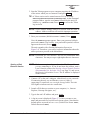
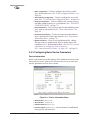
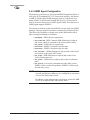
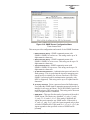
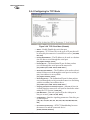
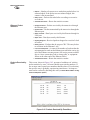
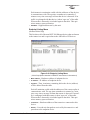
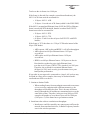
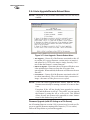
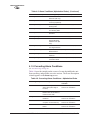
Trap Version—This specifies what version of SNMP will be used
to encode the outgoing traps. The choices are v1_traps,
v2_traps, and v3_traps. When v3_traps are selected, v2-style
traps are sent, but with a v3 header. [v1 Traps, v2 Traps, v3 Traps]
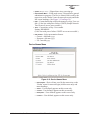
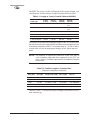
• Auth Traps Status—Indicates whether or not traps will be generated for login events to the transceiver. [Disabled/Enabled; Disabled]
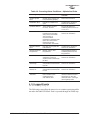
• SNMP V3 Passwords—Determines whether v3 passwords are
managed locally or via an SNMP Manager. The different behaviors of the Agent depending on the mode selected, are described
in SNMP Mode above.
• Trap Manager #1–#4— Table of up to 4 locations on the network
that traps are sent to. [Any standard IP address]
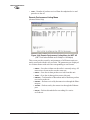
NOTE: The number in the upper right-hand corner of the screen is the
SNMP Agent’s SNMPv3 Engine ID. Some SNMP Managers
may need to know this ID in order interface with the transceiver’s SNMP Agent. The ID only appears on the screen
when SNMP Mode is either v1-v2-v3 or v3_only.
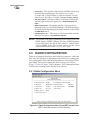
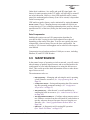
3.5 RADIO CONFIGURATION
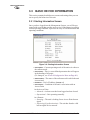
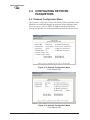
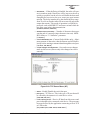
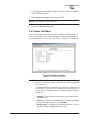
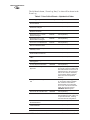
There are two primary data layers in the transceiver network—radio and
data. Since the data layer is dependent on the radio layer working properly, configuration of the radio items should be reviewed and set before
proceeding. This section explains the Radio Configuration Menu,
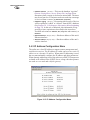
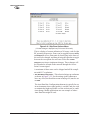
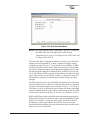
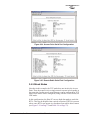
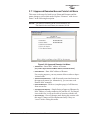
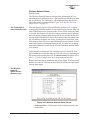
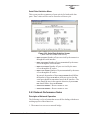
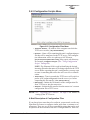
(Figure 3-19 for AP, Figure 3-20 for Remote). The Configuration Menu
is followed a secondary menu, the Skip Zone Options.
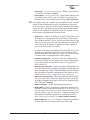
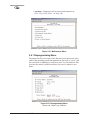
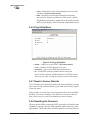
3.5.1 Radio Configuration Menu
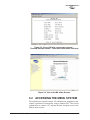
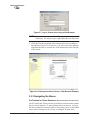
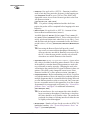
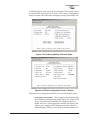
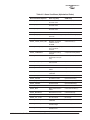
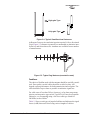
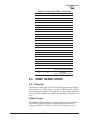
Figure 3-19. Radio Configuration Menu From iNET Access Point
(iNET II data rate selection is 512/1024 kbps)
48
MDS iNET 900 Series User’s Guide
MDS 05-2806A01, Rev. E.1