1
EN
Connection
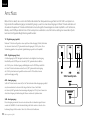
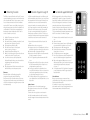
Please ensure that all electrical components are switched off before connecting. Your Digital Movie System has three optional
inputs. In principle it is enough to connect one of these inputs to your TV and all further devices to your TV. To achieve the best
possible sound we recommend that you connect your satellite receiver, Blu-Ray or DVD player directly to the SCA3 System. The
following options are possible, depending on the type and fittings of the source used:
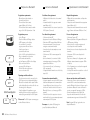
TV – Digital input (optical)
Modern TV devices have an optical audio output (Toslink). Connect this with the input
marked “TV” on the SCA3 System. This connection guarantees optimal signal transmission
and best sound quality.
DVD – Digital input (coaxial)
To transmit the DVD sound signal connect the digital coaxial output of your Blu-Ray or
DVD player with the jack marked “DVD” on the SCA3 System. To transmit the picture
signal your DVD player must also be connected to the TV. The input marked “DVD”
on the SCA3 System can be selected if your TV does not have an optical output.
AUX – Analogue input
If your TV only has an audio output marked “Pre-Out” then connect it using the
shielded stereo RCA cable plugged into the analogue input on the SCA3 System marked
“AUX”. Otherwise this input can be used to connect video recorders or game consoles.
SUB – Analogue output
Use this output when you want to connect an external active subwoofer. SUB OUT
is not active in the basic setting and needs to be activated using the remote control.
See page 40 Extended functions.
34
SCA3 Manual / Manuel / Manuale
SCA3 Soundsystem