1
Simple Troubleshooting
Simple Troubleshooting
SYMPTOM
DEALING METHOD
NO POWER
Check the power connection.
Pull the plug out, wait for 60 seconds, then reconnect the power
and open the set
NO PICTURE
NO SOUND
Check the antenna connection.
Try other TV channel due to the TV station problem.
Modify the brightness or contrast setting.
Increase the volume.
Check that if the set is on the mute state or not.
Check the voice setting condition.
Check the voice mode setting condition.
ABNORMAL COLOR
Check the antenna connection
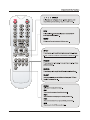
NO RESPONSE OF THE
REMOTE CONTROL
Check the effect of the batteries, if needed, please replace the
batteries or clean the remote sensor window.
The distance between the set and the remote control should be
less than 6 meters.
The SCREEN FLASH IN
VGA MODE
The parameter is too big.
Please use safety mode when restart the PC, and set the
parameter of the monitor according to the instruction.
SOME INTERFERE IN THE
VGA MODE
Please modify parameter of the monitor according to the instruction.
CLEAN THE TV SET
Please pull the plug out when clean the LCD screen. Using soft,
clean cloth to wipe it off. If need to clean further, please use dry
cloth, don’t use naphtha or other thinner liquid.
COLOR SPOT
For this product using high definition LCD panel, and this panel
having it is special character, there exist some color spots, so it
normal when the user find few color spots it not a quality problem.
The standard to inspect this panel are all the same which is out of
the scope to replace the product.
19