1
Tear-off Function
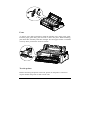
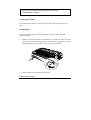
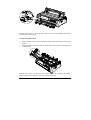
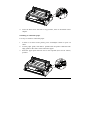
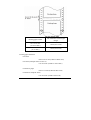
This function is designed to feed the continuous paper to the tear-off position
along the print cover after the printing has been finished. When the printer
resumes printing, it will feed the continuous paper to the loading position
automatically.
This function can help saving continuous paper wasted between two printing
files.
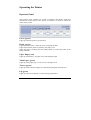
This function can be executed in two ways: set the tear-off function to Auto or
press the tear-off button on the operator panel.
The tear-off function is available only the front or rear tractor
paper feeds.
Tear-off Method
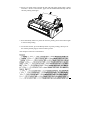
If the tear-off function is set to Auto, the printer will feed the continuous paper
to the tear-off position automatically after finishing printing.
Only when the printer receives an entire page of data or a carriage return (CR)
code and it doesn’t receive any data again within 3 seconds, does the printer
execute the tear-off function.
Please follow the steps below to execute the tear-off function:
1. Turn off the printer first, and set the “tear-off” function to Auto. Make sure
the page length of the continuous paper has been correctly set.
2. Turn on the printer.
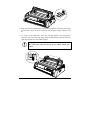
3. Use the continuous paper by selecting the front tractor or rear tractor to
feed the paper (refer to “Using the continuous paper”), and after finishing
printing, the printer will feed the paper to the tear-off position
automatically.
25