1
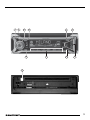
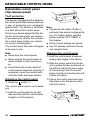
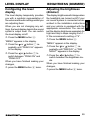
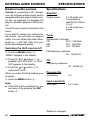
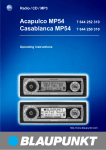
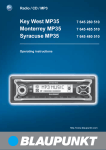
button to eject the CD from
the device
ENGLISH
FRANÇAIS
ITALIANO
;
NEDERLANDS
9
:
SVENSKA
5
7
8
SRC button to switch between
CD/MP3, CD changer (if connected) and AUX.
: Briefly display the clock
time.
Arrow buttons
MENU button to open the basic
settings menu
Keys 1 - 6
TRAF button to switch traffic information standby on/off.
RDS button to switch the RDS
function on/off (Radio Data System).
ESPAÑOL
3
4
6
PORTUGUÊS
2
button for opening the detachable control panel (flip-release panel)
Button to switch the device on/
off and operate the volume mute
feature
Volume control
BND button (band) to select radio mode as the source,
to select the FM memory banks
and the MW and LW wavebands
TS to start the Travelstore function
AUDIO button to adjust the
bass, treble, balance and fader.
To select an equalizer preset.
For adjusting the X-BASS function and activating/deactivating
it.
DANSK
1
DEUTSCH
CONTROLS
33