1
I
Standard Installation Procedure
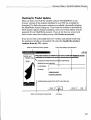
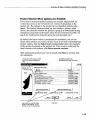
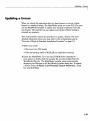
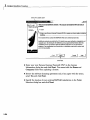
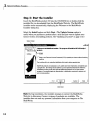
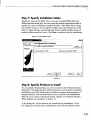
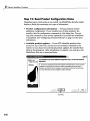
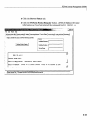
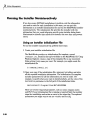
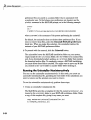
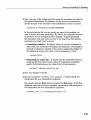
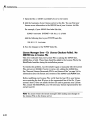
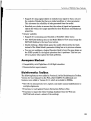
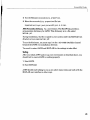
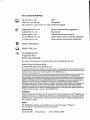
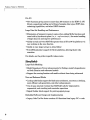
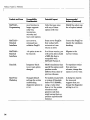
Select the update option
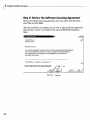
Jfljxj
- ) Wclconie l o l l i e M a t h W o r k s Installer
Wetcoms to the MathWorks Instalier. This program wU Install the MATLAB family of
products.
Install
f . pnter a new Personal License Password (PLP) to updale your license withoijt installing
iiDJllilflg^
The installerwill try to contact the MathWorits Web site to retrieve product data.
MathWort<s products are protected by U.S. patents (see www.mathwori<s.conri/patents) and
copyright laws. By entering Into the Software Ucense Agreement that follows within this
installation process you will also agree to additional restrictions on your use of these
programs. Any unauthorized use, reproduction, or distribution may result In serious civil
and criminal penalties.
^•nviM,itliWork,s
^Back
Nexl>
j
Cancel
Help
Click Next.
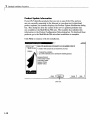
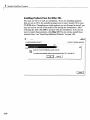
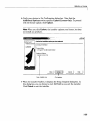
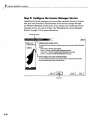
3 Enter your new Personal License Password (PLP) in the License
Information dialog box and click Next. You cannot edit the Name and
Company fields when updating a license.
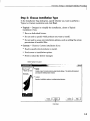
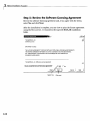
4 Review the software licensing agreement and, if you agree with the terms,
select Yes and click Next.
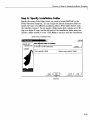
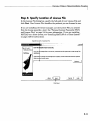
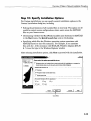
5 Specify the location of your existing MATLAB installation in the Folder
Selection dialog box and click Next.
1-24