1
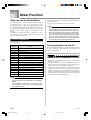
Song Memory Function
4
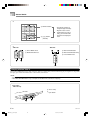
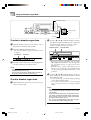
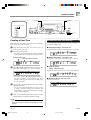
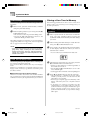
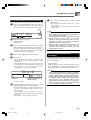
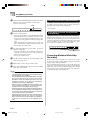
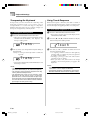
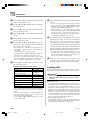
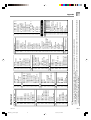
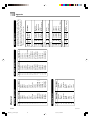
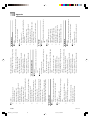
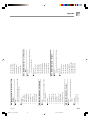
To correct mistakes while step
recording
1
Press the YES button.
• This deletes all data from the location you specified
and enters step record standby.
• Pressing the [왖] CURSOR button or the NO button
cancels deleting the data.
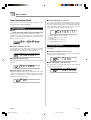
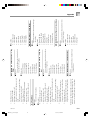
Without exiting step recording, use the [왗]
CURSOR button to move the input point to the left.
• The REC indicator disappears from the display, and
the STEP indicator flashes.
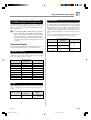
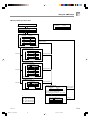
Measure 120/Beat 1/Clock 0
(Step re-recording begins from here.)
Data flow
No t e C# 4
•••••••
All data to
the right
is deleted.
NOTE
Measure 126/Beat 3/Clock 48
(Normal input point)
Data flow
•••••••
Measure 126/Beat 3/Clock 0
(Previous data)
Data flow
• • • • • • •
•••••••
C4
C4
Press [왗] CURSOR button.
2
• • • • • • •
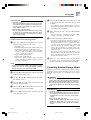
• When you reach the end of the recording by pressing
the [왘] CURSOR button, the “REC” indicator appears
and the “STEP” indicator flashes on the display,
indicating that you can add more data using step
recording.
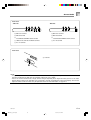
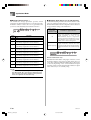
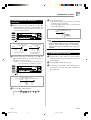
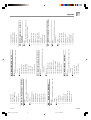
Use [왗] and [왘] CURSOR
to move left and right.
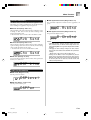
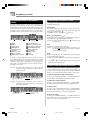
Monitoring the data on the display, use [왗] and
[왘] CURSOR buttons to move the input point to
the data you want to change.
Example: To re-record all note data following the note
A3 located at Measure 120, Beat 1, Clock 0.
No t e A3
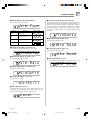
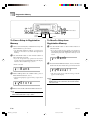
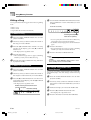
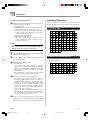
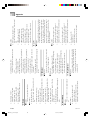
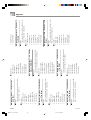
To delete specific note data
1
2
3
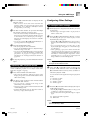
Perform steps 1 and 2 under “To correct mistakes
while step recording” above to display the note you
want to delete.
Press the [왔] CURSOR button twice.
In response to the “Delete?” message that appears
on the screen, press the YES button to delete the
displayed note.
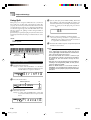
Measure 120/Beat 1/Clock 0
(Input point moved to using [왗] and [왘] CURSOR buttons)
Data flow
•••••••
• • • • • • •
A3
3
C4
Press the [왔] CURSOR button.
Rew r i t e ?
E-61
738A-E-063A
WK3200_e_53-64.p65
61
05.3.15, 6:17 PM