1
CCU Image Controller for CeilingVIEW HD-18 DocCAM
CCU Image Controller for CeilingVIEW HD-18 DocCAM
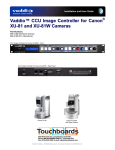
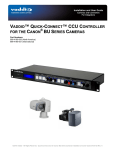
Front Panel View:
Rear Panel View:
Overview:
The CCU Image Controller was designed to provide color/image control
to the CeilingVIEW HD-18 DocCAM packages. It is also can be used as
an image controller for the HD-18 or HD-20 PTZ cameras used in the
CeilingVIEW HD HideAway motorized lift system. This CCU Image
Controller differs from the original Quick-Connect CCU in that it does not
provide power to the camera, nor does it have the HSDS™ differential
video I/O. The power and video are handled by the HD-18 QuickConnect - SR Interface or the Quick-Connect DVI/HDMI - SR Interface
packaged with the CeilingVIEW HD-18 DocCAM. The CCU Image
Controller works in conjunction with the Control I/O of each of the QuickConnect SR Interfaces allowing image control including Detail
(sharpness), Color (red and blue gain), White Balance (auto/manual), Iris
(auto/manual), Gain, Pedestal, Chroma, Gamma, Knee and allows for
three (3) preset scenes.
CeilingVIEW HD-18 DocCAM - Sold Separately
Intended Use:
Before operating the device, please read the entire manual thoroughly. The system was designed, built and
tested for use indoors, and with the provided power supply and cabling. The use of a power supply other than the
one provided or outdoor operation has not been tested and could damage the camera and/or create a potentially
unsafe operating condition.
Important Safeguards:
Read and understand all instructions before using. Do not operate any device if it has been dropped or damaged.
In this case, a Vaddio technician must examine the product before operating. To reduce the risk of electric shock,
do not immerse in water or other liquids and avoid extremely humid conditions.
Use only the power supply provided with the system. Use of any unauthorized
power supply will void any and all warranties.
Please do not use “pass-thru” type RJ-45 connectors. These pass-thru type connectors do not
work well for professional installations and can be the cause of intermittent connections which
can result in the RS-232 control line failing and locking up, and/or compromising the HSDS™
signals. For best results please use standard RJ-45 connectors and test all cables for proper
pin-outs prior to use and connection to Vaddio product.
Save These Instructions:
The information contained in this manual will help you install and operate your product. If these instructions are
misplaced, Vaddio keeps copies of Specifications, Installation and User Guides and product drawings for the
product line on the Vaddio website. These documents can be downloaded from www.vaddio.com free of charge.
CCU Image Controller for CeilingVIEW HD-18 DocCAM - Document 342-0197 Rev. A
Page 3 of 12