1
Installation & Operation Manual GM-TTT
Page 16
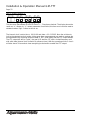
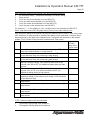
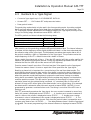
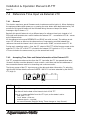
1.5 Functions of Buttons, Overview
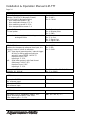
BUTTON FUNCTION
menu
Switching on/off the menu lines.
↑↓→
Buttons to operate in the menu, see detailed menu description.
enter
Button to operate in the menu, see detailed menu description.
Pressed if menu is switched off: status display, the display shows type of the
unit, configuration and software revision in same steps as after power-on.
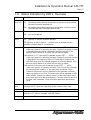
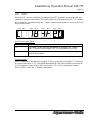
time/user Switches the display to show the time or binary groups information of the
time code. Terminates any menu operation.
key lock
Switching on (LED lights up) or off (LED off) the Key Lock feature.
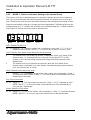
Key Lock “on” means: the buttons enter, intern, genlock, time, timer, tc and
start are without function. So an unintentional key stroke do not lead to an
unwanted function, only the display can be switched. Setting time or date
using an operational unit of the MTD system is disabled.
intern
Switches on the genlock to internal reference signal (temperature
compensated x’tal).
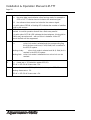
genlock
Switches on the genlock to the input source as selected at the menu SET LOCK. Input genlock can be one of three sources: video or black-burst, LTC
input signal, seconds pulse of a real time reference.
time
Select LTC generator operating mode: reference time input. The LTC time
information corresponds to the reference time input (± offset as selected at
the menu ZONE - OFFS1 and OFFS2).
With every key stroke the generator synchronises again to the reference
time, so the generator is forced manually to a synchronisation additional to
the automatic synchronisation as selected at the menu REFER - MODE1 and
MODE2.
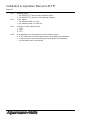
timer
Select LTC generator operating mode: time of a MTD timer. The LTC time
information corresponds to one of the MTD timer A - F, as selected at the
menu TIMER - TIME A-F.
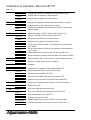
tc
Select LTC generator operating mode: LTC Jam-Sync feature. Transfers
data from LTC input to LTC output, as selected at the menu LTC IN MODE.
start
Select LTC generator operating mode: free-running mode.
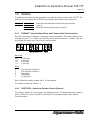
If enabled at submenu SET - ... - PARA: with every further key stroke the
time value which has last been chosen as a start value (menu SET - START)
will be transferred to the LTC time information, and the generator keeps on
counting continuously from this start value on.