1
Verify your Internet connection is working properly by browsing one of your favourite websites
with a computer.
3. Allow sufficient time for initial setup. Initial setup should be performed with the IRIS X connected
to an ethernet connection. The initial setup may take up to fifteen minutes to complete
depending on your Internet speed. The phone may reboot 2-3 times. Please do not disconnect
your IRIS X or attempt to make calls during this time. Make sure to complete the initial
calibration step as the phone powers up.
I am having problems with Wi-Fi
Verify your Internet connection is working properly by browsing your favourite website with a wired
computer on the same Internet connection.
a. Connect your IRIS X via a wired connection to your network; ensure your IRIS X can
function via a wired connection.
b. If the device works on a wired connection and not via Wi-Fi, verify your Wi-Fi is working, and
verify you have properly configured the IRIS X Wi-Fi settings. Please refer to the System
Settings section of this document to learn more about configuring your Wi-Fi connection on
the IRIS X.
c. Wi-Fi troubleshooting actions on the IRIS X:
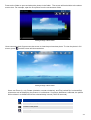
i. Make sure Wi-Fi is on. Go to the Home Screen; click on the top right Status Bar,
slide the Wi-Fi On/Off indicator to On.
ii. Reboot the IRIS X.
iii. In the IRIS X Wi-Fi menu, click Scan, double click the desired ESSID, click Save.
iv. In the IRIS X Wi-Fi menu, click Scan, double click the desired ESSID, uncheck save
key, re-enter the appropriate security key, check save key, click Save.
v. In the IRIS X Wi-Fi menu, disable Wi-Fi then click apply, then enable Wi-Fi and click
apply again, then click save.
d. Your Wi-Fi connection is working if you have the Wi-Fi icon on the top of the home screen,
the icon is green on the top right of the Info Widget, and you have an IP address in the
bottom line of the Info Widget.
HDMI (TV Out) does not work
This is a future feature. There are certain TVs that may work at this time. ACN is working to expand this
capability going forward.
IRIS X bandwidth requirement
The IRIS X default setting requires 384kbps minimum and continuous download and upload bandwidth for
an optimal audio and video experience. Bandwidth utilization is not adjustable.
Camera Adjustment
The camera on the IRIS X can be manually rotated into the phone, preventing the transmission of video.
Customer should ensure they can see the camera above the IRIS X screen. There is a camera adjustment
wheel in the top-center, on the back of the IRIS X.
PIP – Pressing the PIP option during a video call can result in self view only. Sequencing through the PIP
options will re-establish the far end video.
Lighting
For optimal video calls, the subject on both ends of the video call should be well lit, meaning the light
source should be placed in front of the person illuminating their face.
37