1
Using ISDN Supplementary Services
6-2
Chapter 6: PBX, CENTREX, & ISDN FEATURES
Using ISDN Supplementary Services
ISDN service providers may incorporate features similar to those of Centrex. These ISDN
Supplementary services are provided on a subscription basis, and as with Centrex, are
accessed using the Flash button on an C phone.
Using supplementary services an ISDN line can be placed on Hold and a second call placed
on the line. You may then alternate between the two held calls (Broker Call) using the hold
button. An ISDN line conference can be established using the Flash and Conf Soft buttons. A
conference can also be placed on hold.
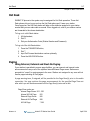
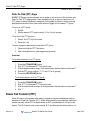
While on an ISDN CO line, to access ISDN Supplementary services:
1. Press Flash,
2. Press HOLD/SAVE, Conf, or CO line button to activate the desired feature.
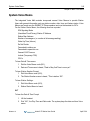
Activating ISDN Caller ID Restriction
SUMMIT IP Phone users can restrict the transmission of Caller ID to the far-end. This may
be a subscription service of your carrier. Separate Flex buttons are required to activate
outgoing, Connected Line (COL), and incoming, Calling Line ID (CLID) restriction.
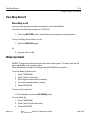
To restrict Caller ID:
1. Lift the handset,
2. Press programmed CLIR/COLR button to place call.
Release 1.0
SUMMIT IP Station User Guide
April 2014