1
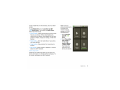
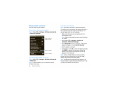
You can also zoom in or out by pinching your fingers
together or moving them apart on the screen.
hold Home [E] to show the last few apps you used,
then touch an app to open it.
Touch Search Q] for text search, or touch and hold for
voice search.
Touch Menu
to open menu options, or touch
Back
to go back.
Sleep & wake up
To save your battery, prevent
accidental touches, or when you
want to wipe smudges off your
touchscreen, put the touchscreen to
sleep by pressing Power To
wake u the touchscreen, just press
Power @ again, or open the phone.
To change how long your phone waits before the
screen goes to sleep automatically, touch Menu
> Settings > Display > Screen timeout.
Tip: To make the screen lock when it goes to sleep,
use "Screen lock'' on page 51. To unlock the screen,
press Power @or open the phone. Then, drag . to
the right.
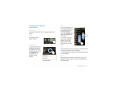
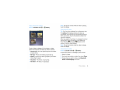
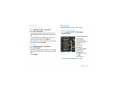
Key tips
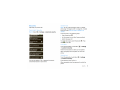
Menu Key
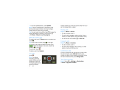
Home Key @ @ Bad: Key [gsonnh Key
Touch Home E] to close any menu or app and return
to the home screen. In the home screen, touch and
Power key menu
Press and hold Power
to open the power key
menu, where you can turn off the phone (Power off),
or turn Airplane mode or Silent mode on or off.