1
BATTLE MODE
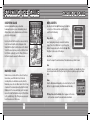
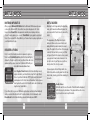
To play a one-on-one battle with a friend who has their own Nintendo DS™
system, you first need to go inside of Marine’s House and enter the back
room. You’ll find the Communication Terminal (see right) in the back room.
Move Sonic in front of the terminal and press the A Button to proceed to
the Communication menu.
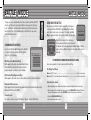
COMMUNICATION MENU
Use the +Control Pad * / @ and press the A Button
or touch one of the menu items with the stylus to
select one of the following:
DS Wireless Play (Multi-Card Play)
Battle against a friend who has a Game Card of Sonic
Rush Adventure. Host your own game, or seek a
player nearby who is waiting for your challenge.
DS Download Play (Single-Card Play)
Battle against a friend who does not have a Game Card of Sonic Rush Adventure.
Nintendo Wi-Fi Connection
Battle against another player who has a Game Card of Sonic Rush Adventure using
Nintendo Wi-Fi Connection (WFC).
Versus Records
Check the records of your past DS Wireless Play and Nintendo WFC battles.
24
BATTLE MODE
STARTING the BATTLE
Choose the type of battle to play if your are the host player, or
entering a Nintendo WFC Battle. Select Race from the Game
Select menu to play a one-on-one race to the goal, or Collect
Rings to grab more Rings than your friend within the given time.
Once the host accepts the client player,
the two players will decide which character
to take and vote for the stage they would like to play. If the two
players choose a different stage, then the stage will be selected
randomly.
DS WIRELESS COMMUNICATION (MULTI-CARD)
Here is an explanation of how to play using Multi-Card Play.
The Things You’ll Need:
●●Nintendo DS™ System......................................................................................... One for each player
●●Nintendo DS™ “Sonic Rush Adventure” Game Card. ......................................... One for each player
Connection Procedures
1. Make sure that the power is turned off on all systems, and insert the Game Card into each system.
2. Turn the power on. If the Start-up Mode of your system is set to MANUAL MODE, the Nintendo DS Menu Screen will be displayed. In case it is set to AUTO MODE, skip the next step and go on with step 4.
3. Touch the SONIC RUSH ADVENTURE Panel.
4. Now, follow the instructions on p.24.
25