1
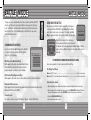
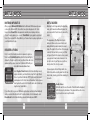
BATTLE MODE BATTLE MODE DS WIRELESS COMMUNICATION (SinGLE-CARD) Here is an explanation of how to play using Single-Card Play. The Things You’ll Need: ●●Nintendo DS™ System.........................................................One for each player ●●Nintendo DS™ “Sonic Rush Adventure” Game Card. ..................................One Guidelines for Communications For best results when using the wireless communications feature, follow these guidelines. The icon is an indicator of wireless communications. It appears on the Nintendo DS Menu Screen or Game Screen. The DS wireless icon indicates that the associated choice will activate the wireless communications function. DO NOT use DS Wireless Communications in prohibited areas (such as in hospitals, on aeroplanes etc.). For further information regarding the usage of the wireless communications function, please refer to the separate Health and Safety Precautions Booklet included with your Nintendo DS system. Connection Procedures Within Host System: 30 feet 1. Make sure that the power is turned off on all systems, and insert the Game Card into the system. 2. Turn the power on. If the Start-up Mode of your system is set to MANUAL MODE, the Nintendo DS Menu Screen will be displayed. In case it is set to AUTO MODE, skip the next step and go on with step 4. 3. Touch the SONIC RUSH ADVENTURE Panel. 4. Now, follow the instructions on p.24. Client System: 1. Turn the power on. The Nintendo DS Menu Screen will be displayed. NOTE: Make sure the Start-Up Mode of your system is set to MANUAL MODE. For further details on how to set up the Start-Up Mode, please refer to the Nintendo DS Instruction Booklet. 2. Touch DS DOWNLOAD PLAY. The Game List Screen will appear. 3. Touch the SONIC RUSH ADVENTURE Panel. 4. You will be asked to confirm your choice. Touch YES to download game information from the Host System. 5. Now follow the instructions on p.24. 26 The icon, which is displayed during wireless communications, is an indicator of the current wireless signal strength. There are four levels of signal strength. A stronger signal reception will provide smoother wireless communications play. When wireless communications are in progress, the Power Indicator LED will blink rapidly. 0 Weak 1 2 3 Strong For best results, follow these guidelines: • Begin with the distance between systems at about 30 feet (10 meters) or less and move closer or farther apart as desired, keeping the signal strength at two or more bars for best results. • Keep the maximum distance between systems at 65 feet (20 meters) or less. • The systems should face each other as directly as possible. • Avoid having people or other obstructions between the Nintendo DS systems. • Avoid interference from other devices. If communications seem to be affected by other devices (wireless LAN, microwave ovens, cordless devices, computers), move to another location or turn off the interfering device. 27