1
Mobile Call Manager – Enhancements
•
ShoreWare Server Release Notes
Permanent Extensions: Two permanent OA extensions are available for each user.
Permanent extensions cannot be deleted or renamed. MCM permanent extensions
include:
— Home Extension: The Home Extension refers to the device connected to the user’s
home port, as configured through Director. You cannot modify, rename, or delete
the Home Extension.
— External Extension: The External Extension is specified from Call Manager or Web
Access. A user cannot modify the External Extension from the MCM.
Call Manager and Web Client specifies an active OA extension. The External
Extension is set to this number if it is not assigned to one of the User Defined
Extensions. Otherwise, the External Extension is set to the null value.
•
User Defined Extensions: User defined extensions are created by the user. They differ
from Permanent Extension if the destination is specified by the user and that the user
can modify or delete them.
Upon initial use, MCM provides an User defined OA extension named Mobile
Extension. The Mobile Extension is specified during initial setup and provisioning by
the user to the mobile device’s phone number. The user can modify and delete the
Mobile Extension setting.
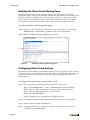
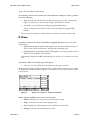
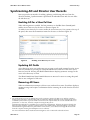
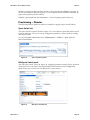
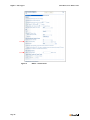
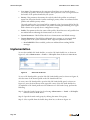
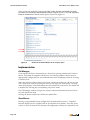
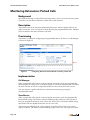
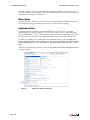
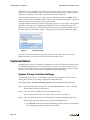
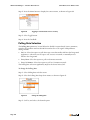
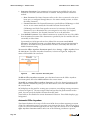
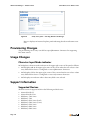
To access the Office Anywhere Extensions panel, select Settings -> Office Anywhere from
the Main Menu. The Office Anywhere Extensions, as shown in Figure 86, displays the
names of all available OA extensions.
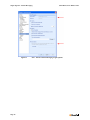
Figure 86
Office Anywhere Extensions panel
To add an Office Anywhere extension, press the Menu button in the Office Anywhere
Extensions panel, then select Add Extension in the context menu.
To modify an existing Office Anywhere Extension, scroll to the desired extension in the
Office Anywhere Extensions panel, press the Menu button, then select Edit Extension in
the context menu.
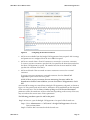
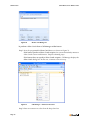
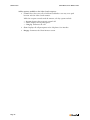
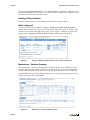
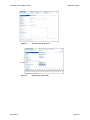
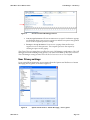
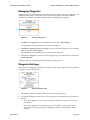
MCM displays an edit panel for creating new extensions or modifying existing extensions,
as shown in Figure 87. The user assigns a label and specifies the phone number in this
panel. You can specify the default extension from this panel.
Some fields are not editable for various Permanent Extensions. These fields display a grey
background.
Automatic Office Anywhere
This feature facilitates the receipt of calls on an MCM device without requiring execution
of the OA configuration process every time a user turns on the device. When a user places
a call or accesses voicemail through MCM, the Active Call OA extension is set to the Default
Office Anywhere Extension number unless one of the following conditions is present:
Page 166