1
Technical reference
17
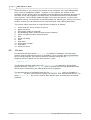
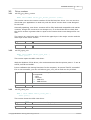
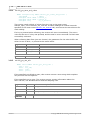
3.3.16 adc100_get_combined_values
PREF1 unsigned long PREF2 adc100_get_combined_values (
UNS16
channel,
COMBINATION_METHOD mode, /* Combination modes (CM_XXX) */
UNS16
no_of_readings )
This routine takes a set of readings from the specified channel, at full speed, and
returns either the minimum, maximum, average or sum of the set of readings.
Arguments:
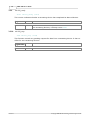
channel
0 - channel A
1 - channel B
mode
0 - average
1 - minimum
2 - maximum
3 - sum
no_of_readings - the number of readings to take
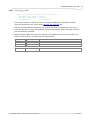
Returns:
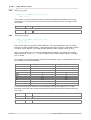
3.3.17 adc100_apply_fix
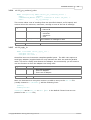
PREF1 void PREF2 adc100_apply_fix (
unsigned int fix,
unsigned int value )
Some PCs have non-Centronics-compliant parallel ports. The ADC-100 requires a
small grey adapter (supplied with the unit) between the ADC-100 and the parallel
cable. This driver usually auto-detects the adapter, but occasionally you will need to
use this function to force the adapter into being used.
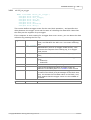
Arguments: fix
value
Returns:
- adapter detect
0 - auto-detect adapter
1 - force no adapter
2 - force use of adapter
none
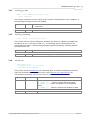
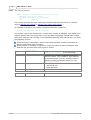
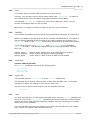
Note: An alternative to using this routine is to add an entry to the win.ini file
(usually located in C:\WINDOWS\), add the following lines:
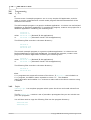
[ADC100]
UseAdapter=Yes
UseAdapter can be Yes, No or Auto (Auto is the default if these lines are not
present in the win.ini file)
© Copyright 2004-2007 Pico Technology Limited. All rights reserved.
adc100.en