1
Connecting hard disks and other SCSI devices
Your Workgroup Server 8550 has two buses for connecting devices that use
the Small Computer System Interface (SCSI, pronounced “skuh-zee”). The
SCSI connections permit high-speed communication between the server and
the devices. SCSI devices commonly attached to the Workgroup Server 8550
include hard disks, CD-ROM drives, scanners, printers, and tape-backup drives.
IMPORTANT Before connecting a device to your server, be sure that the server
(and any other device already connected to it) is turned off. Read the
instructions in this section and the instructions that came with your hard disk
or other SCSI device before connecting it to your server.
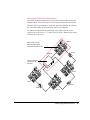
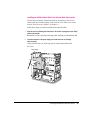
Bus A is the internal Fast SCSI-2 bus (10 MB per second) that connects your
server’s CPU to the built-in disk drive in the bottom bay of the internal disk
drive bracket. Additional devices cannot be connected to the internal SCSI
bus (unless the cabling for this bus is modified by an Apple-authorized
service provider).
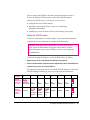
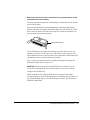
Bus B is an internal/external SCSI-1 bus (5 MB per second) to which a total
of seven devices can be connected. The CD-ROM drive that is built into your
server is connected to the internal/external SCSI bus. The optional internal
hard disk (which can be installed in the top bay of the internal disk drive
bracket) and the optional built-in DAT drive (or any other drive in your
server’s auxiliary bay) are also connected to this internal/external SCSI bus
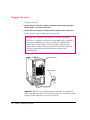
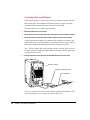
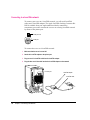
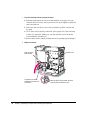
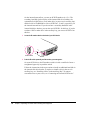
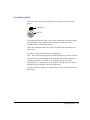
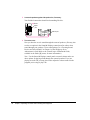
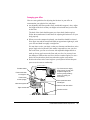
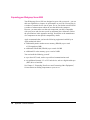
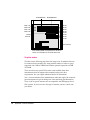
when installed. Your server has a port for connecting additional external
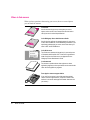
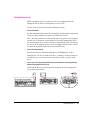
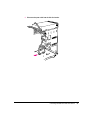
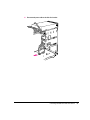
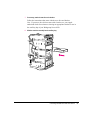
SCSI devices to the internal/external SCSI bus. The SCSI icon appears above
the port on the server’s back panel.
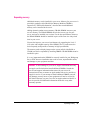
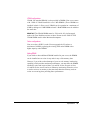
SCSI icon
SCSI port
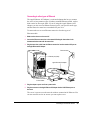
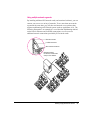
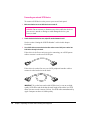
You can connect SCSI devices to the SCSI port in a chain. The first device
in the chain plugs into the SCSI port; the second device plugs into the
first device, and so on. If the only device connected to your server’s
internal/external SCSI bus is its built-in CD-ROM drive, you can attach up to
six external SCSI devices. However, if you have a built-in DAT drive and a
second internal hard disk connected to this SCSI bus, you can attach only four
external SCSI devices to the port.
42
Chapter 3 / Expanding Your Server and Connecting Other Equipment