1
Apriva® BT200-T Smart Card Reader for Intermec® CK61B/G Installation and User’s Guide
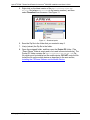
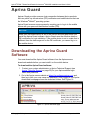
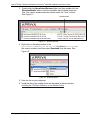
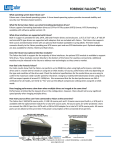
5. Right-click on the latest version of the AprivaCSPwareVxx-xxxx.zip file (where <xx-xx-xx> is the version number), and then
select Download from the menu. See Figure 11.
Figure 11 – Download option
6. Save the Zip file in the folder that you created in step 2.
7. Unzip (extract) the Zip file in the folder.
8. Open the unzipped folder, and then open the Pocket PC folder. (The
“Smart Phone” folder is empty and is not used in these instructions.) The
Pocket PC folder contains the AprivaCSPwareVxx-xx-xx.cab Zip
file, which must be installed on the mobile device. DO NOT unzip the file.
Install the file on the mobile device as described in the next section,
Installing the CSPware Software on the Mobile Device.
© Copyright 2010 Apriva
Page 19
September 2010