1
Section 1
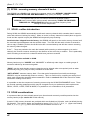
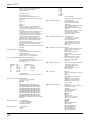
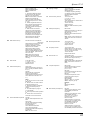
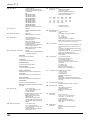
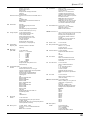
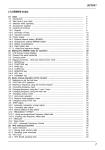
(1) AR8600 Index
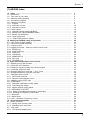
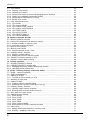
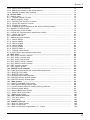
(1) Index ..........................................................................................................................
1-1 Introduction ................................................................................................................
1-2 Take care of your radio ..............................................................................................
1-3 Attention while operating ............................................................................................
1-4 Accessories supplied .................................................................................................
1-5 Controls & functions ..................................................................................................
1-5-1 Keypad ...................................................................................................................
1-5-2 Summary of keys ....................................................................................................
1-5-3 Important controls ...................................................................................................
1-6 Power supply .............................................................................................................
1-6-1 Optional internal battery (BP8600) ..........................................................................
1-6-2 Charging the optional BP8600 battery ....................................................................
1-6-3 Battery considerations ............................................................................................
1-6-4 Cigar lighter lead ....................................................................................................
1-7 i.f. output and spectrum display .................................................................................
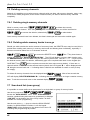
(2) Making the AR8600 ready for operation ..................................................................
2-1 LCD (Liquid Crystal Display) ......................................................................................
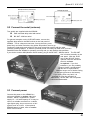
2-2 Connect the aerial (antenna) .....................................................................................
2-3 Connect power ..........................................................................................................
2-4 Keypad and knobs... what you need to know ‘most’ ..................................................
2-4-1 ENTER key ............................................................................................................
2-4-2 FUNCTION key ......................................................................................................
2-4-3 PASS key ...............................................................................................................
2-4-4 CLEAR key .............................................................................................................
2-4-5 MONITOR key ........................................................................................................
2-4-6 KEY lock ................................................................................................................
2-4-7 STANDBY key ........................................................................................................
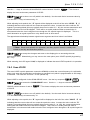
(3) Basic manual operation of the receiver ..................................................................
3-1 Switching on for the first time ....................................................................................
3-2 2VFO twin VFO selection ..........................................................................................
3-3 Entering a frequency using the numeric keypad ........................................................
3-4 Correcting frequency input ........................................................................................
3-5 Changing frequency using the
and
keys ............................................................
3-6 Changing frequency using the main dial ....................................................................
3-7 Changing receive mode .............................................................................................
3-7-1 Auto-mode selection ...............................................................................................
3-7-2 Receive mode selection menu ................................................................................
3-8 Changing tuning STEP size .......................................................................................
3-9 STEP-adjust ..............................................................................................................
3-9-1 Automatic calculation of step adjust .......................................................................
3-9-2 Cancelling step adjust ............................................................................................
3-9-3 Manual setting of step adjust ..................................................................................
3-10 FREQUENCY OFFSET ...........................................................................................
3-10-1 Using pre-programmed frequency offset data .......................................................
3-10-2 Entering new frequency offset data ......................................................................
3-11 Attenuator ................................................................................................................
3-12 Noise limiter .............................................................................................................
3-13 AFC - Automatic Frequency Control ........................................................................
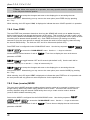
(4) VFO enhanced facilities ...........................................................................................
4-1 Quick memories ........................................................................................................
4-1-1 Saving quick memory data .....................................................................................
4-1-2 Recalling quick memories ......................................................................................
4-2 VFO scan ..................................................................................................................
4-2-1 VFO SCAN sampling time ......................................................................................
1
5
5
6
7
7
9
10
15
16
16
17
18
18
19
20
20
21
21
22
22
22
22
23
23
23
23
24
24
24
26
27
27
28
29
29
29
31
33
33
34
34
36
36
37
38
38
39
41
41
41
42
42
43
1