1
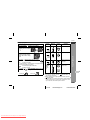
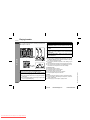
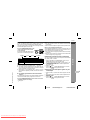
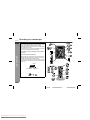
VIDEO CD MINI SYSTEM
MINI-CHAÎNE CD VIDÉO
SISTEMA MINI VÍDEO CD
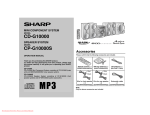
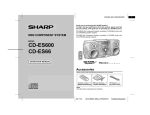
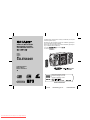
CD-ES600V Video CD Mini System consisting of CD-ES600V (main unit) and
CP-ES600V (speaker system).
Mini-chaîne CD vidéo CD-ES600V composée de CD-ES600V (appareil principal) et de CP-ES600V (enceinte acoustique).
Sistema mini vídeo CD CD-ES600V que consta de CD-ES600V (aparato principal) y CP-ES600V (sistema de altavoces).
CD-ES600V
CP-ES600V
CD-ES600V
MODEL
MODÈLE
MODELO
CD-ES600V
OPERATION MANUAL
MODE D’EMPLOI
MANUAL DE MANEJO
ENGLISH
FRANÇAIS
ESPAÑOL
NTSC/PAL
SHARP CORPORATION
04/2/12
Downloaded From Disc-Player.com Sharp Manuals
Please refer to pages E-1 to E-46.
Se reporter aux pages F-1 à F-46.
Consulte las páginas S-1 a S-46.
CD-ES600V(Z)_FR.fm
TINSZA060AWZZ
ENGLISH
CD-ES600V
ENGLISH
Introduction
Thank you for purchasing this SHARP product. To obtain the best
performance from this product, please read this manual carefully. It
will guide you in operating your SHARP product.
Important Instruction
Special notes
Warning:
! When the ON/STAND-BY button is set at STAND-BY position,
mains voltage is still present inside the unit. When the ON/
STAND-BY button is set at STAND-BY position, the unit may be
brought into operation by the timer mode or remote control.
! This unit contains no user serviceable parts. Never remove covers unless qualified to do so. This unit contains dangerous voltages, always remove mains plug from the socket before any
service operation and when not in use for a long period.
! To prevent fire or shock hazard, do not expose this appliance to
dripping or splashing. No objects filled with liquids, such as
vases, shall be placed on the apparatus.
CAUTION
! This product is classified as a CLASS 1 LASER product.
! This product contains a low power laser device. To ensure continued safety do not remove any cover or attempt to gain access
to the inside of the product. Refer all servicing to qualified personnel.
Note:
Audio-visual material may consist of copyrighted works which must
not be recorded without the authority of the owner of the copyright.
Please refer to the relevant laws in your country.
E-1
04/2/23
Downloaded From Disc-Player.com Sharp Manuals
CD-ES600V(Z)E1.fm
TINSZA060AWZZ
1
Accessories
Contents
Please confirm that the following accessories are included.
CD-ES600V
" General Information
Page
ENGLISH
Precautions . . . . . . . . . . . . . . . . . . . . . . . . . . . . . . . . . . . . . . . . . 3
Controls and indicators . . . . . . . . . . . . . . . . . . . . . . . . . . . . .4 - 7
" Preparation for Use
Remote control . . . . . . . . . . . . . . . . . . . . . . . . . . . . . . . . . . . . . . 8
System connections . . . . . . . . . . . . . . . . . . . . . . . . . . . . . . .9 - 13
"AA" size battery (UM/SUM-3,
R6, HP-7 or similar) 2
" Basic Operation
General control . . . . . . . . . . . . . . . . . . . . . . . . . . . . . . . . . . . . . 14
Setting the clock . . . . . . . . . . . . . . . . . . . . . . . . . . . . . . . . . . . . 15
" Disc Playback
AM loop aerial 1
FM aerial 1
Video CD . . . . . . . . . . . . . . . . . . . . . . . . . . . . . . . . . . . . . . . . . . . 16
Preparation for video CD playback . . . . . . . . . . . . . . . . . . . . . 17
Video CD playback . . . . . . . . . . . . . . . . . . . . . . . . . . . . . . .18 - 20
Advanced video CD playback . . . . . . . . . . . . . . . . . . . . . . .21 - 25
CD playback . . . . . . . . . . . . . . . . . . . . . . . . . . . . . . . . . . . . .26 - 28
" Radio
Listening to the radio . . . . . . . . . . . . . . . . . . . . . . . . . . . . . 29, 30
" Tape Playback
Listening to a cassette tape (TAPE 1 or TAPE 2) . . . . . . . 31, 32
Video cable 1
Note:
Only the above accessories are included.
" Karaoke
Playing karaoke . . . . . . . . . . . . . . . . . . . . . . . . . . . . . . . . . . 33, 34
" Tape Recording
SHARP TINSZA060AWZZ (Z)
4
Recording on a cassette tape . . . . . . . . . . . . . . . . . . . . . . .35 - 37
" Advanced Features
Timer and sleep operation . . . . . . . . . . . . . . . . . . . . . . . . .38 - 41
Enhancing your system . . . . . . . . . . . . . . . . . . . . . . . . . . . 42, 43
" References
Troubleshooting chart . . . . . . . . . . . . . . . . . . . . . . . . . . . . .43 - 45
Maintenance . . . . . . . . . . . . . . . . . . . . . . . . . . . . . . . . . . . . . . . . 45
Specifications . . . . . . . . . . . . . . . . . . . . . . . . . . . . . . . . . . . . . . 46
E-2
04/2/23
Downloaded From Disc-Player.com Sharp Manuals
General Information
Remote control 1
CD-ES600V(Z)E1.fm
TINSZA060AWZZ
CD-ES600V
ENGLISH
Precautions
" General
! Please ensure that the equipment is positioned in a well ventilated area and ensure that there is at least 10 cm (4") of free
space along the sides, top and back of the equipment.
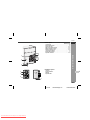
10 cm (4") 10 cm (4")
10 cm (4")
Warning:
The voltage used must be the same as that specified on this unit.
Using this product with a higher voltage other than that which is
specified is dangerous and may result in a fire or other type of accident causing damage. SHARP will not be held responsible for any
damage resulting from use of this unit with a voltage other than that
which is specified.
General Information
" Volume control
!
!
!
!
!
!
!
!
!
!
!
!
10 cm (4")
Use the unit on a firm, level surface free from vibration.
Keep the unit away from direct sunlight, strong magnetic fields,
excessive dust, humidity and electronic/electrical equipment
(home computers, facsimiles, etc.) which generate electrical
noise.
Do not place anything on top of the unit.
Do not expose the unit to moisture, to temperatures higher than
60°C (140°F) or to extremely low temperatures.
If your system does not work properly, disconnect the AC power
lead from the wall socket. Plug the AC power lead back in, and
then turn on your system.
In case of an electrical storm, unplug the unit for safety.
Hold the AC power plug by the head when removing it from the
wall socket, as pulling the lead can damage internal wires.
Do not remove the outer cover, as this may result in electric
shock. Refer internal service to your local SHARP service
facility.
The ventilation should not be impeded by covering the ventilation
openings with items, such as newspapers, tablecloths, curtains,
etc.
No naked flame sources, such as lighted candles, should be
placed on the apparatus.
Attention should be drawn to the environmental aspects of battery disposal.
This unit should only be used within the range of 5°C - 35°C
(41°F - 95°F).
The sound level at a given volume setting depends on speaker efficiency, location, and various other factors. It is advisable to avoid
exposure to high volume levels. Do not turn the volume on to full at
switch on and listen to music at moderate levels.
" Care of compact discs
Compact discs are fairly resistant to damage, however mistracking
can occur due to an accumulation of dirt on the disc surface. Follow
the guidelines below for maximum enjoyment from your CD collection and player.
! Do not write on either side of the disc, particularly the non-label
side from which signals are read. Do not mark this surface.
! Keep your discs away from direct sunlight, heat, and excessive
moisture.
! Always hold the CDs by the edges. Fingerprints, dirt, or water on
the CDs can cause noise or mistracking. If a CD is dirty or does
not play properly, clean it with a soft, dry cloth, wiping straight out
from the centre, along the radius.
NO
YES
Correct
E-3
04/2/23
Downloaded From Disc-Player.com Sharp Manuals
CD-ES600V(Z)E1.fm
TINSZA060AWZZ
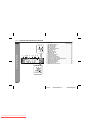
Controls and indicators
CD-ES600V
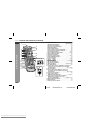
1
2
3
4
5
17
18
19
6
7
20
21
22
23
8
9
10
24
11
12
13
14
15
25
26
27
16
28 29 30 31
32
33
34
Reference page
1. Disc Trays . . . . . . . . . . . . . . . . . . . . . . . . . . . . . . . . . . . . . . . 18
2. Timer Indicator . . . . . . . . . . . . . . . . . . . . . . . . . . . . . . . . . . . 39
3. Video CD Playback Control Button . . . . . . . . . . . . . . . . . . 20
4. Video CD On Screen Display On/Off Button . . . . . . . . . . . 25
5. On/Stand-by Button . . . . . . . . . . . . . . . . . . . . . . . . . . . . . . . 14
6. Video CD Digest/Time Search Button . . . . . . . . . . . . . 23, 24
7. Video CD Skip or Next, CD/MP3 Disc Track Up or
Fast Forward, Tape 2 Fast Wind, Tuner Preset Up,
Time Up Button . . . . . . . . . . . . . . . . . . . . . . . . . 15, 19, 30, 32
8. Clock/Timer Button . . . . . . . . . . . . . . . . . . . . . . . . . 15, 38, 41
9. Tuning Up Button . . . . . . . . . . . . . . . . . . . . . . . . . . . . . . . . . 29
10. Tuning Down Button . . . . . . . . . . . . . . . . . . . . . . . . . . . . . . 29
11. Tape 2 Reverse Mode Select Button . . . . . . . . . . . . . . . . . 32
12. Video CD Skip or Previous, CD/MP3 Disc Track Down or
Fast Reverse, Tape 2 Fast Wind, Tuner Preset Down,
Time Down Button . . . . . . . . . . . . . . . . . . . . . . . 15, 19, 30, 32
13. Equaliser Mode Select Button . . . . . . . . . . . . . . . . . . . . . . 14
14. Tape 1 Cassette Compartment . . . . . . . . . . . . . . . . . . . . . . 31
15. Game/Video Input Sockets . . . . . . . . . . . . . . . . . . . . . . . . . 42
16. Headphone Socket . . . . . . . . . . . . . . . . . . . . . . . . . . . . . . . . 43
17. Disc Number Select Buttons . . . . . . . . . . . . . . . . . . . . . . . . 18
18. Disc Direct Play Button . . . . . . . . . . . . . . . . . . . . . . . . . . . . 21
19. Disc Tray Open/Close Button . . . . . . . . . . . . . . . . . . . . . . . 18
20. Video CD Play or Repeat or Select or Resume,
CD/MP3 Disc Play or Repeat, Tape 1 Play,
Tape 2 Forward Play Button . . . . . . . . . . . . 18, 24, 26, 31, 32
21. Memory/Set Button . . . . . . . . . . . . . . . . . . . 15, 27, 30, 38, 41
22. Tape 2 Record Pause Button . . . . . . . . . . . . . . . . . . . . 36, 37
23. Tape 2 Reverse Play Button . . . . . . . . . . . . . . . . . . . . . . . . 32
24. Video CD Stop or Return,
CD/MP3 Disc/Tape Stop Button . . . . . . . . . . . . . . . 19, 20, 32
25. Extra Bass/Demo Mode Button . . . . . . . . . . . . . . . . . . 13, 14
26. Volume Control . . . . . . . . . . . . . . . . . . . . . . . . . . . . . . . . . . 14
27. Tape 2 Cassette Compartment . . . . . . . . . . . . . . . . . . . . . . 32
28. Tuner (Band) Button . . . . . . . . . . . . . . . . . . . . . . . . . . . . . . 29
29. Video CD/CD/MP3 Disc Button . . . . . . . . . . . . . . . . . . . . . . 18
30. Tape (1 2) Button . . . . . . . . . . . . . . . . . . . . . . . . . . . . 31, 32
31. Game/Video Button . . . . . . . . . . . . . . . . . . . . . . . . . . . . . . . 42
32. Microphone Socket 1 . . . . . . . . . . . . . . . . . . . . . . . . . . . . . . 33
33. Microphone Socket 2 . . . . . . . . . . . . . . . . . . . . . . . . . . . . . . 33
34. Microphone Level Control . . . . . . . . . . . . . . . . . . . . . . . . . . 33
General Information
ENGLISH
" Front panel
4
E-4
04/2/23
Downloaded From Disc-Player.com Sharp Manuals
CD-ES600V(Z)E1.fm
TINSZA060AWZZ
CD-ES600V
Controls and indicators (continued)
ENGLISH
" Display
10
11
General Information
12 13
1
2 3 4 5
6 7 8
9
Reference page
1. Disc Number Indicators . . . . . . . . . . . . . . . . . . . . . . . . . . . . 21
2. Disc Play Indicator . . . . . . . . . . . . . . . . . . . . . . . . . . . . . . . . 19
3. Disc Pause Indicator . . . . . . . . . . . . . . . . . . . . . . . . . . . . . . 19
4. Memory Indicator . . . . . . . . . . . . . . . . . . . . . . . . . . . . . . . . . 27
5. Disc Repeat Play Indicator . . . . . . . . . . . . . . . . . . . . . . . . . 26
6. Video CD Indicator . . . . . . . . . . . . . . . . . . . . . . . . . . . . . . . . 21
7. CD Indicator . . . . . . . . . . . . . . . . . . . . . . . . . . . . . . . . . . . . . 26
8. MP3 Disc Indicator . . . . . . . . . . . . . . . . . . . . . . . . . . . . . . . . 28
9. Extra Bass Indicator . . . . . . . . . . . . . . . . . . . . . . . . . . . . . . . 14
10. Sleep Indicator . . . . . . . . . . . . . . . . . . . . . . . . . . . . . . . . . . . 41
11. Tape 2 Record Indicator . . . . . . . . . . . . . . . . . . . . . . . . . . . 36
12. Timer Play Indicator . . . . . . . . . . . . . . . . . . . . . . . . . . . . . . . 39
13. Timer Recording Indicator . . . . . . . . . . . . . . . . . . . . . . . . . . 39
14. Tape 2 Reverse Play Indicator . . . . . . . . . . . . . . . . . . . . . . 32
15. Tape 1 Play or Tape 2 Forward Play Indicator . . . . . . . 31, 32
16. Tape Reverse Mode Indicator . . . . . . . . . . . . . . . . . . . . . . . 32
17. Karaoke Mode Indicator . . . . . . . . . . . . . . . . . . . . . . . . . . . . 34
18. FM Stereo Mode Indicator . . . . . . . . . . . . . . . . . . . . . . . . . . 29
19. Daily Timer Indicator . . . . . . . . . . . . . . . . . . . . . . . . . . . . . . 39
20. FM Stereo Receiving Indicator . . . . . . . . . . . . . . . . . . . . . . 29
14 15 16
17 18 19 20
E-5
04/2/23
Downloaded From Disc-Player.com Sharp Manuals
CD-ES600V(Z)E1.fm
TINSZA060AWZZ
CD-ES600V
ENGLISH
" Rear panel
2
4
5
6
7
8
9
General Information
1
Reference page
1. Cooling Fan . . . . . . . . . . . . . . . . . . . . . . . . . . . . . . . . . . . . . 12
2. AC Voltage Selector . . . . . . . . . . . . . . . . . . . . . . . . . . . . . . . 12
3. AC Power Lead . . . . . . . . . . . . . . . . . . . . . . . . . . . . . . . . . 9, 12
4. FM 75 Ohm Aerial Terminal . . . . . . . . . . . . . . . . . . . . . . . 9, 10
5. FM Aerial Earth Terminal . . . . . . . . . . . . . . . . . . . . . . . . . 9, 10
6. AM Loop Aerial Socket . . . . . . . . . . . . . . . . . . . . . . . . . . 9, 10
7. Span Selector Switch . . . . . . . . . . . . . . . . . . . . . . . . . . . . . 13
8. Video Output Socket . . . . . . . . . . . . . . . . . . . . . . . . . . . . . . 11
9. Speaker Terminals . . . . . . . . . . . . . . . . . . . . . . . . . . . . . . 9, 10
3
" Speaker system
1. Tweeter
2. Passive Radiator
3. Woofer
4. Speaker Wire
1
2
4
3
4
E-6
04/2/23
Downloaded From Disc-Player.com Sharp Manuals
CD-ES600V(Z)E1.fm
TINSZA060AWZZ
CD-ES600V
Controls and indicators (continued)
ENGLISH
" Remote control
1
2
17
18
19
General Information
3
4
5
6
7
8
9
10
11
12
13
14
15
16
20
21
22
23
26
29
24
27
30
31
25
28
Reference page
1. Remote Control Transmitter . . . . . . . . . . . . . . . . . . . . . . . . . 8
2. Disc Number Select Buttons . . . . . . . . . . . . . . . . . . . . . . . . 18
3. Echo Level Up and Down Buttons . . . . . . . . . . . . . . . . . . . 33
4. Karaoke Mode Button . . . . . . . . . . . . . . . . . . . . . . . . . . . . . 34
5. Video CD Auto/On Button . . . . . . . . . . . . . . . . . . . . . . . . . . 25
6. Video CD Playback Control Auto/Off Button . . . . . . . . . . . 20
7. Video CD On Screen Display On/Off Button . . . . . . . . . . . 25
8. Disc Clear/Dimmer Button . . . . . . . . . . . . . . . . . . . . . . . 14, 27
9. Video CD Digest/Time Search Button . . . . . . . . . . . . . 23, 24
10. Video CD Bookmark Button . . . . . . . . . . . . . . . . . . . . . . . . 22
11. PAL/NTSC Select Button . . . . . . . . . . . . . . . . . . . . . . . . . . . 17
12. Tape 2 Record Pause Button . . . . . . . . . . . . . . . . . . . . 36, 37
13. Video CD/CD/MP3 Disc Button . . . . . . . . . . . . . . . . . . . . . . 18
14. Tuner (Band) Button . . . . . . . . . . . . . . . . . . . . . . . . . . . . . . 29
15. Tape (1 2) Button . . . . . . . . . . . . . . . . . . . . . . . . . . . . 31, 32
16. Game/Video Button . . . . . . . . . . . . . . . . . . . . . . . . . . . . . . . 42
17. On/Stand-by Button . . . . . . . . . . . . . . . . . . . . . . . . . . . . . . . 14
18. Clock/Timer Button . . . . . . . . . . . . . . . . . . . . . . . . . 15, 38, 41
19. MP3 Disc Display Button . . . . . . . . . . . . . . . . . . . . . . . . . . . 28
20. Disc Direct Search Buttons . . . . . . . . . . . . . . . . . . . . . . . . . 21
21. Memory/Set Button . . . . . . . . . . . . . . . . . . . 15, 27, 30, 38, 41
22. Disc Random Button . . . . . . . . . . . . . . . . . . . . . . . . . . . . . . 26
23. Video CD Skip or Previous, CD/MP3 Disc Track Down or
Fast Reverse, Tape 2 Fast Wind, Tuner Preset Down,
Time Down Button . . . . . . . . . . . . . . . . . . . . . . . 15, 19, 30, 32
24. Disc Pause Button . . . . . . . . . . . . . . . . . . . . . . . . . . . . . . . . 19
25. Video CD Skip or Next, CD/MP3 Disc Track Up or
Fast Forward, Tape 2 Fast Wind, Tuner Preset Up,
Time Up Button . . . . . . . . . . . . . . . . . . . . . . . . . . 15, 19, 30, 32
26. Tape 2 Reverse Play Button . . . . . . . . . . . . . . . . . . . . . . . . 32
27. Video CD Stop or Return,
CD/MP3 Disc/Tape Stop Button . . . . . . . . . . . . . . . 19, 20, 32
28. Video CD Play or Repeat or Select or Resume,
CD/MP3 Disc Play or Repeat, Tape 1 Play,
Tape 2 Forward Play Button . . . . . . . . . . . . 18, 24, 26, 31, 32
29. Equaliser Mode Select Button . . . . . . . . . . . . . . . . . . . . . . . 14
30. Extra Bass Button . . . . . . . . . . . . . . . . . . . . . . . . . . . . . . . . 14
31. Volume Up and Down Buttons . . . . . . . . . . . . . . . . . . . . . . 14
E-7
04/2/23
Downloaded From Disc-Player.com Sharp Manuals
CD-ES600V(Z)E1.fm
TINSZA060AWZZ
Remote control
" Battery installation
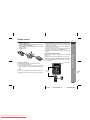
1
2
3
Remove the battery cover.
Insert the supplied batteries according to the direction indicated in the battery compartment.
When inserting or removing the batteries, push them towards the
battery terminals.
Replace the cover.
CD-ES600V
Notes concerning use:
! Replace the batteries if the operating distance is reduced or if the
operation becomes erratic. Purchase 2 "AA" size batteries (UM/
SUM-3, R6, HP-7 or similar).
! Periodically clean the transmitter on the remote control and the
sensor on the unit with a soft cloth.
! Exposing the sensor on the unit to strong light may interfere with
operation. Change the lighting or the direction of the unit.
! Keep the remote control away from moisture, heat, shock, and
vibrations.
ENGLISH
Check the remote control after checking all the connections (see
pages 9 - 12).
Point the remote control directly at the remote sensor on the unit.
The remote control can be used within the range shown below:
Press the ON/STAND-BY button. Does the power turn on? Now,
you can enjoy music.
Remote sensor
Precautions for battery use:
! Replace all old batteries with new ones at the same time.
! Do not mix old and new batteries.
! Remove the batteries if the unit is not to be used for long periods
of time. This will prevent potential damage due to battery leakage.
Caution:
! Do not use rechargeable batteries (nickel-cadmium battery, etc.).
! Installing the batteries incorrectly may cause the unit to malfunction.
Preparation for Use
" Test of the remote control
0.2 m - 6 m
(8" - 20')
4
E-8
04/2/23
Downloaded From Disc-Player.com Sharp Manuals
CD-ES600V(Z)E1.fm
TINSZA060AWZZ
CD-ES600V
System connections
ENGLISH
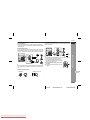
Make sure to unplug the AC power lead before any connections.
Aerial connection (see page 10)
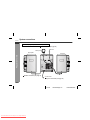
AM loop aerial
FM aerial
Right speaker
Preparation for Use
Left speaker
Speaker connection (see page 10)
To a wall socket
AC power connection (see page 12)
E-9
04/2/23
Downloaded From Disc-Player.com Sharp Manuals
CD-ES600V(Z)E1.fm
TINSZA060AWZZ
CD-ES600V
ENGLISH
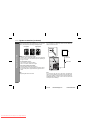
" Aerial connection
" Speaker connection
Supplied FM aerial:
Connect the FM aerial wire to the FM 75 OHMS terminal and position the FM aerial wire in the direction where the strongest signal
can be received.
Connect the black wire to the minus (-) terminal, and the red wire to
the plus (+) terminal.
Supplied AM loop aerial:
Connect the AM loop aerial to the AM LOOP socket. Position the
AM loop aerial for optimum reception. Place the AM loop aerial on a
shelf, etc., or attach it to a stand or a wall with screws (not supplied).
Black
Note:
Placing the aerial on the unit or near the AC power lead may cause
noise pickup. Place the aerial away from the unit for better reception.
Installing the AM loop aerial:
< Assembling >
Caution:
! Use speakers with an impedance of 6 ohms or more, as lower impedance speakers can damage the unit.
! Do not mistake the right and the left channels. The right speaker is the one on the right
side when you face the unit.
! Do not let the bare speaker wires touch
each other.
! Do not stand or sit on the speakers. You may
be injured.
Incorrect
Preparation for Use
Red
4
< Attaching to the wall >
Wall
Screws (not supplied)
E-10
04/2/23
Downloaded From Disc-Player.com Sharp Manuals
CD-ES600V(Z)E1.fm
TINSZA060AWZZ
CD-ES600V
ENGLISH
System connections (continued)
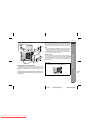
! Placing the speaker system
! TV/monitor connection
The left and right speakers have individual shapes. For best performance, place the speakers according to the diagram below.
If the TV/monitor has a video input, connect it to the VIDEO OUT
socket on the rear of the unit.
Left speaker
Right speaker
Preparation for Use
TV
Notes:
" The speakers are magnetically shielded.
Therefore, they do not affect the display even you use them near
the TV. However, some colour variation may occur, depending on
the type of TV used.
To video
input socket
Video cable
If colour variation occurs...
Turn off the TV (from the power switch).
After 15 - 30 minutes, turn the TV on again.
If the colour variation is still present...
Move the speakers further away from the TV.
" If any kind of magnet or an electromagnet is placed too close to
the TV and the system, irregular colours may appear on the TV
screen.
Note:
The speaker grilles are not removable.
Note:
If the TV/monitor does not have a video input, the VIDEO OUT
socket on the unit should be connected to a VCR with a video input,
which in turn should be connected to the TV/monitor through the TV
ANTENNA/CABLE input. (Be sure to turn on the VCR, and set the
VCR's input mode to "auxiliary".)
E-11
04/2/23
Downloaded From Disc-Player.com Sharp Manuals
CD-ES600V(Z)E2.fm
TINSZA060AWZZ
CD-ES600V
ENGLISH
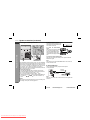
! AC power connection
1
After checking all the connections have been made correctly, plug
the AC power lead of this unit into the wall socket. If you plug the
unit first, the unit will enter the demonstration mode (see page 13).
2
! Setting the AC voltage selector
AC Plug Adaptor
In areas (or countries) where a wall socket as shown in illustration
is used, connect the unit using the AC plug adaptor supplied with
the unit, as illustrated. The AC plug adaptor is not included in areas
where the wall socket and AC power plug can be directly connected
(see illustration ).
Cooling fan:
This product is equipped with a cooling fan inside, which begins to
run at a specified volume level for better heat radiation.
Check the setting of the AC voltage selector located on the rear
panel before plugging the unit into a wall socket. If necessary, adjust
the selector to correspond to the AC power voltage used in your
area.
Preparation for Use
Notes:
" The unit will start the tape initialisation when plugged in to the AC
socket. During this process, initialising sound will be heard and
the unit cannot be turned on. Wait until the process is finished.
" Unplug the AC power lead from the wall socket if the unit will not
be in use for a prolonged period of time.
4
Turn the selector with a screwdriver until the appropriate voltage number appears in the window (110 V, 127 V, 220 V or 230
V - 240 V AC).
E-12
04/2/23
Downloaded From Disc-Player.com Sharp Manuals
CD-ES600V(Z)E2.fm
TINSZA060AWZZ
CD-ES600V
ENGLISH
System connections (continued)
! Setting the FM/AM span selector
! Demonstration mode
Preparation for Use
The first time the unit is plugged in, the
unit will enter the demonstration mode.
You will see words scroll.
To cancel the demonstration
mode:
When the unit is in the power standby mode (demonstration mode),
press the X-BASS/DEMO button.
The demonstration mode will be
cancelled and the display will disappear.
To return to the demonstration mode:
When the unit is in the power stand-by mode, press the X-BASS/
DEMO button again.
The International Telecommunication Union (ITU) has established
that member countries should maintain either a 100 kHz or a 50 kHz
interval between broadcasting frequencies of FM stations and 10
kHz or 9 kHz for AM station. The illustration shows the 50/9 kHz
zones (regions 1 and 3), and the 100/10 kHz zone (region 2).
Before using the unit, set the SPAN SELECTOR switch (on the rear
panel) to the interval (span) of your area.
To change the tuning zone:
1 Press the ON/STAND-BY button to enter the stand-by mode.
2 Set the SPAN SELECTOR switch (on the rear panel) as follows.
" For 50 kHz FM interval (9 kHz in AM) 50/9
" For 100 kHz FM interval (10 kHz in AM) 100/10
3 Whilst pressing down the
button and the X-BASS/DEMO button, press the
PRESET button until "CLEAR AL" appears.
Caution:
This operation will erase all data stored in memory including clock,
timer settings, tuner preset, and CD programme.
Note:
When the power is on, the X-BASS/DEMO button can be used to select the extra bass mode.
! External FM aerial
Use an external FM aerial if you require better reception.
Consult your dealer.
External
FM aerial
75 ohm
coaxial cable
Note:
When an external FM aerial is used, disconnect the supplied FM
aerial wire.
E-13
04/2/23
Downloaded From Disc-Player.com Sharp Manuals
CD-ES600V(Z)E2.fm
TINSZA060AWZZ
General control
CD-ES600V
ENGLISH
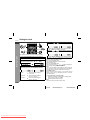
! Volume control
Main unit operation:
When the VOLUME control is turned
clockwise, the volume will increase.
When it is turned anti-clockwise, the volume will decrease.
0 ..... 30 MAXIMUM
Remote control operation:
Press the VOL (+ or -) button to increase
or decrease the volume.
When the power is first turned on, the
unit will enter the extra bass mode which
emphasises the bass frequencies, and
"X-BASS" will appear. To cancel the extra bass mode, press the X-BASS/DEMO
(X-BASS) button.
! Equaliser
When the EQUALIZER (EQUALIZER MODE) button is pressed, the
current mode setting will be displayed. To change to a different
mode, press the EQUALIZER (EQUALIZER MODE) button repeatedly until the desired sound mode appears.
! To turn the power on
Press the ON/STAND-BY button to turn the power on.
After use:
Press the ON/STAND-BY button to enter the power stand-by
mode.
! Illumination light control
When the power is turned on, light illuminates around the display.
To turn on/off the light, hold down the CLEAR/DIMMER button on
the remote control for 2 seconds or more.
In CD/TUNER/TAPE mode
FLAT
ROCK
The sound is not
modified.
Bass and treble are
emphasised.
In GAME/VIDEO mode
FLAT
ROCK
CLASSIC Treble is cut a little.
CLASSIC
Bass and treble are
slightly emphasised.
Vocals (midrange
tones) are emphasised.
Treble is slightly
emphasised.
SPORTS
POPS
VOCAL
JAZZ
Basic Operation
! Bass control (X-BASS)
ACTION
RACING
The sound is not
modified.
Bass and treble
are emphasised.
Treble is cut a
little.
Bass is emphasised.
Vocals and treble
are emphasised.
Bass and treble are
emphasised more.
4
E-14
04/2/23
Downloaded From Disc-Player.com Sharp Manuals
CD-ES600V(Z)E2.fm
TINSZA060AWZZ
CD-ES600V
Setting the clock
ENGLISH
5
Press the
or
button to adjust the hour and
then press the MEMORY/SET button.
Press the
or
button once to advance the time by
1 hour. Hold it down to advance continuously.
6
Press the
or
button to adjust the minutes and
then press the MEMORY/SET button.
Basic Operation
In this example, the clock is set for the 24-hour (0:00) display.
1
2
3
4
Press the ON/STAND-BY button to turn the power on.
Press the CLOCK/TIMER button.
Within 10 seconds, press the
or
button to select "CLOCK", and press the MEMORY/SET button.
Press the
or
button once to advance the time by
1 minute. Hold it down to change the time in 5-minute intervals.
To confirm the time display:
[When the unit is in the stand-by mode]
Press the CLOCK/TIMER button.
The time display will appear for about 10 seconds.
[When the power is on]
Press the CLOCK/TIMER button.
Within 10 seconds, press the
or
button to display the time.
The time display will appear for about 10 seconds.
Press the
or
button to select 24-hour or 12hour display and then press the MEMORY/SET button.
"0:00"
"AM 12:00"
"AM 0:00"
The 24-hour display will appear.
(0:00 - 23:59)
The 12-hour display will appear.
(AM 12:00 - PM 11:59)
The 12-hour display will appear.
(AM 0:00 - PM 11:59)
Note:
The "CLOCK" will appear or time will flash to confirm the time display when the AC power supply is restored after a power failure or
unplugging the unit. If incorrect, readjust the clock as follows.
To readjust the clock:
Perform "Setting the clock" from step 1. If the "CLOCK" does not
appear in step 3, step 4 (for selecting the 24-hour or 12-hour display) will be skipped.
To change the 24-hour or 12-hour display:
1 Clear all the programmed contents. [Refer to "Clearing all the
memory (reset)" on page 45 for details.]
2 Perform "Setting the clock" from step 1.
Note:
The clock can also be set with the remote control.
E-15
04/2/23
Downloaded From Disc-Player.com Sharp Manuals
CD-ES600V(Z)E2.fm
TINSZA060AWZZ
Video CD
CD-ES600V
Size
Label sides
Audio recording format
Video recording format
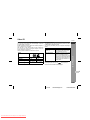
This unit handles video CDs that support PBC (version 2.0). (PBC is
an abbreviation of "Playback control".)
You can enjoy the following two types of playback, depending on
the disc.
Disc type
Video CDs without PBC
(version 1.1)
Video CDs with PBC
(version 2.0)
Symbol
8 cm (3")
1 side
Digital
(max. 20 min)
MPEG 1
12 cm (5")
1 side
Digital
(max. 74 min)
ENGLISH
! Types of discs
Features
Sound and motion pictures can be
played using the same control operations as applied to music CDs.
In addition to the features shown above
(for discs without PBC), PBC CDs have
a menu that is displayed on the TV
screen. You can play interactive games
and make use of other software with the
retrieval function (menu playback). You
can also display high resolution or normal still pictures.
Notes:
cannot be played.
" Analogue system CDVs (12 cm)
" Photo CDs and CD-ROMs cannot be played.
Disc Playback
Any CD that contains motion pictures can be played.
You can enjoy motion pictures with the sound quality of MDs and
the picture quality of VHS tapes.
Digital compression technology allows the continuous playback of
up to 74 minutes from a 12 cm disc.
With video CDs, you can select the items you want to watch from
the on-screen menu. Discs which support "Playback control" can
display still pictures (see page 20).
The disc symbols are found on the disc labels or jackets.
4
E-16
04/2/23
Downloaded From Disc-Player.com Sharp Manuals
CD-ES600V(Z)E2.fm
TINSZA060AWZZ
CD-ES600V
ENGLISH
Preparation for video CD playback
1
! Adjusting the TV and VCR
! Selecting the video output format
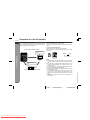
The TV or VCR input varies according to the connection method. Be
sure to make the settings correctly. (Then, follow the playback procedure on page 18 to check the settings.)
Video CD is recorded in PAL or NTSC format.
Select the video output format (NTSC or PAL) according to your TV
or VCR.
To select the video output format:
Whilst in the stop mode, press the PAL/NTSC button.
Each time this button is pressed, the format will change in the following order:
<For TV sets with a video input socket>
Set the input selector
to VCR.
Disc Playback
NTSC
TV
Set the input selector
to AUX.
Set the TV/VCR selector
to VCR.
VCR
<For TV sets without a video input socket>
PAL
E-17
04/2/23
Downloaded From Disc-Player.com Sharp Manuals
CD-ES600V(Z)E2.fm
TINSZA060AWZZ
SHARP TINSZA060AWZZ (Z)
Notes:
" When you watch a PAL disc in the NTSC mode or an NTSC disc
in the PAL mode, the vertical size of the picture will not be modified.
" If a multi-mode TV is equipped with an input selector switch, set
the switch to "MULTI MODE". For the details, refer to the TV
operation manual.
" Do not change the video output format during playback. If you do,
the picture signal may not be output properly.
" Picture may be distorted when the setting is switched. This is not
the malfunction of the unit.
" The selected NTSC or PAL mode is retained even when you turn
on/off the unit or switch functions. The mode returns to the
default if the AC power lead is left disconnected. Select a mode
again.
" Whilst playing an audio CD or MP3 disc, you cannot switch to
NTSC or PAL.
Video CD playback
2
Playback control:
Video CDs that support "Playback control" can display still pictures.
This function can be used with video CD software (video CDs with
playback control) that have a playback method recorded on them.
You can select items you want to watch from the menu displayed on
the TV screen, or you can show still pictures.
CD-ES600V
ENGLISH
! Playback
1
2
3
Press the ON/STAND-BY button to turn the power on.
4
Place the disc on the disc tray 1, label side up.
Turn on the TV and set the input selector to "VCR".
Press the CD/VIDEO CD (CD) button.
Press the
1 button and within 5 seconds, press the
OPEN/CLOSE button to open the disc tray 1.
Be sure to place 8 cm (3") disc in the middle of the disc trays.
5
6
Press the OPEN/CLOSE button to close the disc tray 1.
7
Press the
playback.
You can place discs on the trays 2 - 5 by following steps
3 - 5.
/
(
SELECT/RESUME) button to start
SHARP TINSZA060AWZZ (Z)
" Playback will begin from track 1 on the disc 1. After that disc finishes playing, the next disc will automatically play.
" After the last track on the fifth disc is played, the unit will stop
automatically.
" When there is no disc in one of the disc trays (1 - 5), the empty
tray will be skipped to the next tray with a disc.
4
To exchange other discs whilst playing a disc:
Press one of the 1 - 5 buttons for the stopped disc and within 5
seconds, press the OPEN/CLOSE button and exchange discs.
To remove the discs:
In the stop mode, press the 1 press the OPEN/CLOSE button.
5 button and within 5 seconds,
E-18
04/2/23
Downloaded From Disc-Player.com Sharp Manuals
8 cm (3")
Disc Playback
12 cm (5")
CD-ES600V(Z)E2.fm
TINSZA060AWZZ
CD-ES600V
Video CD playback (continued)
Disc Playback
ENGLISH
Notes:
" Whilst the disc is being read ("TOC READ" is displayed), you
cannot play another disc. The 1 - 5 buttons work, but the /
(
SELECT/RESUME) button does not.
" Playback control allows a video CD to be played back according
to instructions recorded on the disc. The "previous", "next",
"return" and "select" operations may function differently, depending on the PBC CDs.
" Some video CDs with playback control may have an "auto
pause" recorded on them. When such a disc is played, the
screen will stop automatically at the point where an "auto pause
signal" has been inserted.
" If the picture looks dirty when a video CD is played back, there
may be a scratch on the video CD. Replace it with another video
CD in good condition.
Caution:
" Do not place two discs in one disc tray.
" Do not play discs with special shapes (heart- or octagon-shaped)
as it may cause malfunctions.
" Do not push the disc tray whilst it is moving.
" If the power fails whilst the tray is open, wait until the power is
restored.
" If the disc tray is stopped with force, "ER-CD20" will appear on
the display for 3 seconds and the unit will not function. If this
occurs, press the ON/STAND-BY button to enter the power
stand-by mode and then turn the power on again.
" If TV or radio interference occurs during CD operation, move the
unit away from the TV or radio.
" If a disc is damaged, dirty, or loaded upside down, the disc will
skip.
Auto power on function:
When you press any of the following buttons, the unit turns on.
" CD/VIDEO CD (CD) button (main unit and remote control): The
unit turns on and the "CD/VIDEO CD" function is activated.
/
(
SELECT/RESUME) button (main unit and remote
"
control): The unit turns on and playback of the last function starts
(CD/VIDEO CD, TAPE, TUNER, GAME).
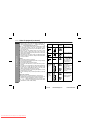
! Various disc functions
Function
Main unit
Remote
control
Operation
Play
Press in the stop
mode.
Stop
Press in the playback
mode.
Pause
Press in the playback
mode. Press the /
(
SELECT/RESUME) button to resume playback from
the paused point.
Press in the playback
or stop mode.
If you press the button
in the stop mode,
press the / (
SELECT/RESUME)
button to start the desired track.
Track up/
Track down
(One disc
only)
Fast forward/Fast
reverse
(One track
only)
Press and hold down
in the playback mode.
Release the button to
resume playback.
E-19
04/2/23
Downloaded From Disc-Player.com Sharp Manuals
CD-ES600V(Z)E2.fm
TINSZA060AWZZ
CD-ES600V
Notes:
" Operations may be different from the above in the P.B.C. mode.
" Pictures are shown intermittently and no sound is heard during
fast forward or fast reverse on video CDs.
" During fast forward/fast reverse, no sound is produced. Images
may be distorted or become noisy, or discolouration may occur.
! To move the menu screen (menu screen with
more than 1 page) (Video CD with P.B.C. only)
! Playback of a video CD (CDs) with P. B. C. (Version 2.0)
Note:
This function may not work, depending on the disc.
2
Press the
/
(
SELECT/RESUME) button.
A menu will appear on the TV and playback will be paused.
<TV screen>
1
2
Select the desired menu number using the direct search
buttons on the remote control.
" Playback will begin.
" After playback has finished, the menu will reappear. Select
the menu number you want to play.
To move to the next menu screen:
Whilst in the stop mode, press the
button.
To return to the previous menu screen:
Whilst in the stop mode, press the
button.
! To play without activating the playback control
function (Video CD with P.B.C. only)
You can play a video CD with P.B.C. without activating the playback
control function.
In this case, the menu screen will not appear, and the disc will be
played in the same way as a video CD without P.B.C.
1
To stop the current operation and return to the menu:
Press the ( /RETURN) button for less than 0.5 seconds.
Whilst in the stop mode, press the P.B.C (P.B.C AUTO/OFF)
button to cancel the P.B.C. mode.
The P.B.C. function cannot be cancelled whilst the menu
screen is displayed.
<TV screen>
To completely stop the video CD:
Hold down the ( /RETURN) button for more than 1 second.
The P.B.C. function will not work in the following conditions.
When repeat, random, programme, direct track search, bookmark,
resume, disc digest, track digest or time search play has been
selected and playback begins.
Disc Playback
1
ENGLISH
PBC OFF
2
Press the
/
(
4
SELECT/RESUME) button.
Playback will begin.
Notes:
" The P.B.C. function can also be cancelled whilst in the playback
mode.
" Some video CDs with P.B.C. cannot be played back when the
P.B.C. mode is off.
E-20
04/2/23
Downloaded From Disc-Player.com Sharp Manuals
CD-ES600V(Z)E2.fm
TINSZA060AWZZ
CD-ES600V
ENGLISH
Advanced video CD playback
! To specify a disc to play
! Direct track search
You can play a disc by specifying the disc number.
By using the direct search buttons, the desired tracks on the current
disc can be played.
1
Press one of the
1-
5 buttons to select the desired disc.
Use the direct search buttons on
the remote control to select the desired track whilst playing the selected disc.
Selected track number
Selected disc number
Within 5 seconds, press the DIRECT PLAY button on the
main unit.
Disc Playback
2
" The direct search buttons allow you to select up to number 9.
" When selecting number 10 or higher, use the "+10" button.
A. For example, to choose 13
1 Press the "+10" button once.
2 Press the "3" button.
B. For example, to choose 30
1 Press the "+10" button three times.
2 Press the "0" button.
" Playback will begin from track 1 on the chosen disc.
" After the last track on the chosen disc is played, the unit stops
automatically.
Note:
If the button of the disc tray with no disc is pressed, playback will not
start and the disc indicator will go out.
To stop playback:
Press the ( /RETURN) button.
If the direct search buttons are pressed whilst the disc is stopped,
press the / (
SELECT/RESUME) button to start the desired
track on the current disc.
Notes:
" A track number higher than the number of tracks on the disc cannot be selected.
" During random play, direct search is not possible.
" For MP3 discs, you can select the track number but cannot select
the folder by pressing the direct search button(s).
" This function does not work during P.B.C. play. Cancel the
P.B.C. mode when playing video CDs with P.B.C.
E-21
04/2/23
Downloaded From Disc-Player.com Sharp Manuals
CD-ES600V(Z)E3.fm
TINSZA060AWZZ
CD-ES600V
ENGLISH
! To create a bookmark
This function marks the desired scene on the video CD to play it
back easily. (Up to 9 scenes per disc can be marked.)
Whilst in the playback mode, press
the BOOKMARK button on the remote control when the desired scene
is displayed.
"B-M" will appear on the TV screen for a
few seconds.
<TV screen>
1
<TV screen>
B-M
2
Repeat step 1.
" Up to 9 scenes can be marked.
" If more than 9 bookmarks are created, bookmarks will be
erased in the order they were created.
To recall a bookmarked scene:
1
Press the direct search buttons on the remote control to
select the scene you want to play back.
" Playback will begin from the selected scene.
" After the last track on the fifth disc is played, the unit will stop
automatically.
Whilst in the stop or playback mode, hold down the BOOKMARK button on the remote control for more than 1 second.
"BOOKMARK DIGEST" will appear before the marked scenes
and numbers are displayed on the TV screen. Each time a
bookmarked scene is displayed, you can hear the first several
seconds of the scene. After displaying every scene, this unit will
enter the pause mode automatically.
2
3
5
4
To cancel the bookmark function:
Press the ( /RETURN) button.
Notes:
" Even if the unit is set to the stand-by mode or the function is
changed from CD/VIDEO CD to some other function, the marks
will not be erased.
" Opening the disc tray automatically erases the marks.
" This function is invalid with still pictures (menu display, photo,
etc.).
" This function is not available with an audio CD or MP3 disc.
Disc Playback
1
2
Caution:
" This function does not work during P.B.C. play. Cancel the
P.B.C. mode when playing video CDs with P.B.C.
" This function does not work during programmed play.
4
E-22
04/2/23
Downloaded From Disc-Player.com Sharp Manuals
CD-ES600V(Z)E3.fm
TINSZA060AWZZ
CD-ES600V
ENGLISH
Advanced video CD playback (continued)
! Time search selection
! Disc digest selection
You can play back from the desired scene by specifying the time.
You can play back a desired track by selecting one from the 9 displayed tracks on the screen.
1
Whilst in the playback mode, hold down the DIGEST (DIGEST/TIME SEARCH) button to enter the time search
mode.
1
<TV screen>
GO TO
Disc Playback
2
Whilst in the stop mode, press the
DIGEST (DIGEST/TIME SEARCH)
button.
" Up to 9 tracks will be displayed on the screen.
" Each time a track is displayed, you can hear the first several
seconds of the track.
:
Use the direct search buttons on the remote control to
specify the time.
[For example, to select 2 minutes and 30 seconds.]
Press "0", "2", "3", "0" successively.
<TV screen>
1
2
3
8
9
4
7
6
5
<TV screen>
GO TO
02:30
Selected time
" The point of specified time will be located on the track being
played and playback will resume from that point.
" After the last track on the fifth disc is played, the unit will stop
automatically.
To cancel the time search operation:
Press the ( /RETURN) button.
Notes:
" Time search mode will be cancelled automatically if the desired
time is not entered within 10 seconds.
" This operation is not accepted by still pictures (menu display,
photo, etc.).
" This function is not available with an audio CD or MP3 disc.
Caution:
" This function does not work during P.B.C. play. Cancel the
P.B.C. mode when playing video CDs with P.B.C.
" This function does not work during programmed play.
2
Press the direct search buttons on the remote control to
select the desired track.
" Playback will be started from the selected track.
" After the last track on the fifth disc is played, the unit will stop
automatically.
When there are more than 9 tracks on the video CD:
Each press of the
button will display the next 9 tracks.
Press the
button to return to the previous display.
To cancel the disc digest:
Press the ( /RETURN) button.
Notes:
" The disc digest function is available only in the stop mode.
" This function is not available with an audio CD or MP3 disc.
Caution:
" This function does not work in the P.B.C. mode, which will be
automatically cancelled when you press the DIGEST (DIGEST/
TIME SEARCH) button.
" This function does not work during programmed play.
E-23
04/2/23
Downloaded From Disc-Player.com Sharp Manuals
CD-ES600V(Z)E3.fm
TINSZA060AWZZ
CD-ES600V
ENGLISH
Each track is divided into 9 sections.
You can look at the sections and select the scene you want to start
watching from. This function is convenient when you want to start
from the middle of an undivided track, for example, a movie.
1
During playback, press the DIGEST
(DIGEST/TIME SEARCH) button.
" The track being played back will be divided into 9 sections
and playback will be paused.
" Each time a divided section is displayed, you can hear the
first several seconds of the section.
<TV screen>
2
1
2
3
8
9
4
7
6
5
Press the direct search buttons on the remote control to
select the scene you want to watch.
" Playback will be started from the selected scene.
" After the last track on the fifth disc is played, the unit will stop
automatically.
To cancel the track digest operation:
Press the ( /RETURN) button.
Notes:
" The track digest function works only during playback.
" This operation is not available for short tracks (less than one
minute) or still pictures (menu display, photo, etc.).
" One track is divided into nine frames of equal playing time.
" This function is not available with an audio CD or MP3 disc.
Caution:
" This function does not work during P.B.C. play. Cancel the
P.B.C. mode when playing video CDs with P.B.C.
" This function does not work during programmed play.
! Resume play
This function is to restart playback from the point where it has
stopped.
During the stop mode, hold down the / (
SELECT/RESUME) button for more than 1 second.
Playback will begin at the point where playback has stopped.
Disc Playback
! Track digest selection
Notes:
" Resume play cannot be activated when the function is changed
from CD/VIDEO CD to another or the unit is set to the power
stand-by mode.
" Resume play cannot be performed whilst opening the disc tray or
after changing the disc.
" This function does not work during P.B.C. play. Cancel the
P.B.C. mode when playing video CDs with P.B.C.
4
E-24
04/2/23
Downloaded From Disc-Player.com Sharp Manuals
CD-ES600V(Z)E3.fm
TINSZA060AWZZ
CD-ES600V
ENGLISH
Advanced video CD playback (continued)
! To play back the video CD manually
! Changing the TV screen display
Usually this unit detects the video CD and plays back pictures and
sounds. In case this unit fails to judge it correctly, you can play back
the video CD manually.
You can check the operation of the main unit by the on-screen display.
1
Press the VCD AUTO/VCD button until "VCD ON" appears
on the TV screen.
<TV screen>
Each time the OSD (OSD ON/OFF) button
is pressed during playback or in the stop
mode, the display will change as follows:
[During stop mode]
VCD ON
Disc Playback
00:00
2
Press the
/
(
No display
SELECT/RESUME) button.
[During playback]
To return to the automatic video CD detection mode:
Press the VCD AUTO/VCD button until
<TV screen>
"VCD AUTO" appears on the TV
VCD AUTO
screen.
Notes:
" This setting will be cancelled when you change the discs.
" Whilst in the "VCD ON" state, you cannot play back audio CDs.
" This setting will not work during video CD and MP3 disc playback.
002/010
Track
number
01:26
No display
Elapsed time
Total
number of
tracks
Note:
The displays may differ depending on the discs.
E-25
04/2/23
Downloaded From Disc-Player.com Sharp Manuals
CD-ES600V(Z)E3.fm
TINSZA060AWZZ
CD playback
CD-ES600V
This system can also play audio CD-R and CD-RW discs, but cannot record.
Some audio CD-R and CD-RW discs may not be playable due to the
state of the disc or the equipment used for recording.
The following playback functions are the same as video CD
operations.
Page
Playback . . . . . . . . . . . . . . . . . . . . . . . . . . . . . . . . . . . . . . . . . . . 18
Various disc functions . . . . . . . . . . . . . . . . . . . . . . . . . . . . . . . 19
To specify a disc to play . . . . . . . . . . . . . . . . . . . . . . . . . . . . . . 21
Direct track search . . . . . . . . . . . . . . . . . . . . . . . . . . . . . . . . . . . 21
Changing the TV screen display . . . . . . . . . . . . . . . . . . . . . . . 25
! Random play
! Repeat play
To cancel random play:
Press the / (
SELECT/RESUME) button.
"NORMAL" will appear for 2 seconds.
To repeat all tracks on up to 5 discs:
Press the / (
SELECT/RESUME) button twice.
To repeat desired tracks:
Perform steps 1 - 6 in the "Programmed play" section on page 27
and then press the / (
SELECT/RESUME) button twice.
To cancel repeat play:
Press the / (
SELECT/RESUME) button again.
" " will go out.
To repeat all tracks on the chosen disc:
1 Press one of the 1 - 5 buttons.
2 Within 5 seconds, press the DIRECT PLAY
button twice.
To cancel repeat play:
Press the DIRECT PLAY button again.
" " will go out.
Note:
This function also works on video CDs without P.B.C.
To random play all tracks on up to 5 discs:
Press the RANDOM button on the remote control.
Disc Playback
Repeat play can play all 5 discs, all tracks on a chosen disc, or a
programmed sequence continuously.
ENGLISH
The tracks on the disc(s) can be played in random order automatically.
To random play all tracks on the chosen disc:
1 Press one of the 1 - 5 buttons.
2 Within 5 seconds, press the DIRECT PLAY button.
3 Press the RANDOM button on
the remote control.
To cancel random play:
Press the DIRECT PLAY button.
"NORMAL" will appear for 2 seconds.
Notes:
button during random play, you can move to
" If you press the
the next track by the random operation. On the other hand, the
button does not allow you to move to the previous track. The
beginning of the track being played will be located.
" In random play, the CD player will select and play tracks automatically. (You cannot select the order of the tracks.)
" This function also works on video CDs without P.B.C.
Caution:
After performing repeat or random play, be sure to press the
RETURN) button. Otherwise, the disc(s) will play continuously.
4
( /
E-26
04/2/23
Downloaded From Disc-Player.com Sharp Manuals
CD-ES600V(Z)E3.fm
TINSZA060AWZZ
CD-ES600V
ENGLISH
CD playback (continued)
! Programmed play
You can choose up to 32 selections for playback in the order you
like.
1
Disc Playback
2
Whilst in the stop mode, press
the MEMORY/SET (MEMORY)
button to enter the programming
save mode.
To cancel the programmed play mode:
Whilst in the stop mode and the "MEMORY" indicator is lit, press the
CLEAR/DIMMER button on the remote control. The "MEMORY"
indicator will disappear and all the programmed contents will be
cleared.
Press one of the 1 - 5 buttons
to select the desired disc.
Selected disc number
3
Press the direct search buttons
on the remote control to select
the desired track.
Selected track number
You can also select a track by pressing the
or
button.
4
Press the MEMORY/SET (MEMORY) button to save the track
number.
5
Repeat steps 2 - 4 for other tracks. Up to 32 tracks can be
programmed.
If you make a mistake, the programmed tracks can be cleared
by pressing the CLEAR/DIMMER button.
6
Press the ( /RETURN) button.
The total number of memory will appear.
7
Press the
playback.
/
(
To clear the programmed selections:
Press the CLEAR/DIMMER button on the remote control whilst the "MEMORY" indicator
is flashing.
Each time the button is pressed, one track will
be cleared, beginning with the last track programmed.
Adding tracks to the programme:
If a programme has been previously stored, the "MEMORY" indicator will be displayed. Then follow steps 1 - 6 to add tracks. The new
tracks will be stored after the last track of the original programme.
To check which tracks are programmed:
Whilst the unit is stopped in the programmed play mode, press the
or
button.
Notes:
" When a disc with programmed tracks is ejected, the programme
is automatically cancelled.
" Even if you press the ON/STAND-BY button to enter the stand-by
mode or change the function from CD/VIDEO CD (CD) to
another, the programmed selections will not be cleared.
" During the programme operation, random play is not possible.
" During programmed play, the DIRECT PLAY button will not work.
" When the MEMORY/SET (MEMORY) button is pressed in P.B.C.
mode, it will be cancelled automatically and the unit will be
switched to the programme mode.
SELECT/RESUME) button to start
E-27
04/2/23
Downloaded From Disc-Player.com Sharp Manuals
CD-ES600V(Z)E3.fm
TINSZA060AWZZ
CD-ES600V
! To select the desired folder or track by name
(MP3 discs only)
1
Whilst in the stop mode, press the DISPLAY button to display the folder name.
2
3
Select the desired folder by pressing the
4
5
Select the desired track by pressing the
! To change the display (MP3 discs only)
Whilst in the stop mode or playback mode, press the DISPLAY button.
Each time the button is pressed, the display will change as follows.
[When in the stop mode]
Total number of tracks
Folder name
or
button.
Press the DISPLAY button to
display the track name.
or
ENGLISH
button.
Press the
/
(
SELECT/
RESUME) button to begin playback.
Note:
After selecting a disc with one of the 1 - 5 buttons, the display
will not change even if the DISPLAY button is pressed, and neither
the folder nor track name is displayed.
Disc Playback
MP3 disc:
MP3 is a form of compression. It is an acronym which stands for
MPEG Audio Layer 3.
MP3 is a type of audio code which is processed by significant compression from the original audio source with very little loss in sound
quality.
Notes:
" Due to the structure of its disc information, it takes longer to read
an MP3 disc than a normal CD (approximately 20 to 90 seconds).
" indicator will light up after the unit reads information on an
" "
MP3 disc.
" This system supports MPEG 1 Layer 3, MPEG 2 Layer 3, and
VBR files.
" During VBR file playback, time counter in the display may differ
from its actual playback time.
Track name
4
[When in the playback mode]
Track number Elapsed playback
time
Folder name
Track name
E-28
04/2/23
Downloaded From Disc-Player.com Sharp Manuals
CD-ES600V(Z)E3.fm
TINSZA060AWZZ
CD-ES600V
Listening to the radio
ENGLISH
! Tuning
1
2
Press the ON/STAND-BY button to turn the power on.
3
Press the TUNING (
station.
Press the TUNER (BAND) button repeatedly to select the
desired frequency band (FM or AM).
or
) button to tune in to the desired
Radio
Manual tuning:
Press the TUNING button as many times as required to tune in
to the desired station.
Auto tuning:
When the TUNING button is pressed for more than 0.5 seconds, scanning will start automatically and the tuner will stop at
the first receivable broadcast station.
Notes:
" When radio interference occurs, auto scan tuning may stop automatically at that point.
" Auto scan tuning will skip weak signal stations.
" To stop the auto tuning, press the TUNING button again.
Auto power on function:
When you press any of the following buttons, the unit turns on.
" TUNER (BAND) button (main unit and remote control): The unit
turns on and the "TUNER" function is activated.
/
(
SELECT/RESUME) button (main unit and remote
"
control): The unit turns on and playback of the last function starts
(CD/VIDEO CD, TAPE, TUNER, GAME).
To receive an FM stereo transmission:
Press the TUNER (BAND) button to display the "ST" indicator.
" " " will appear when an FM broadcast is in stereo.
" If the FM reception is weak, press the TUNER (BAND) button to
extinguish the "ST" indicator. The reception changes to monaural, and the sound becomes clearer.
FM stereo mode indicator
FM stereo receiving indicator
E-29
04/2/23
Downloaded From Disc-Player.com Sharp Manuals
CD-ES600V(Z)E3.fm
TINSZA060AWZZ
CD-ES600V
! Memorising a station
! To recall a memorised station
You can store 40 AM and FM stations in memory and recall them at
the push of a button. (Preset tuning)
Press the PRESET ( or
lect the desired station.
1
2
Perform steps 1 - 3 in "Tuning" on page 29.
Press the MEMORY/SET (MEMORY) button to enter the
preset tuning saving mode.
The stations saved in memory can be scanned automatically. (Preset memory scan)
1
4
Within 30 seconds, press the MEMORY/SET (MEMORY)
button to store that station in memory.
Press the PRESET ( or ) button for more than 0.5 seconds.
The preset number will flash and the programmed stations will be
tuned in sequentially, for 5 seconds each.
Press the PRESET ( or ) button again when the desired station is located.
Radio
Within 30 seconds, press the PRESET ( or ) button to
select the preset channel number.
Store the stations in memory, in order, starting with preset
channel 1.
) button for less than 0.5 seconds to se-
! To scan the preset stations
2
3
ENGLISH
If the "MEMORY" and preset number indicators go out before
the station is memorised, repeat the operation from step 2.
5
Repeat steps 1 - 4 to set other stations, or to change a preset station.
When a new station is stored in memory, the station previously
memorised will be erased.
4
! To erase entire preset memory
1
2
Press the ON/STAND-BY button to enter the stand-by mode.
Whilst pressing down the
button and the X-BASS/DEMO button, press the CLOCK/TIMER button until "TUNER CL" appears.
Note:
The backup function protects the memorised stations for a few
hours should there be a power failure or the AC power lead disconnection.
E-30
04/2/23
Downloaded From Disc-Player.com Sharp Manuals
CD-ES600V(Z)E3.fm
TINSZA060AWZZ
CD-ES600V
Listening to a cassette tape (TAPE 1 or TAPE 2)
ENGLISH
Tape Playback
Before playback:
" For playback, use normal or low-noise tapes for
the best sound. (Metal or CrO tapes are not recommended.)
" Do not use C-120 tapes or poor-quality tapes, as
they may cause malfunctions.
" Before loading a tape into the cassette compartment,
tighten the slack with a pen or a pencil.
! Tape 1 playback
1
2
3
Press the ON/STAND-BY button to turn the power on.
4
Load a cassette into the
TAPE 1 cassette compartment with the side to be
played facing toward you.
5
Press the
/
(
SELECT/RESUME) button to
start playback.
Press the TAPE (1
2) button to select TAPE 1.
Open the cassette compartment by pushing the
area marked " ".
Tape play indicator
Auto power on function:
When you press any of the following buttons, the unit turns on.
2) button (main unit and remote control): The unit
" TAPE (1
turns on and the "TAPE" function is activated.
/
(
SELECT/RESUME) button (main unit and remote
"
control): The unit turns on and playback of the last function starts
(CD/VIDEO CD, TAPE, TUNER, GAME).
E-31
04/2/23
Downloaded From Disc-Player.com Sharp Manuals
CD-ES600V(Z)E4.fm
TINSZA060AWZZ
CD-ES600V
1
2
3
Press the ON/STAND-BY button to turn the power on.
4
Load a cassette into the
TAPE 2 cassette compartment with side A facing
you.
5
Press the
button to choose one side or both
sides.
... To listen to both sides.
To play both sides ( ), start from side A. When playback starts
from side B, side A will not be played.
... For endless repeat play of both sides.
... To listen to one side.
6
Press the TAPE (1
2) button to select TAPE 2.
Open the cassette door by
pushing the area marked
" ".
Press the /
side A, or the
(
[
ENGLISH
! Various tape functions
SELECT/RESUME) button to listen to
(TAPE-2)] button for side B.
Function
Main unit
Remote
control
Operation
Side A playback
Press in the stop
mode.
Side B playback
Press in the stop
mode.
(TAPE 2
only)
Stop
Fast forward/Fast
rewind
(TAPE 2
only)
Press in the playback,
fast forward or fast rewind mode.
Press in the playback
or stop mode.
Tape Playback
! Tape 2 playback
4
Forward play
Reverse play
Caution:
( /RETURN) button, and
" To remove the cassette, press the
then open the compartment.
" Before changing from one tape operation to another, press the
( /RETURN) button.
" If a power failure occurs during tape operation, the tape head will
remain engaged with the tape and the cassette door will not
open. In this case, wait until the power is restored.
E-32
04/2/23
Downloaded From Disc-Player.com Sharp Manuals
CD-ES600V(Z)E4.fm
TINSZA060AWZZ
CD-ES600V
Playing karaoke
You can enjoy karaoke to video CDs, CDs, MP3 Discs, radio, cassettes, and other external devices by connecting a separately available microphone to this unit.
3
4
Press the ON/STAND-BY button to turn the power on.
5
Adjust the volume of the audio source using the VOLUME
control.
6
To control the volume of both microphones, turn the MIC
LEVEL control towards MAX to increase and towards MIN
to decrease.
7
Press the ECHO LEVEL + button on the remote control to
increase the microphone echo, and the ECHO LEVEL - button to decrease it.
2
Press the CD/VIDEO CD, TUNER (BAND), TAPE (1
2) or
GAME/VIDEO button to select the audio source and play it.
Notes:
" When you sing too loud through the microphone, your voice may
be distorted depending on the devices connected. If this happens, lower the microphone volume.
" If an extremely sensitive microphone is used, howling may be
generated.
" The unidirectional microphone is more appropriate for vocal use.
" The volume of both microphones is set simultaneously. It is recommended to use microphones of the same sensibility.
Karaoke
ENGLISH
Set the MIC LEVEL control to MIN to protect the speakers
from shock noise and to avoid disturbing noises.
2
Connect the microphone(s) to the MIC 1 or MIC 2 socket or
both sockets for enjoying duets.
" Use a microphone with a 6.3 mm (1/4") plug, an impedance
of 600 ohms.
" Use a standard plug adaptor when using a microphone with
a 3.5 mm (1/8") diameter plug.
Caution:
" When not using the microphone, remove it from the MIC socket.
" When connecting or disconnecting the microphone, set the MIC
LEVEL control to MIN.
" When using only one microphone, unplug the other.
E-33
04/2/23
Downloaded From Disc-Player.com Sharp Manuals
CD-ES600V(Z)E4.fm
TINSZA060AWZZ
SHARP TINSZA060AWZZ (Z)
1
If squealing occurs:
" Reduce the microphone volume.
" Change the direction of the microphone.
" Reduce the volume of the main unit.
" Move the microphone away from the speakers.
" Keep microphones away from each other.
CD-ES600V
ENGLISH
! To change the audio mode
3
Sound of the playback source can be switched among the STEREO, L-CH, R-CH, and V-CANCEL (VOCAL CANCEL) modes.
The audio mode function is used when the left and right channels
have individual signals from each other.
Press the KARAOKE MODE button on the
remote control until the desired audio
mode is displayed.
Each time the KARAOKE MODE button is
pressed, the mode will change as follows:
STEREO
L-CH
R-CH
V-CANCEL
Notes:
" Use discs recorded in stereo. The function will not work with
mono sources.
" With some discs and tapes the original vocals may still be heard.
Notes on sound multiplexed karaoke discs:
Sound multiplexed karaoke discs are discs on which the main vocal
and the BGM (Background music) have been recorded on one of
the two channels and only the BGM on the other.
" The function will not work properly with discs which do not belong
to this group.
" Discs on which vocal has been recorded on the left channel and
music on the right may not play properly.
Sounds on the left and right channels are played.
Sounds on the left channel only are played.
Sounds on the right channel only are played.
The main vocal is lowered.
SHARP TINSZA060AWZZ (Z)
Notes:
" The initial audio mode setting is "STEREO".
" In any mode other than the STEREO mode, " " will appear.
" The setting will remain unchanged when you change the disc,
you set the unit to the stand-by mode or the function is changed
from the CD/VIDEO CD to another function.
" When playing a sound multiplexed disc on which a vocal and
music have been separately recorded, select the audio mode as
desired.
You can record mixed sound from the microphone and CD/VIDEO
CD, TUNER, TAPE 1 or GAME.
1 Press the CD/VIDEO CD, TUNER (BAND), TAPE (1 2) or
GAME/VIDEO button to select the audio source.
" To record mixed sound from TAPE 1, press the TAPE (1 2)
button and select "TAPE 1".
2 Insert a blank tape into the TAPE 2 cassette compartment with
side A facing you.
3 Press the
button.
4 Press the / (
SELECT/RESUME) button to record on
side A, or the [ (TAPE-2)] button for side B.
! Recording of the microphone signals only to a
cassette tape
1
! To change general stereo source to karaoke
source
2
Even ordinary discs and tapes not recorded specifically for karaoke
can be used for karaoke just by toning down the main vocal.
3
4
Press the KARAOKE MODE button on the remote control until
"V-CANCEL" appears in the display.
" " will appear.
4
Press the TAPE (1 2) button until "TAPE 2" appears on the display.
Insert a blank tape into the TAPE 2 cassette compartment with
side A facing you.
Press the
button.
Press the / (
SELECT/RESUME) button to record on
side A, or the [ (TAPE-2)] button for side B.
E-34
04/2/23
Downloaded From Disc-Player.com Sharp Manuals
Karaoke
! Recording of mixed sound to a cassette tape
STEREO
L-CH
R-CH
V-CANCEL
CD-ES600V(Z)E4.fm
TINSZA060AWZZ
CD-ES600V
Recording on a cassette tape
ENGLISH
Before recording:
" When recording important selections, make a preliminary test to
ensure that the desired material is properly recorded.
" SHARP is not liable for damage or loss of your recording arising
from malfunction of this unit.
" The volume and sound controls can be adjusted with no effect
on the recorded signal (Variable Sound Monitor).
" For recording, use only normal tapes. Do not use metal or
CrO tapes.
Tape Recording
Erase-prevention tab of cassette tapes:
" When recording on a cassette tape, make sure that the eraseprevention tabs are not removed. Cassettes have removable
tabs that prevent accidental recording or erasing.
" To protect the recorded sound, remove the tab after recording.
Cover the tab hole with adhesive tape to record on the tape without the tab.
Side A
Tab for side B
Tab for side A
E-35
04/2/23
Downloaded From Disc-Player.com Sharp Manuals
CD-ES600V(Z)E4.fm
TINSZA060AWZZ
CD-ES600V
You can record the desired disc using the DIRECT PLAY button.
1
2
3
Press the ON/STAND-BY button to turn the power on.
4
Press the
Press the CD/VIDEO CD (CD) button.
Load a cassette into the TAPE 2 cassette compartment
with side A facing you.
Wind past the leader of the tape, on which recording cannot be
performed.
button to choose one side or both sides.
... To record on both sides.
... To record on only one
side.
5
Press the
To perform programmed recording:
1 Programme discs and tracks. (See page 27.)
2 Press the
button.
3 Press the / (
SELECT/RESUME) button to record on side
A, or the [ (TAPE-2)] button for side B.
To stop recording:
Press the ( /RETURN) button.
The disc and tape will stop.
Note:
To record on both sides, begin with side A. (If recording is started
from side B, the tape will not switch over to side A.)
button.
Recording will be paused.
6
7
ENGLISH
Sequential recording from several discs:
1 Perform steps 1 - 6 in "Recording from a CD (CDs)".
2 Within 5 seconds, press the / (
SELECT/RESUME) button to record on side A, or the [ (TAPE-2)] button for side B.
Press one of the
1-
5 buttons to select the desired disc.
Within 5 seconds, press the DIRECT PLAY button to start
recording.
" Recording starts from side A.
" Recording is started from the selected disc. When the playback of the last track is finished or the end of the tape is
reached, the disc and the cassette will stop automatically.
" Playback of the disc will start approximately 7 seconds after
the tape starts.
Auto restart function:
If the recording side is switched from side A to B during recording,
the system will record the interrupted track on side B from its beginning. The recording will be made without cutting the beginning of the
track on side B.
Tape Recording
! Recording from a CD (CDs)
4
To stop recording:
Press the ( /RETURN) button.
The disc and tape will stop.
E-36
04/2/23
Downloaded From Disc-Player.com Sharp Manuals
CD-ES600V(Z)E4.fm
TINSZA060AWZZ
CD-ES600V
ENGLISH
Recording on a cassette tape (continued)
! Recording from the radio
1
2
Tune in to the desired station (see page 29).
3
Press the
Load a cassette into the TAPE 2 cassette compartment
with side A facing you.
Wind past the leader of the tape, on which recording cannot be
performed.
Tape Recording
Press the
You can record from TAPE 1 to TAPE 2.
1
2
Press the ON/STAND-BY button to turn the power on.
3
Press the TAPE (1
2) button
until "TAPE 1" appears on the
display.
The reverse mode will be set to " ".
4
Press the
button to choose one side or both sides.
... To record on both sides.
... To record on only one
side.
4
! Dubbing from tape to tape
button.
Recording will be paused.
5
Press the / (
SELECT/RESUME) button to record on
side A, or the [ (TAPE-2)] button for side B.
To record on both sides, begin with side A. (If recording is started from side B, the tape will not switch over to side A.)
To interrupt recording:
Press the
button.
To resume recording, press the same recording button you pressed
in step 5. Other buttons do not allow resuming.
To stop recording:
Press the ( /RETURN) button.
Note:
If you hear a whistling noise whilst recording an AM station, move
the AM loop aerial.
Load a prerecorded cassette into the TAPE 1 cassette compartment. Insert a blank tape into the TAPE 2 cassette compartment.
It is recommended that the recording tape is the same length as
the master tape.
button.
Recording will be paused.
5
Press the
bing.
/
(
SELECT/RESUME) button to start dub-
To stop dubbing:
Press the ( /RETURN) button.
TAPE 1 and TAPE 2 will simultaneously stop.
! Erasing recorded tapes
1
2
3
4
5
Load the tape to be erased into the TAPE 2 cassette compartment with the side to be erased facing toward you.
Press the TAPE (1 2) button until "TAPE 2" appears on the display.
Set the
button to " " to erase only one side and to " " to
erase both sides.
Press the
button.
Press the / (
SELECT/RESUME) button to erase side A,
or the [ (TAPE-2)] button to erase side B.
To erase both sides, begin with side A. (If erasing is started from
side B, the tape will not switch over to side A.)
Note:
Make sure that the TAPE 1 is not in use.
E-37
04/2/23
Downloaded From Disc-Player.com Sharp Manuals
CD-ES600V(Z)E4.fm
TINSZA060AWZZ
Timer and sleep operation
CD-ES600V
ENGLISH
Timer playback:
The unit turns on and plays the desired source (video CD, CD, MP3
disc, tuner, tape) at the preset time.
Timer recording:
The unit turns on and starts recording from the tuner at the preset
time.
This unit has 2 types of timer: ONCE TIMER and DAILY TIMER.
Once timer play or once timer recording works for
one time only at a preset time.
For example, if you are away but want to record a programme on a
radio station.
! Timer playback or timer recording
Before setting timer:
Daily timer:
Daily timer play or daily timer recording works at
the same preset time every day.
For example, set the timer as a wake-up call every morning.
Using the once timer and daily timer in combination:
For example, use the once timer to record a radio programme, and
use the daily timer to wake up.
1 Set the daily timer (pages 38 - 40).
2 Set the once timer (pages 38 - 40).
1 minute or more
Once timer
Daily timer
Start
Stop
Start
1 Check that the clock is set to the correct time (refer to page 15).
If it is not set, you cannot use the timer function.
2 For timer playback: Load a cassette or discs to be played.
For timer recording: Load a cassette for recording in the TAPE
2 cassette compartment.
1
2
3
Advanced Features
Once timer:
Press the ON/STAND-BY button to turn the power on.
Press the CLOCK/TIMER button.
4
Within 10 seconds, press the
or
button to select "ONCE" or "DAILY", and press the MEMORY/SET button.
Stop
Note:
When set times for the daily timer and once timer overlap, the once
timer takes priority. Allow an interval of at least 1 minute between
operations.
Set the unit to the correct time if "ONCE" or "DAILY" does not
appear.
Continued to the next page
E-38
04/2/23
Downloaded From Disc-Player.com Sharp Manuals
CD-ES600V(Z)E4.fm
TINSZA060AWZZ
CD-ES600V
Timer and sleep operation (continued)
ENGLISH
4
Within 10 seconds, press the
or
button to select "ONCE SET" or "DAILY SET", and press the MEMORY/
SET button.
5
Press the
or
button to select "PLAY" or
"REC", and press the MEMORY/SET button.
Advanced Features
White
Red
9
Switch input with the
or
button, and then
press the MEMORY/SET button.
To select the timer playback source: CD/VIDEO CD, TUNER,
TAPE 1 or TAPE 2.
To select the timer recording source: TUNER.
" When you select the tuner, select a station by pressing the
or
button, and then press the MEMORY/SET
button.
" If a station has not been programmed, " NO P.SET" will be
displayed and timer setting will be cancelled.
10 Adjust
The illustrations show the daily timer setting.
6
Press the
or
button to adjust the hour and
then press the MEMORY/SET button.
the volume using the VOLUME control, and then
press the MEMORY/SET button.
Do not turn the volume up too high.
11 Press the ON/STAND-BY button to enter the power standby mode.
The "TIMER" indicator lights up and the unit is ready for timer
playback or timer recording.
The illustrations show the timer playback setting in the daily timer mode.
7
Press the
or
button to adjust the minutes and
then press the MEMORY/SET button.
8
Set the time to finish as in steps 6 and 7 above.
E-39
04/2/23
Downloaded From Disc-Player.com Sharp Manuals
CD-ES600V(Z)E4.fm
TINSZA060AWZZ
CD-ES600V
ENGLISH
start.
The volume will increase gradually until it reaches the preset
volume.
13 When the timer end time is reached, the system will enter
the power stand-by mode automatically.
Once timer:
The timer will be cancelled.
Daily timer:
The timer will operate at the same time every day. It will continue until the daily timer setting is cancelled. Cancel the daily timer when it is not in use.
Note:
When performing timer playback or recording using another unit connected to the GAME INPUT sockets, select "GAME" in step 9.
This unit will turn on or enter the power stand-by mode automatically,
however, the connected unit will not turn on or off.
Checking the timer setting in the timer stand-by mode:
1 Press the CLOCK/TIMER button.
2 Within 10 seconds, press the
or
button to select
"ONCE" or "DAILY", and press the MEMORY/SET button.
3 Within 10 seconds, press the
or
button to select
"ONCE CAL" or "DAILY CAL", and press the MEMORY/SET button.
The unit returns to the timer stand-by mode after displaying the
settings in order.
Cancelling the timer setting in the timer stand-by mode:
1 Press the CLOCK/TIMER button.
2 Within 10 seconds, press the
or
button to select
"ONCE" or "DAILY", and press the MEMORY/SET button.
3 Within 10 seconds, press the
or
button to select
"ONCE OFF" or "DAILY OFF", and press the MEMORY/SET button.
Timer will be cancelled (the setting will not be cancelled).
Reusing the memorised timer setting:
The timer setting will be memorised once it is entered. To reuse the
same setting, perform the following operations.
1 Turn the power on and press the CLOCK/TIMER button.
2 Within 10 seconds, press the
or
button to select
"ONCE" or "DAILY", and press the MEMORY/SET button.
3 Within 10 seconds, press the
or
button to select
"ONCE ON" or "DAILY ON", and press the MEMORY/SET button.
4 Press the ON/STAND-BY button to enter the power stand-by
mode.
Advanced Features
12 When the preset time is reached, playback or recording will
4
Note:
The timer can also be set with the remote control.
E-40
04/2/23
Downloaded From Disc-Player.com Sharp Manuals
CD-ES600V(Z)E4.fm
TINSZA060AWZZ
CD-ES600V
ENGLISH
Timer and sleep operation (continued)
! Sleep operation
Advanced Features
The radio, compact disc and cassette tape can all be turned off
automatically.
1
2
3
Play back the desired sound source.
4
Press the
Press the CLOCK/TIMER button.
Within 10 seconds, press the
or
button to select
"SLEEP", and press the MEMORY/SET button.
or
button to select the time.
(Maximum: 3 hours - Minimum: 1 minute)
" 3 hours - 5 minutes 5-minute intervals
" 5 minutes - 1 minute 1-minute intervals
5
6
Press the MEMORY/SET button.
"SLEEP" will appear.
The unit will enter the power stand-by mode automatically
after the preset time has elapsed.
The volume will be turned down 1 minute before the sleep operation finishes.
To confirm the remaining sleep time:
1 Whilst "SLEEP" is indicated, press the CLOCK/TIMER button.
2 Within 10 seconds, press the
or
button to select
"SLEEP X : XX".
"X : XX" is remaining sleep time.
" The remaining sleep time is displayed for about 10 seconds.
" You can change the remaining sleep time whilst it is displayed by
pressing the MEMORY/SET button (steps 4 - 5).
To cancel the sleep operation:
Press the ON/STAND-BY button whilst "SLEEP" is indicated.
To cancel the sleep operation without setting the system to the
stand-by mode, proceed as follows.
1 Whilst "SLEEP" is indicated, press the CLOCK/TIMER button.
2 Within 10 seconds, press the
or
button to select
"SLEEP OFF", and press the MEMORY/SET button.
! To use timer and sleep operation together
Sleep and timer playback:
For example, you can fall asleep listening to the radio and wake up
to CD in the next morning.
Sleep and timer recording:
For example, you can fall asleep listening to the CD and record
radio programmes whilst sleeping.
1
2
Set the sleep time (see left, steps 1 - 5).
Whilst the sleep timer is set, set the timer playback or recording
(steps 2 - 10, pages 38 - 39).
Sleep timer setting
Timer playback or
recording setting
1 minute - 3 hours
Sleep operation will
automatically stop.
End time
Desired time
Timer playback or recording
start time
Caution:
When using the cassette deck, be sure the tape length is long
enough to perform both functions. If you want to sleep and wake up
listening to a tape, and the length of the tape is shorter than the
sleep timer setting, timer playback or recording will not be possible.
E-41
04/2/23
Downloaded From Disc-Player.com Sharp Manuals
CD-ES600V(Z)E5.fm
TINSZA060AWZZ
Enhancing your system
The connection lead is not included. Purchase a commercially available lead as shown below.
Game system, VCR,
DVD player, etc.
CD-ES600V
! Listening to sounds of game, VCR, DVD, etc.
1
Connect a video game system, VCR, DVD, etc. to the front
GAME INPUT (VIDEO, AUDIO L and R) sockets.
2
Connect a TV to the rear VIDEO OUT socket.
ENGLISH
Yellow
White
3
Press the ON/STAND-BY button to turn the power on.
4
Press the GAME/VIDEO button.
5
Play the connected equipment.
Yellow White Red
You can enjoy sounds from the supplied speakers and images
on the TV.
Red
Video cable
(not supplied)
RCA lead
(not supplied)
Note:
To prevent noise interference, place the unit away from the television.
! To record sounds of game, VCR, etc.
Auto power on function:
When you press any of the following buttons, the unit turns on.
" GAME/VIDEO button (main unit and remote control): The unit
turns on and the "GAME" function is activated.
/
(
SELECT/RESUME) button (main unit and remote
"
control): The unit turns on and playback of the last function starts
(CD/VIDEO CD, TAPE, TUNER, GAME).
1
Insert a cassette in the TAPE 2 cassette compartment.
2
Press the GAME/VIDEO button.
3
Press the
4
Press the
button.
5
Start the game system, VCR, etc.
Advanced Features
Switch the TV input to auxiliary.
To the line output sockets
button.
/
(
4
SELECT/RESUME) or
[
(TAPE-2)]
E-42
04/2/23
Downloaded From Disc-Player.com Sharp Manuals
CD-ES600V(Z)E5.fm
TINSZA060AWZZ
Troubleshooting chart
CD-ES600V
ENGLISH
Many potential problems can be resolved by the owner without calling a service technician.
If something is wrong with this product, check the following before
calling your authorised SHARP dealer or service centre.
! General
Symptom
Possible cause
" The clock is not set to the " Did a power failure occur? Reset
correct time.
the clock. (Refer to page 15.)
Advanced Features
" When a button is pressed, " Set the unit to the power standthe unit does not respond.
by mode and then turn it back on.
" If the unit still malfunctions, reset
it. (Refer to page 45.)
" No sound is heard.
" Are the speaker wires disconnected?
! Headphones
" Before plugging in or unplugging the headphones, reduce the
volume.
" Be sure your headphones have a 3.5 mm (1/8") diameter plug
and the impedance is between 16 ohms and 50 ohms. The recommended impedance is 32 ohms.
" Plugging in the headphones disconnects the speakers automatically. Adjust the volume using the VOLUME control.
" Is the volume level set to "0"?
" Are the headphones connected?
" Is the karaoke mode set to "LCH", "R-CH" or "V-CANCEL"?
! Video CD
Symptom
" The picture is not displayed during playback.
Possible cause
" Is the TV unplugged?
" Is the unit connected improperly?
" Is the input selector on the TV set
to other than "VCR"?
" Is the unit being played without
selecting video CD?
" The picture quality is poor, " Is the disc very dirty?
or it is distorted.
E-43
04/2/23
Downloaded From Disc-Player.com Sharp Manuals
CD-ES600V(Z)E5.fm
TINSZA060AWZZ
CD-ES600V
Symptom
Possible cause
" Playback does not start.
" Is the disc loaded upside down?
" Playback stops in the mid- " Does the disc satisfy the standle or is not performed
dards?
properly.
" Is the disc distorted or
scratched?
" Playback sounds are
" Is the unit located near excessive
skipped, or stopped in the
vibrations?
middle of a track.
" Is the disc very dirty?
" Has condensation formed inside
the unit?
! Cassette deck
Symptom
" Cannot record.
"
"
"
"
"
"
ENGLISH
! Tuner
Possible cause
" Is the erase-prevention tab removed?
Cannot record tracks with " Is it a normal tape? (You cannot
proper sound quality.
record on a metal or CrO tape.)
Cannot erase completely.
Sound skipping.
" Is there slack in the tape?
" Is the tape stretched?
Cannot hear treble.
" Are the capstans, pinch rollers,
or heads dirty?
Sound fluctuation.
Cannot remove the tape. " If a power failure occurs during
playback, the heads remain engaged with the tape. Do not open
the compartment with great
force.
Symptom
" The radio makes unusual
noises continuously.
Possible cause
" Is the unit placed near the TV or
computer?
" Is the FM aerial or AM loop aerial
placed properly? Move the aerial
away from the AC power lead if
it's located nearby.
! Karaoke
Symptom
" The vocal part of a multiplexed disc is not heard.
Possible cause
" Is the karaoke mode set to "LCH", "R-CH" or "V-CANCEL"?
! Remote control
Symptom
" The remote control does
not operate.
Possible cause
" Is the AC power lead of the unit
plugged in?
" Is the battery polarity correct?
" Are the batteries dead?
" Is the distance or angle incorrect?
" Does the remote control sensor
receive strong light?
References
! CD player
4
! Condensation
Sudden temperature changes, storage or operation in an extremely
humid environment may cause condensation inside the cabinet (CD
pickup, tape heads, etc.) or on the transmitter on the remote control.
Condensation can cause the unit to malfunction. If this happens,
leave the power on with no disc (or cassette) in the unit until normal
playback is possible (about 1 hour). Wipe off any condensation on
the transmitter with a soft cloth before operating the unit.
E-44
04/2/23
Downloaded From Disc-Player.com Sharp Manuals
CD-ES600V(Z)E5.fm
TINSZA060AWZZ
Maintenance
CD-ES600V
ENGLISH
! If trouble occurs
References
When this product is subjected to strong external interference
(mechanical shock, excessive static electricity, abnormal supply
voltage due to lightning, etc.) or if it is operated incorrectly, it may
malfunction.
! Cleaning the tape-handling parts
" Dirty heads, capstans or pinch rollers can cause poor sound and
tape jams. Clean these parts with a cotton swab moistened with
commercial head/pinch roller cleaner or isopropyl alcohol.
" When cleaning the heads, pinch rollers, etc., unplug the unit
which contains high voltages.
If such a problem occurs, do the following:
1 Set the unit to the stand-by mode and turn the power on again.
2 If the unit is not restored in the previous operation, unplug and
plug in the unit, and then turn the power on.
TAPE 1
Note:
If neither operation above restores the unit, clear all the memory by
resetting it.
TAPE 2
A
C
B D
E
B
C
B
C
! Clearing all the memory (reset)
1
2
Press the ON/STAND-BY button to enter the power stand-by
mode.
Whilst pressing down the
button and the X-BASS/DEMO button, press the
PRESET
button until "CLEAR AL"
appears.
Playback head
Capstan
Pinch roller
Erase head
Recording/Playback head
" After long use, the deck's heads and capstans may become
magnetised, causing poor sound. Demagnetise these parts once
every 30 hours of playing/recording time by using a commercial
tape head demagnetiser. Read the demagnetiser's instructions
carefully before use.
! Cleaning the cabinet
Caution:
This operation will erase all data stored in memory including clock,
timer settings, tuner preset, and CD programme.
! Before transporting the unit
Remove all CDs from the unit. Make sure there is no CD in the disc
tray. Then, set the unit to the power stand-by mode. Carrying the
unit with discs left inside can damage the unit.
Periodically wipe the cabinet with a soft cloth and a diluted soap
solution, then with a dry cloth.
Caution:
" Do not use chemicals for cleaning (petrol, paint thinner, etc.). It
may damage the cabinet finish.
" Do not apply oil to the inside of the unit. It may cause malfunctions.
E-45
04/2/23
Downloaded From Disc-Player.com Sharp Manuals
CD-ES600V(Z)E5.fm
TINSZA060AWZZ
Specifications
! General
Power source
Power
consumption
Dimensions
Weight
AC 110/127/220/230 - 240 V, 50/60 Hz
120 W
Width: 260 mm (10-1/4")
Height: 330 mm (13")
Depth: 326 mm (12-7/8")
8.7 kg (19.2 lbs.)
Output terminals
Input terminals
MPO: 450 W (225 W + 225 W) (10 % T.H.D.)
RMS: 240 W (120 W + 120 W) (10 % T.H.D.)
RMS: 180 W (90 W + 90 W) (0.9 % T.H.D.)
Speakers: 6 ohms
Headphones: 16 - 50 ohms
(recommended: 32 ohms)
Video out: 1 Vp-p (75 ohms)
Game/ Auxiliary (audio signal):
500 mV/ 47 k ohms
Game/Video: 1 Vp-p
Microphone 1/2: 1 mV/600 ohms
! Video CD
Video output
format
ENGLISH
Type
Signal readout
5-disc multi-play compact disc player
Non-contact, 3-beam semiconductor laser
pickup
1-bit D/A converter
20 - 20,000 Hz
D/A converter
Frequency
response
Dynamic range
90 dB (1 kHz)
! Tuner
Frequency range
FM: 88.0 - 108.0 MHz
AM: 531 - 1,602 kHz
! Cassette deck
Frequency
response
Signal/noise ratio
! Amplifier
Output power
CD-ES600V
! CD player
50 - 14,000 Hz (normal tape)
55 dB (TAPE 1, playback)
50 dB (TAPE 2, recording/playback)
0.3 % (WRMS)
Wow and flutter
! Speaker
Type
Maximum input
power
Rated input power
Impedance
Dimensions
PAL/NTSC
Weight
References
As part of our policy of continuous improvement, SHARP reserves
the right to make design and specification changes for product
improvement without prior notice. The performance specification figures indicated are nominal values of production units. There may be
some deviations from these values in individual units.
2-way type speaker system with passive
radiator
5 cm (2") tweeter
13 cm (5-1/8") woofer
10 cm (4") passive radiator
240 W
4
120 W
6 ohms
Width: 252 mm (9-7/8")
Height: 330 mm (13")
Depth: 249 mm (9-13/16")
3.6 kg (7.9 lbs.)/each
E-46
04/2/23
Downloaded From Disc-Player.com Sharp Manuals
CD-ES600V(Z)E5.fm
TINSZA060AWZZ
DOWN
UP
CD-ES600V
Downloaded From Disc-Player.com Sharp Manuals
VIDEO CD MINI SYSTEM