1
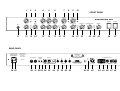
REAR PANEL
28 AC SOCKET
Connect AC cord here
ATTENTION: Ensure you use an intact AC cord with an insulated plug only!
Before you power the amp up, ensure the voltage value printed beside the
AC socket corresponds to the available current.
29 AC FUSE BOX
Contains mains fuse (rear chamber) and spare fuse (front chamber)
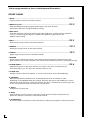
NOTE: Ensure replacement fuses bear identical ratings (refer to the table)!
30 FOOTSWITCH: CHANNEL; CRUNCH/LEAD ............................................................TIP
1/4" stereo jack for connecting a double footswitch, executes the following functions:
1.Main channel selection: CLEAN/CRUNCH or LEAD (mono terminal)
2.Channel selection: CRUNCH/LEAD (stereo terminal)
9
31 FOOTSWITCH: REVERB; VOLUME LEVEL SWITCHING .........................................TIP
1/4" stereo jack for connecting a double footswitch, executes the following functions:
1.Reverb on/off (mono terminal)
2.Switching between the two Master volume levels Hi and Lo (stereo terminal),
in combination with the CLEAN BOOST pushbutton (8): If the pushbutton is in the
off position, then only the volume for the Clean channel is increased.
If the CLEAN BOOST pushbutton is in the on position (depressed),
then the Clean channel is also boosted.
9
32 REVERB SPRING SEND
Signal output for the reverb spring. This output is connected to the input jack
of the reverb spring via a shielded cable with RCA connectors. (red plug)
33 REVERB SPRING RETURN
Signal input for the reverb spring. This input is connected to the output jack
of the reverb spring via a shielded cable with RCA connectors. (black plug)
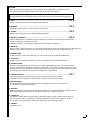
34 F.X. LOOP SEND
Signal output for the Effects loop. Connect this output to a signal processor’s
input/return jack via a shielded cable with 1/4" plugs.
35 F.X. LOOP RETURN
Signal input for the Effects loop. Connect this input to a signal processor’s
output/send jack via a shielded cable with 1/4" plugs.
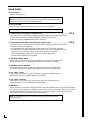
36 BALANCE
FX mix control for the Effects loop: Rotate the knob to the DRY position for the pure amp signal,
i.e. no effect on the signal. Turn clockwise to blend in an effect connected to the loop, to the dry
signal (parallel/passive). At the EFFECT position, only the wet signal, i.e. the signal sent from
the FX device is fed to the power amp (serial/passive).
NOTE: If no effects processor is connected to this loop, leave this control
in position DRY!
6