1
August 2006
CS–4001
Manual
Page 6
4. Connection of the battery to CS/TMC-4001
Attention!
The measuring cables must be connected to the TMC-4001 first, BEFORE being
connected to the battery!
1)
Power-up the CS/TMC-4001 and start the TMC95 or TMC4001-Light Software on your
computer.
2)
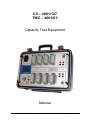
Connect the first measuring cable (multi-cable) to the connector C1 of the CS/TMC-4001.
3)
Take the first crocodile–clamp (labelled with “1”) and connect it to the electrical minus
pole of the battery. Continue connecting the remaining clamps in ascending order of
numbering (from low voltage to high voltage) to the plus pole of each cell. If you need more
than one multi-cable, connect them analogue to the first cable to the connectors C2 to C8
(TMC4001/63 to C4).
4)
Connect the shunt voltage cable to the I-connectors of the TMC4001 (I1-connectors on
CS-4001/127). Observe the correct polarity!
5)
Connect the total voltage cable to the U-connectors of the TMC4001 (U1-connectors on
CS-4001/127).
If you are using a temperature sensor connect it to the T-connector (T1 on CS-4001/127).
Test of two batteries in parallel
When testing two batteries in parallel (CS-4001/127 only) proceed as follows:
Connect the first battery to the connectors C1 to C4, but not more than 62 cells. Connect the
second battery to the connectors C5 to C8. Connect the shunt voltage cables and the total
voltage cables to the specific connectors (I1, U1 and T1 = batterie1; I2, U2 and T2 = battery2)
on the TMC4001.
6)
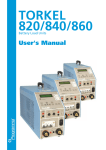
Connect the SER-connector of the CS/TMC-4001 to the serial port of your computer. When
you are using a TORKEL for testing connect it to the AUX–connector of the CS/TMC-4001.
7)
Start the capacity test from the software.