1
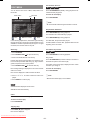
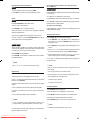
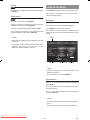
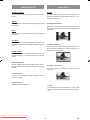
Displaying the Time Information Repeating Sections between Two Specific Points (A – B Repeat) DivX MPEG- 4 DivX You can display the time by pressing TIME. Press A-B during playback at the point where Repeat play is to start (A). Press TIME once more to close the display screen. “A To B Set A” is displayed on the screen. Zoom Press A-B again at the point where Repeat play is to end (B). JPEG Press PLAY/PAUSE to start slide show. “A To B Set B” is displayed and Repeat play of the selection between points A and B starts. You can zoom in/out and pan. To return to normal play: Press ZOOM to turn on/off this function. Press A-B again. “A To B Cancelled” is displayed and the A-B Repeat is disabled. When this mode is on, pictures are displayed at the last selected magnification. Programme Function The current magnification is displayed on the screen. If Zoom mode is on, press SLOW/SEARCH ( or ) to control the zoom in/out magnification. MPEG- 4 DivX Zoom function enables you to take a closer look at the scene you are viewing. This is particularly convenient when you want to zoom in on part of the picture. Press ZOOM during playback. Press ZOOM consecutively to display the picture at different magnifications. Press STOP () if a track is being played. 1. Press REPEAT. The “Play Mode” box is displayed on the screen. You can press REPEAT again to close the “Play Mode” box. 2. Press SELECT. The programme list is displayed on the screen. 3. Press /// to select a field in the programme list and enter the track number using number buttons. 4. After entering the track number, press /// to select “Play Program” and then press SELECT. The screen is cleared and the player starts playing the programme list. NOTE: NOTE: • Use /// to move the zoomed location. • You can remove the track from the programme list by pressing C. Repeat Play • You can programme up to twelve tracks. Press REPEAT in Stop mode. • During playback, you cannot set the Programme function. The “Play Mode” box is displayed on the screen. • The programme is cancelled when: Press to select the “Repeat” field and choose one of the items by using SELECT. - The disc tray is opened. - The power is turned off. If “Single Track” is selected, the current track will be played again. Shuffle Playback If “All” is selected, the whole disc will be played again. If “Folder” is selected, the current whole folder will be played. If “Off” is selected, Repeat play is disabled. Press REPEAT during playback. The “Play Mode” box is displayed on the screen. Press SELECT to select “Shuffle” in the “Mode” field. Files in the disc will be played back randomly. NOTE: Press REPEAT again to close the “Play Mode” box. • If “All” is selected and a programme list is active, the programme list is repeated instead of the whole disc. NOTE: • In Shuffle playback, Repeat is set to “Off ”. For JPEG files, Repeat mode setting is momentarily displayed in Slide show mode. Downloaded From Disc-Player.com Sharp Manuals - 29 - EN