1
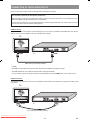
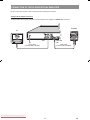
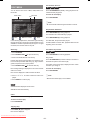
Video & Audio Output Connectors:
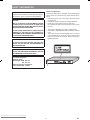
Video (yellow) and audio (red: right, white: left) output connectors can be used to connect the player to your TV set via cables.
To make this connection, your TV set must have video and audio input connectors. This type of connection is alternative
to scart connection. Picture quality is not as good as SCART RGB connection but audio performance is the same.
TV
VIDEO OUT
AUDIO OUT
(L-R)
Audio/Video cable (commercially available)
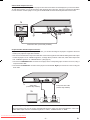
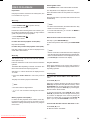
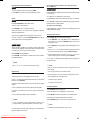
Component Video & Audio Output Connectors:
• If your TV set has component video input connectors, you can take advantage of the player’s Progressive Scan and
YPBPR (YUV) output for a high video resolution.
• If the TV set connected with a component cable does not have the Progressive Scan features although the Video output
mode of the player is set to “Y/PB/PR Progressive”, no image will be produced. In this case, switch Video output mode
from “Y/PB/PR Progressive” to “Y/PB/PR Interlace”. (See page 32.)
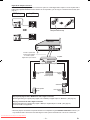
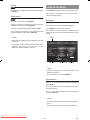
1. Connect the COMPONENT OUT connectors on the player to the corresponding input connectors on the TV, using a
component video cable.
2. Connect the L-R AUDIO OUT connectors of the player to the audio Left - Right input connectors on the TV using the
audio cable.
Audio cable
(commercially available)
Component video cable
(commercially available)
TV
LEFT
RIGHT
AUDIO INPUT
Y
Pb
Pr
COMPONENT VIDEO INPUT
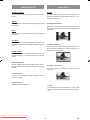
Compatibility of the progressive scan TVs
Some progressive scan TVs are not fully compatible with the player, which may cause image distortion. In this case,
switch Video output mode from “Y/PB/PR Progressive” to “Video”, “Y/PB/PR Interlace” or “RGB”.
Downloaded From Disc-Player.com Sharp Manuals
- 11 -
EN