1
Table of Contents
Section 1 – Getting Started .................................................................................................................... 4
1.1
Important Safegaurds ............................................................................................................ 4
1.2
Safety Instructions ................................................................................................................. 5
1.3
Regulatory Notices Federal Communications Commission (FCC) ......................................... 5
1.4
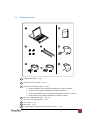
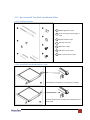
Package Contents................................................................................................................... 6
1.5
Before Installation.................................................................................................................. 7
1.6
Unpacking .............................................................................................................................. 7
1.7
Optional Accessories .............................................................................................................. 7
1.8
Peripheral Products ............................................................................................................... 8
1.9
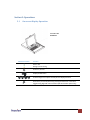
Structure Diagram .................................................................................................................. 8
1.10
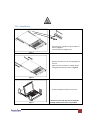
Installation ............................................................................................................................. 9
1.11
How to Use “N” Series LCD Keyboard Drawer ..................................................................... 10
1.12
How to Use the Slides .......................................................................................................... 11
1.13
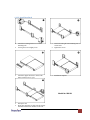
How to Install “One Man” Installation Slides....................................................................... 12
1.13.1.
Package Contents ......................................................................................................... 12
1.13.2.
Install the Front Mounting Ear x 2 pcs ......................................................................... 12
1.13.3.
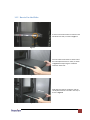
Install into Rack ............................................................................................................ 13
1.14
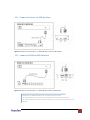
Connect to Server via USB Interface .................................................................................... 14
1.15
Connect to KVM via USB Interface ...................................................................................... 14
1.16
Connect to Server via PS/2 Interface ................................................................................... 15
1.17
Connect to KVM via PS/2 Interface...................................................................................... 15
Section 2: Operations ........................................................................................................................... 16
2.1
On-screen Display Operation ............................................................................................... 16
2.2
On-screen Menu .................................................................................................................. 17
Section 3: Specifications....................................................................................................................... 19
3.1.
Keyboard & Mouse .............................................................................................................. 20
Section 4: Optional Specifications ........................................................................................................ 21
www.avenview.com
2