1
INTRODUCTION
NAVIGATION
RADIO MODE
CD MODE
Resetting to the factory defaults
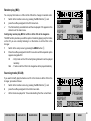
You can reset the TravelPilot to its default settings. This affects all the settings
for the navigation system and the audio sources.
1
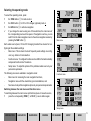
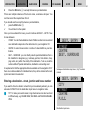
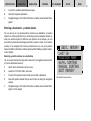
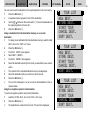
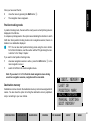
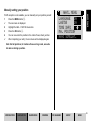
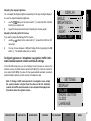
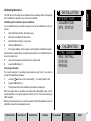
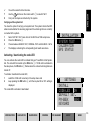
Select DEFAULT SET. from the setup menu.
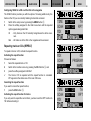
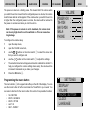
Step 1: If a navigation CD is inserted, you will be asked whether you want to
reset the navigation system’s values. This affects all of the destination memory
and the route options. If no navigation CD is inserted, the next query is displayed straight away.
2
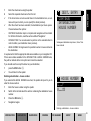
If you want to delete the settings, press YES or
2
to retain the navigation system’s settings, select NO.
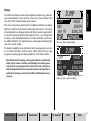
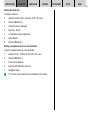
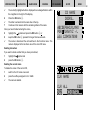
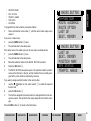
Step 2: This query refers to deleting the name and playlist memory for CD mode.
3
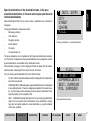
To reset the settings, select YES, otherwise
3
select NO.
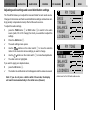
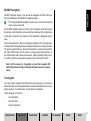
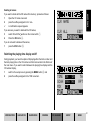
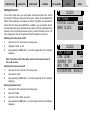
Step 3: The last step affects all the options, all the setup settings and all the
sound settings of the audio sources.
4
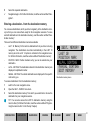
If you want to delete the settings, press YES or
4
to retain the settings, select NO.
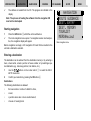
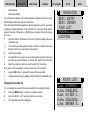
If you confirmed at least one item with YES, the device will be reset. The unit is
then switched off and back on.
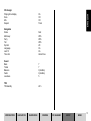
Note: A table containing the factory default settings for the device
is located at the end of this chapter.
CD CHANGER
SETUP
INDEX
SETTINGS
INSTALL
CODE-LED
ON
DEFAULT SET.
FM-SEEK
SENS
KEYCARD
106