1
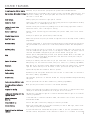
arming only, after the unit is disarmed it reverts back to High Theft Off.
Shock Sensitivity Reduction
To reduce the on-board shock sensitivity to 50% (for this arming only), press Button #1 again within two seconds
after arming. The system will chirp once (or flash the parking lights once if Silent Arming is activated). To shut
off the Current Sensor (for this arming only) press Button #1 a second time after arming, the unit will chirp once.
The Current Sensor is programmed Off.
Valet Mode On
To activate Valet Mode, disarm the system. Press and hold Button #4 until the system chirps once, release Button
#4. Press and release Button #4 again within two seconds and the system will chirp once again. The LED will remain
on (constant) when in Valet Mode. NOTE: Factory setting is Valet Mode Off.
Valet Mode Off
To deactivate Valet Mode, disarm the system. Press and hold Button #4 until the system chirps once, release Button
#4. Press and release Button #4 again within two seconds and the system will chirp twice. The LED will remain off.
The unit is now out of Valet Mode. NOTE: Factory setting is Valet Mode Off.
NOTE: Valet Mode can also be programmed On and Off through the Override Switch. With the ignition key in the On
position, press and hold the Override Switch for (2) two seconds or until the unit chirps once. The LED will remain
On (constant) while in Valet Mode. Turn off Valet Mode from the Override Switch and turn your ignition key to the
On position. Press and hold the Override Switch for (2) two seconds or until the unit chirps twice. The Valet Mode
is programmed Off and the LED will turn off.
Current Sensor On
Disarm the system and press Button #4 for (10) ten seconds or until the unit chirps once. Release Button #4 and
press Button #3 within (2) two seconds. The unit will chirp once indicating that Current Sensing is programmed On.
NOTE: Factory setting is Current Sensing Off.
Current Sensor Off
Disarm the system and press Button #4 for (10) ten seconds or until the unit chirps once. Release Button #4 and
press Button #3 within (2) two seconds. The unit will chirp twice indicating that Current Sensing is programmed
Off.
Lock/Unlock with Ignition On
Disarm the system and press and hold Button #3 for (10) ten seconds or until the unit chirps once. Release Button
#3 then press and release Button #2 within (2) two seconds. The unit will chirp once indicating that the unit is
programmed to Lock/Unlock the doors with Ignition. NOTE: Factory setting is Lock/Unlock with Ignition Off.
NOTE: When this feature is programmed, the system will Lock the doors (5) five seconds after the ignition key is
turned on. The system will Unlock the doors immediately when the ignition key is turned off.
Lock/Unlock with Ignition Off
Disarm the system and press and hold Button #3 for (10) ten seconds or until the unit chirps once. Release Button
#3 then press and release Button #2 within (2) two seconds. The unit will chirp twice indicating that Lock/Unlock
the doors with Ignition is programmed Off.
Door Lock Pulse (3.5 Seconds)
To program the unit for a 3.5 second output (used only on Mercedes and Audi vacuum door locks) disarm the system.
Press and hold Button #3 for (10) ten seconds or until the unit chirps once. Release Button #3, press and release
Button #1 within (2) two seconds, the system will chirp once. The Door Lock Pulse is programmed for 3.5 seconds of
output. NOTE: Factory setting is 0.7 seconds standard pulse.
Door Lock Pulse (0.7 Seconds Standard Pulse)
Disarm the system, press and hold Button #3 for (10) ten seconds or until the chirps once. Release Button #3, press
and release Button #4 within (2) two seconds. The unit will chirp twice and is programmed for Dual Lock Pulse.
Dual Lock/Unlock Pulse On
Disarm the system, press and hold Button #3 for 10 seconds or until the unit chirps once. Release Button #3, press
and release Button #4 within (2) two seconds, the unit will chirp (3) three times. The unit is now programmed for
Dual Lock/Unlock Pulse On. NOTE: Factory setting is Dual Lock/Unlock Pulse Off.
Dual Lock/Unlock Pulse Off
Disarm the system, press and hold Button #3 for 10 seconds or until the unit chirps once. Release Button #3, press
and release Button #4 within (2) two seconds, the unit will chirp (4) four times. The unit is now programmed for
Dual Lock/Unlock Pulse Off.
Setting Shock Sensitivity
Disarm the system and press Button #4 for (10) ten seconds or until the unit chirps once. Release Button #4 and
press and release Button #1, the unit will chirp once again. Impact the vehicle with the desired shock force. The
system will flash the parking lights once to show that the shock setting was accepted.
Programming New Transmitters (Up to (4) four transmitters allowed)
Disarm the system and press Button #1 for (10) ten seconds. The unit will arm-up in silent mode, flash the parking
lights once and will chirp once after the (10) ten seconds. Release Button #1 on the working transmitter and immediately
press any button on the new transmitter. The parking lights will flash twice indicating that a new transmitter has
been programmed.
Clearing the Unit Memory
Attach the Major trigger input wire (YELLOW) to Ground, then cycle the Ignition Key from off to on (run) (6) six
times within (5) five seconds, the parking lights will flash twice. The units memory is cleared. Unplug all harnesses
from the unit and wait 30 seconds. Plug the unit back in and use the remote transmitter. The unit is back to factory
settings.
11