1
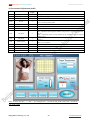
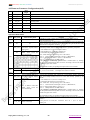
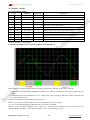
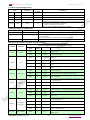
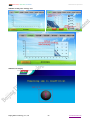
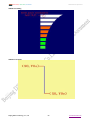
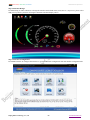
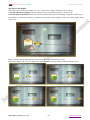
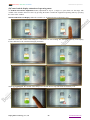
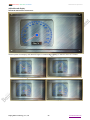
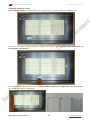
PROFESIONAL, CREDITABLE, SUCCESSFULL DWIN DGUS v2.0 Specification 4.4 Slider Adjustment (0x03) Add. Defination Data Length Description 0x00 Pic_ID 2 Page ID 0x02 TP_Area 8 Touch button areas: (Xs, Ys) (Xe, Ye) 0x0A Pic_Next 2 0x0C Pic_On 2 0x0E TP_Code 2 Page ID that will switch to, 0xFF** means no page switches. Must be 0xFF** Page ID that shows the effect animation when button pressed, 0xFF** means that there is no button pressing effect. Must be 0xFF** 0xFE03 0x10 0xFE 1 0xFE 0x11 *VP 2 0x13 Adj_Mode 1 0x14 Area_Adj 8 0x1C V_begin 2 Variable address pointer High 4 bit defined the format of return data: 0x0*= adjust VP word address (integer) 0x1*=adjust the high byte of word data in VP word(1 byte unsigned number, VP_H) 0x2*= adjust the low byte of word data in VP word(1 byte unsigned number, VP_L) Low 4bit defined the slider method: 0x*0 =horizontal drag, 0x*1=vertical drag. Working effective Region: Xs, Ys, Xe, Ye; and MUST BE identical to TP_Area (touch region). The return value corresponding to starting position, integral number. 0x1E V_end 2 The return value corresponding to end position, integral number. Notes: In case of any operation mistakes, pressing and drag begin to work 0.5s later. As shown above, scale function indications is actualized by Variable 0x02 (Please see Chapter 5.1.3) The advantage of slider input is visible, easy and convenient to operate, and no possible for over the range. If the higher accuracy of the variable input is required, use the Data Variable Show (Variable 0x10) to show the slider values in the display. Beijing DWIN Technology Co., Ltd. - 16 - www.dwin.com.cn/en