1
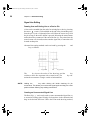
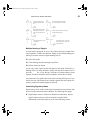
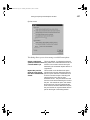
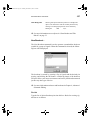
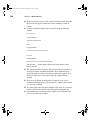
LW Reference.bk Page 57 Monday, December 15, 2003 5:59 PM Using Subcircuits 57 designs, then click the Attach button. The selected design will now be brought to the front. Close its window. If the Update/Revert/Cancel option box appears, select Update. The subcircuit is now attached to the parent symbol and has ceased to exist as an independent design. Creating a Subcircuit—Bottom–Up In a bottom–up design process, we create the subcircuit first then use it to define the pins on the parent symbol. In LogicWorks, this is easier than the top–down procedure because we can take advantage of some of the automatic features of the device symbol editor for this purpose. The bottom–up procedure is as follows: If you are creating the subcircuit from scratch, select the New Design command from the LogicWorks menu bar to create a new circuit window, then use the schematic drawing tools to draw the circuit. You may use any existing parts in creating the subcircuit, including other subcircuit devices. Alternatively, if the subcircuit is to be based on an existing circuit file, open that file using the Open Design command. If you haven’t already done so, add Port Connectors corresponding to the pin connections on the symbol, as described in the previous section. Leave this circuit open (that is, displayed in a circuit window). You may save this circuit to a file if desired, but it is not necessary to perform this procedure. Open the device symbol editor. Select New in the File menu and then choose the Device Symbol option. From the Options menu, select the Subcircuit / Part Type command and choose the “Create a subcircuit symbol and store the subcircuit with it...” option. Select the subcircuit that you just created from the list of open windows that is presented. Close the PartType configuration dialog. You will notice that symbol editor has extracted the names from the port connectors in the subcircuit and placed them in the Pin List at the left side of its own window. Create the graphics for the symbol using either drawing tools, the Autocreate Symbol command in the Options menu. Every pin listed in