1
ENGLISH
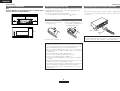
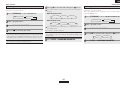
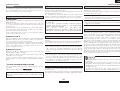
Connecting Other Sources
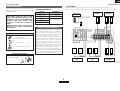
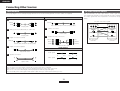
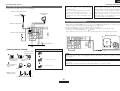
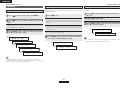
Cable indications
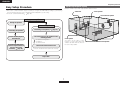
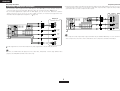
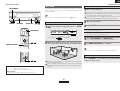
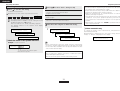
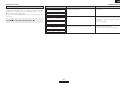
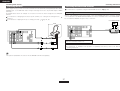
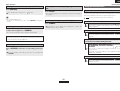
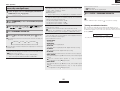
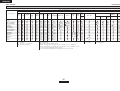
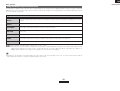
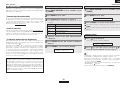
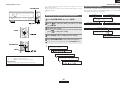
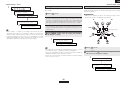
The video conversion function
With the AVR-1707, the Video signal and the S-Video signal which
were inputted are mutually converted. And also the Video signal and
the S-Video signal which were inputted are converted into a higher
quality.
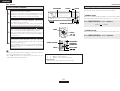
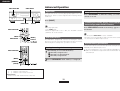
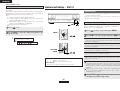
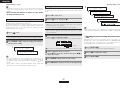
The hookup diagrams on the subsequent pages assume the use of the following optional connection cables (not supplied).
Audio cable
A
Video cable
F
Analog connections (Stereo)
(White)
L
L
(Red)
R
R
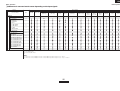
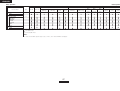
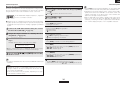
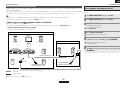
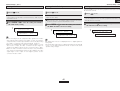
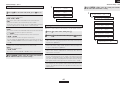
The flow of the video signals.
(Yellow)
Video cable (75 Ω/ohms video pin-plug cable)
Pin-plug cable
B
Video connections
G
S-Video connections
Analog connections (Monaural, for subwoofer)
(Component Video
terminals)
(Component Video
terminals)
(S-Video terminal)
(S-Video terminal)
(Video terminal)
(Video terminal)
This unit’s input
terminals
This unit’s output
terminals
S-Video cable
Pin-plug cable
C
H
Component video connections
Digital connections (Coaxial)
(Y)
(Green)
(Orange)
Coaxial cable (75 Ω/ohms pin-plug cable)
D
(Blue)
(PB/CB)
(Red)
(PR/CR)
Component video cable
Digital connections (Optical)
Signal direction
Optical fiber cable
Audio signal
E
Speaker connections
IN
OUT
OUT
IN
IN
OUT
OUT
IN
Video signal
Speaker cable
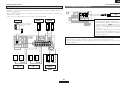
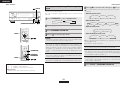
NOTE:
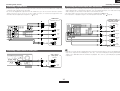
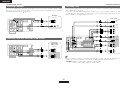
• Do not plug in the power supply cord until all connections have been completed.
• When making connections, also refer to the operating instructions of the other components.
• Be sure to connect the left and right channels properly (left with left, right with right).
• Do not bundle power cords together with speaker cables. Doing so could result in humming or noise.
13
ENGLISH