1
3. System Configuration
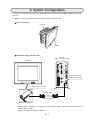
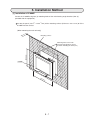
IV-S50 series controller can be directly connected to the backside of the IV-08MP monitor and used as
one unit.
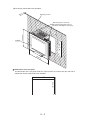
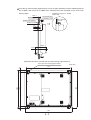
IV-08MP can also be connected to the controller using the monitor cable.
Direct connection
IV-S51M
IV-08MP
Connection using monitor cable
IV-S51M
(when vertically placed)
IV-08MP
IV-S51M
POWER
FG
+24V
USB
+0V
Y0
COM
Y1
Y2
Y3
USB
Y4
Y5
TERMINATOR
Y6
LINK
Y7
Y8
Y9
Y10
Y11
LAN
EXP
Y12
RX
Y13
ANALOG
RGB
Y14
Y15
RUN
RDY
C (-)
X0
IV monitor connector
(IV MONITOR ONLY)
CAMERA1
X1
X2
X3
X4
IV MONITOR
ONLY
X5
X6
CAMERA2
X7
X8
X9
X10
X11
X12
X13
X14
X15
C (+)
Monitor input connector
Monitor cable*
(Cable length: 2m)
Backside of equipment
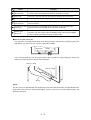
* Monitor cable IV-S50MC2 is sold separately. The monitor cable needs to be purchased, when the
monitor cable is used to
connect the equipment and the controller.
3-1