1
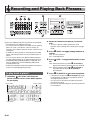
Recording and Playing Back Phrases
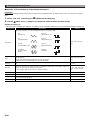
To change the tempo setting
There are two different methods you can use to change the
tempo setting: using the TEMPO buttons or tapping a beat
with a button.
• You can use this procedure to adjust the tempo not only for
phrases, but also for other functions as well.
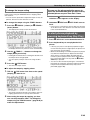
■ To change the tempo using the TEMPO buttons
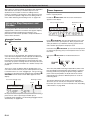
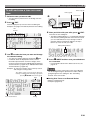
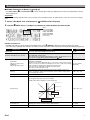
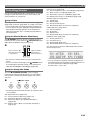
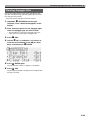
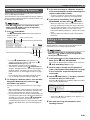
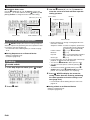
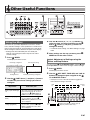
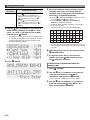
1. Press the 8 TEMPO – (slower) or 8 TEMPO +
(faster) button.
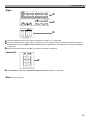
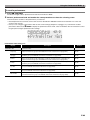
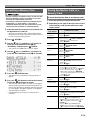
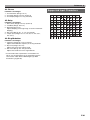
• This displays the tempo screen shown below.
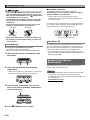
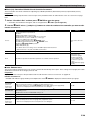
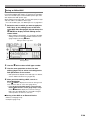
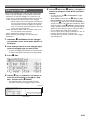
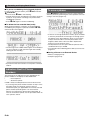
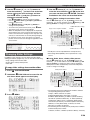
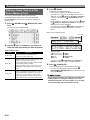
You can use the phrase selection screen to
select the recommended tone for the currently
selected phrase as your Zone Part 1 tone.
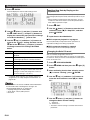
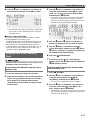
1. Hold down bn KEY PLAY until the phrase
selection screen appears on the display.
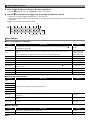
2. Hold down 7 EDIT until bn KEY PLAY starts to
flash.
• In the case of a user phrase, the tone that was selected
as the Zone Part 1 tone when the user data was saved
is the recommended tone.
To start phrase playback by
pressing keyboard key (Key Play)
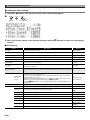
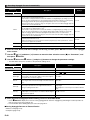
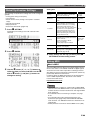
1. Press bn KEY PLAY so the button becomes lit.
2. Press keyboard key to start playback of the
phrase.
• If you do not perform any operation for a few seconds,
the display will return to previous screen automatically.
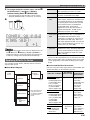
2. Use the 8 TEMPO –, + buttons to change the
tempo (beats per minute).
• Holding down either button or rotating the dial will scroll
the tempo values at high speed.
• You can specify a tempo value in the range of 30 to
255.
3. Press the bq EXIT button.
• This exits the tempo screen.
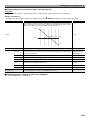
• If the key you press to start phrase playback is higher
or lower than the phrase’s original pitch, the phrase will
play at the pitch of pressed key.
• When the hold setting is turned off, the phrase is played
only while the keyboard key is depressed, and stops
when the key is released. When the hold setting is
turned on, phrase playback starts when the keyboard
key is pressed and does not stop until the
PLAY/
STOP key is pressed.
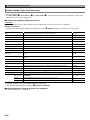
• You can use the “Phrase Key Range Lo” and “Phrase
Key Range Hi” settings to specify the high point and the
low point of the keyboard where Key Play can be
performed (page E-66).
bn
■ To adjust the tempo by tapping a beat
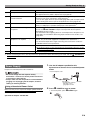
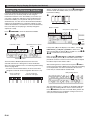
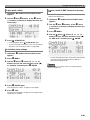
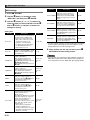
1. TAP the 8 TAP button four times at the speed
(tempo) you want to set.
• The tempo setting will change in accordance with your
tapping speed as soon as you tap the fourth time.
2. After setting the tempo by tapping, you then
can use the procedure under “To change the
tempo using the TEMPO buttons” (page E-45) to
make fine adjustments.
E-45