1
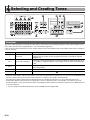
Selecting and Creating Tones
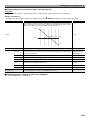
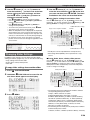
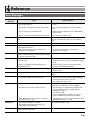
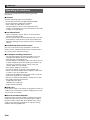
■ Editable Parameters for All Layers (Layer 1 through Layer 6)
Preparation
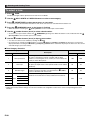
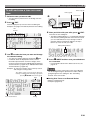
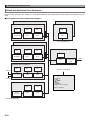
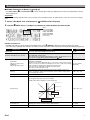
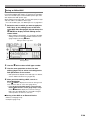
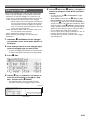
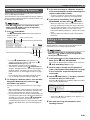
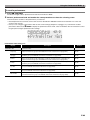
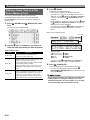
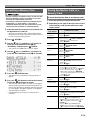
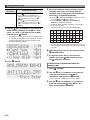
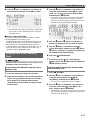
Display the screen in step 2 of the procedure under “To edit and save a tone as a user tone” on page E-21.
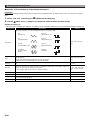
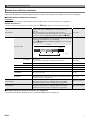
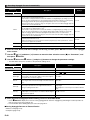
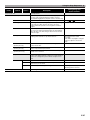
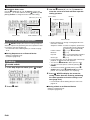
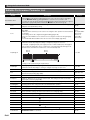
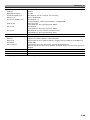
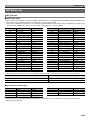
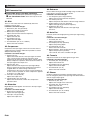
Editable Parameter List
• Shaded cells indicate a group made up of multiple items. Press
Display Text
bq ENTER to display the items that make up a group.
Description
Settings
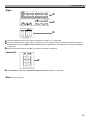
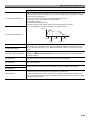
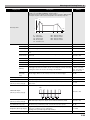
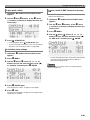
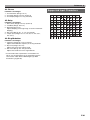
Detune. Causes the tuning of Layers 1 through 6 to be slightly different from each other. A
larger setting value increases the amount of detuning. The maximum value (31) results in
a difference of 100 cents (semitones) between Layer 1 and Layer 6.
Detune = 31
+50cent
Detune
0 to 31
Layer4 Layer5 Layer6
Detune = 0
Layer1 Layer2 Layer3
−50cent
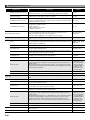
Pitch LFO >Ent
Pitch LFO. Group of editable LFOs applied to the pitch of a layered tone.
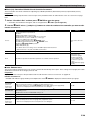
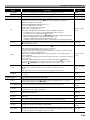
Wave type. Specifies a wave type to be used for LFO. The details of the selectable waves
are the same as those for “WaveType” of “Block (8): LFO1 and Block (9): LFO2 Editable
Parameters” (page E-28).
Sin, Tri, SawUp,
SawDown, Puls1:3,
Puls2:2, Puls3:1
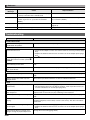
Rate
Rate. Specifies the LFO speed (frequency).
0 to 127
Depth
Depth. Specifies how LFO is applied.
–128 to 0 to +127
Delay
Delay. Specifies the degree of delay in the timing for applying LFO.
0 to 127
Rise
Rise. Specifies the time it takes from the start of application of the LFO until the effect
reaches the level specified by Depth above.
0 to 127
Mod.Depth
Modulation depth. Specifies how modulation is applied to the LFO.
0 to 127
After Depth
After depth. Specifies LFO change when MIDI channel after touch is received.
0 to 127
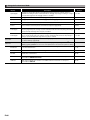
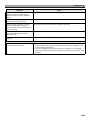
Amp LFO. Group of editable LFOs applied to the volume of a layered tone. Group items
and setting ranges are the same as “LFO (Pitch LFO)”, above.
Refer to the cell to the
left.
WaveType
Amp LFO >Ent
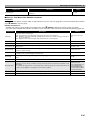
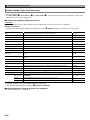
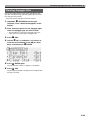
■ Editable Parameters Common to Other Tone Categories
See “Other Editable Items” on page E-29.
E-31