1
CONFIGURING the SERVER
16
—
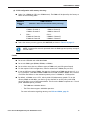
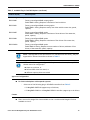
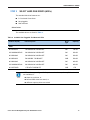
If you select a plug-in RAID controller from Table 5, you can select additional
optional PCIe cards from Table 7 on page 19 to fill the remaining slots.
—
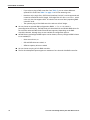
Note that only a single Cisco 1225 Virtual Interface Card (VIC) card is supported and
it must be installed in the full-length, full-height PCIe slot (slot 1) on riser 1, which
is the only slot that supports NCSI. So take this into account when populating RAID
controller cards.
—
The optional plug-in PCIe RAID controller cards are all half-height.
■
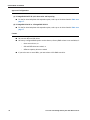
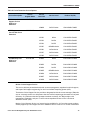
You can choose an optional RAID configuration (RAID 0, 1, 5, 6, or 10), which is
preconfigured at the factory. The RAID level you choose must be an available RAID choice for
the controller selected. RAID levels 50 and 60 are supported, depending on the RAID
controller selected, although they are not available as configuration options.
■
No RAID factory preconfigured RAID option can be chosen (a factory-configured RAID volume
is not available) if:
—
there are no drives, or
—
SAS and SATA drives are mixed, or
—
different capacity drives are mixed
■
You can choose one plug-in PCIe RAID controller.
■
The 24-drive backplane system supports a maximum of one internal drive RAID controller.
Cisco UCS C24 M3 High-Density SFF Rack-Mount Server