1
Chapter 7: BIOS Updating Procedures
7-5
BIOS Crisis Recovery
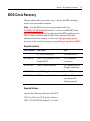
The procedures below provide a way to restore the BIOS resulting from a non‐recoverable condition. Note: Use this BIOS crisis recovery procedure only for a NON‐RECOVERABLE BIOS failure. A non‐recoverable BIOS state typically results from power loss during a flash BIOS update process. This is a rare occurrence and should not be confused with other hardware errors that cause a no video state. This procedure is not intended to be used for changing or upgrading an operational BIOS. Required Hardware
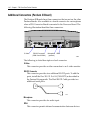
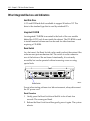
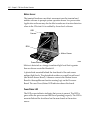
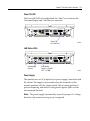
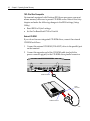
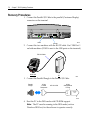
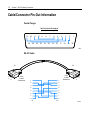
Part Number Part Name Use PC with at serial port Download BIOS 497‐0408349 Cable, 9‐Pin Female to 9‐Pin Female RS232 PC to terminal connection 497‐0411000 Cable, Parallel Interface 7401 parallel port to Dongle connection 497‐0413418 Parallel Dongle Forces BIOS recovery 497‐0414184 POS Connector Board 7401 parallel port (not required if already present) Required Software
Acquire the following software from NCR. NCR 74xx BIOS and BIOS Update Software LPIN: A370‐0022‐0100, Release 3.0 or later