1
SETTING UP YOUR WORK AREA
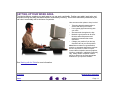
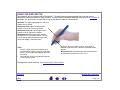
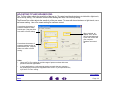
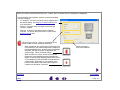
To minimize fatigue, organize your work area so you can work comfortably. Position your tablet, input tools, and
keyboard so they are easily accessible without unnecessary reaching. Your monitor should be positioned so you
can view it comfortably with a minimum of eyestrain.
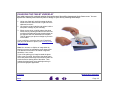
Here are some other points to keep in mind:
• Take short breaks between tasks to
stretch and relax your muscles.
• Use a gentle grip when working with
your tools.
• Alternate tasks throughout the day.
• Maintain a good posture at all times.
Minimize awkward postures and
repetitive movements that cause
discomfort.
• Change your position if you feel any
discomfort due to your work position.
Note: Wacom makes no representation,
promise or guarantee that Wacom products
will cure or prevent, in whole or in part,
mouse-induced repetitive stress symptoms,
injuries or conditions. Individual results may
vary. Always obtain competent medical
advice to determine the most appropriate
treatment for your specific situation.
See Working with the Tablet for more information.
CONTENTS
INDEX
WORKING WITH GRAPHIRE3
Page 11