1
Display the Current Preset Number
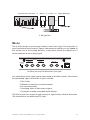
This function displays the last recalled or saved Preset number when in Save
Mode. This is useful when editing Presets to help avoid overwriting a Preset
you want to preserve in memory.
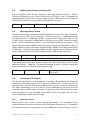
In Save Mode the current Preset will blink on the A-16CS channel button
LED’s. To check the current Preset:
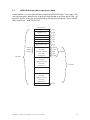
• Hold down the Recall and Group buttons.
• The current Preset number’s LED blinks.
• Release the Recall and Group buttons to exit without
saving a Preset
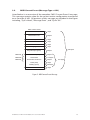
• To save a Preset, press any Channel button; the Preset is
saved to that location.
When checking the current Preset by using this method, remember that the
system does not indicate that the Preset may have been modified. It simply
indicates the last Preset recalled or saved.
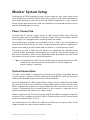
A-16CS Rear Panel
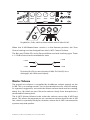
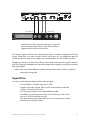
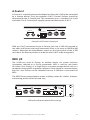
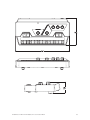
On the rear panel of the A-16CS Control Surface you will find only two jacks,
one for a footswitch, the other for the A-Control input.
A-Control
Communication between the A-16CS and its host A-16R is managed by a
proprietary protocol known as A-Control. This allows the remote A-16CS to
send commands to the A-16R mixer for creating and editing mixes, and for
storing and recalling Presets.
All A-16R front-panel editing commands are available from the A-16CS. You
cannot, however control the analog insert send and return jacks or the Mix In
level from the A-16CS. These are analog controls.
A single Cat-5e cable is used to connect the A-16CS to the A-16R. Cables can
be up to 200 feet (60 meters) in length.
Footswitch Jack
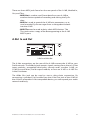
The A-16CS can use any standard dual-pedal footswitch to select Presets
stored in the A-16R. When using a dual pedal, the right-side pedal is used to
move forward through the Preset list. The left pedal is used to move backward
through the Preset list from the current selection.
A-16R Personal Mixer and A-16CS Control Surface User Guide
45