1
Removing a digital card
CAUTION: To prevent loss of data or an unresponsive system, do not remove a digital card while it
is being accessed.
60
1.
Save your information and close all programs associated with the digital card.
2.
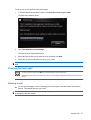
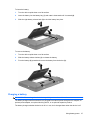
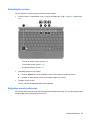
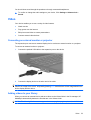
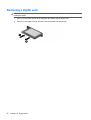
Press in on the digital card (1), and then remove the card from the slot (2).
Chapter 10 Digital cards