1
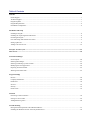
Table of Contents
Welcome
Online Support ...................................................................................................................................................................... 1
Technical Support.................................................................................................................................................................. 1
Program Updates ................................................................................................................................................................... 1
Program Requirements .......................................................................................................................................................... 2
DA-DSS PCI Compliance ..................................................................................................................................................... 2
Installation and Setup
Installing PAY@PC .............................................................................................................................................................. 4
Installing the Topaz Signature Pad Drivers ........................................................................................................................... 4
Launching PAY@PC ............................................................................................................................................................ 4
First Time Setup and Software Activation ............................................................................................................................ 5
Setting up Devices ................................................................................................................................................................. 8
Adding a full Access User ................................................................................................................................................... 12
PAY@PC Screen Layout ...................................................................................................................................................... 14
Sales Screen ............................................................................................................................................................................ 18
Transaction Manager
Screen Layout ...................................................................................................................................................................... 20
Selecting Date Ranges ......................................................................................................................................................... 21
Selecting and Sorting by Sales Criteria ............................................................................................................................... 22
Modifying the Grid Appearance .......................................................................................................................................... 22
Exporting Transaction Data................................................................................................................................................. 23
Working with a Sales Item .................................................................................................................................................. 23
Program Settings
Devices ................................................................................................................................................................................ 24
Company Information ......................................................................................................................................................... 29
Preferences .......................................................................................................................................................................... 30
Services ............................................................................................................................................................................... 35
Security ................................................................................................................................................................................ 35
Online Tools ........................................................................................................................................................................ 36
Tutorials
Processing a Sale Transaction ............................................................................................................................................. 38
Issuing a Void or Credit ...................................................................................................................................................... 45
Adding/Removing Users ..................................................................................................................................................... 48
Trouble-Shooting
Pairing the Pocket Spectrum with a Bluetooth Device ....................................................................................................... 51
Installing the Windows Generic Text Only Printer Driver ................................................................................................. 52