1
Powering up the Cinedeck
Note: we recommend that when you power up your Cinedeck EXTREME via the AC adapter, power brick,
or battery for the first time, you confirm that the voltage falls within the input range of 12 to 30V.
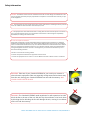
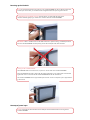
To safely disconnect the LEMO connector from the device, you must slide the sleeve of the
connector and then gently tug to remove the connector from the Cinedeck EXTREME.
IMPORTANT: There is a SAFETY LOCK on the LEMO connector to prevent it being accidentally removed
from the Cinedeck EXTREME. DO NOT pull any part of the AC Adapter other than the sleeve.
Turning on the Cinedeck Extreme:
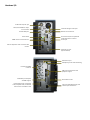
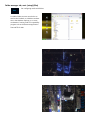
The POWER BUTTON is located on the i/o panel on the left side of the Cinedeck EXTREME.
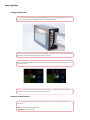
Press the POWER button and a green light will appear indicating it is ON. A blue light on the bottom
right hand corner on the front of the Cinedeck EXTREME will also be illuminated.
The Cinedeck EXTREME boots in approximately 45 seconds. A full on-off power cycle is approximately 55 seconds.
Hotswap of power input
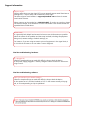
NOTE: It is possible to switch between the AC Adapter and the batteries without turning off the
Cinedeck EXTREME.