1
Input preferences tab, cont. [setup]:[input]
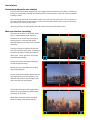
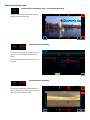
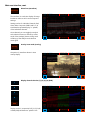
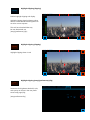
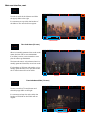
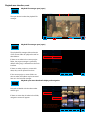
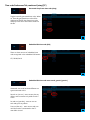
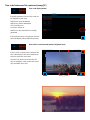
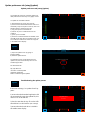
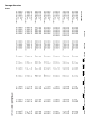
Input frame rate
input
fps
Not all frame rates are available in all codecs.
If a codec or quality setting is not available
based on the input frame rate, there will be
no setting available in the codec or qualitycolumns.
Valid input frame rates are:
23.98p
50i
25p
5994i
29.97p 60i
50p
5994p
60p
Variable rates are not supported at this time.
input
files
input
convert
input
prefs
source
fps
format
video
audio
options
codec
quality
wrapper
1080i
50
4:2:2 YUV8
SDI
Off
preview
CineForm
proxy
MXF
1080i
59.94
4:2:2 YUV10
HDMI
SDI 2 chan
flip preview
UNCOMP
LQ
mov
720p
60
4:4:4 RGB10
component
SDI 8 chan
letterbox
DNxHD
normal
composite
Balanced
Prores
HQ
PAL
NTSC
AES 2chan
4444
back
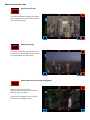
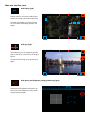
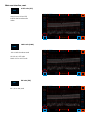
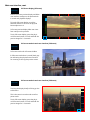
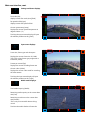
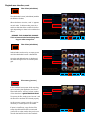
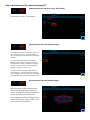
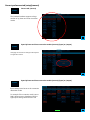
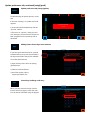
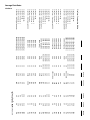
Input pixel format
input
format
Pixel format selections are:
YCbCr or YUV, 8bit, 4:2:2
YCbCr or YUV, 10bit, 4:2:2
RGB 10 bit, 4:4:4
input
files
input
convert
input
prefs
source
fps
format
video
audio
options
codec
quality
wrapper
1080i
50
4:2:2 YUV8
SDI
Off
preview
CineForm
proxy
MXF
1080i
59.94
4:2:2 YUV10
HDMI
SDI 2 chan
flip preview
UNCOMP
LQ
mov
720p
60
4:4:4 RGB10
component
SDI 8 chan
letterbox
DNxHD
normal
composite
Balanced
Prores
HQ
PAL
NTSC
AES 2chan
4444
back
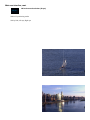
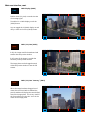
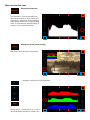
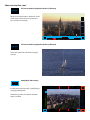
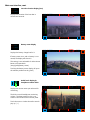
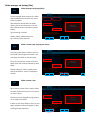
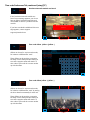
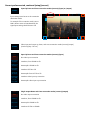
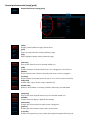
Input video source
input
video
Video source selections are:
3G HD SDI
Dual Link HD SDI
SD SDI
HDMI
Component
Composite (Y input on breakout)
input
files
input
convert
input
prefs
source
fps
format
video
audio
options
codec
quality
wrapper
1080i
50
4:2:2 YUV8
SDI
Off
preview
CineForm
proxy
MXF
1080i
59.94
4:2:2 YUV10
HDMI
SDI 2 chan
flip preview
UNCOMP
LQ
mov
720p
60
4:4:4 RGB10
component
SDI 8 chan
letterbox
DNxHD
normal
composite
Balanced
Prores
HQ
PAL
NTSC
AES 2chan
4444
back