1
08-1198 RF-AHD25.fm Page 6 Wednesday, April 30, 2008 1:34 PM
Status indicators
Operation mode LED
Starting mode
Active mode
Disconnect mode
Description
Solid
The hard drive is turned on.
Flashing Data is being transmitted between your computer
and the hard drive.
Off
The hard drive is turned off.
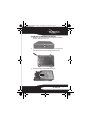
Using the hard drive enclosure
Installing your hard drive in the enclosure
Read these safety precautions before you install your hard
drive in the enclosure:
• Use only the accessories provided in the accessory
package.
• Always unplug the AC adapter before installing the hard
drive.
• Do not use a power supply with a different voltage
rating.
• Make sure that you first touch an unpainted, grounded
metal object to discharge any static electricity stored on
your clothing or body before touching any electronic
components.
• Handle the printed circuit board (PCB) edges only. Avoid
touching the onboard electronic components.
6