1
08-1198 RF-AHD25.fm Page 7 Wednesday, April 30, 2008 1:34 PM
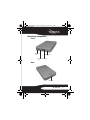
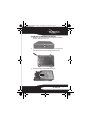
To install your 2.5" SATA hard drive in the enclosure:
1 Move the switch lock from the locked to the unlocked
position, then open the case.
2 Remove the four screws from the printed circuit board
and remove the circuit board from the enclosure.
3 Connect the drive to the SATA connector.
RF-AHD25
7