1
Slideshow Mode
Music Setup
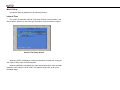
The Music Setup is illustrated in the following section.
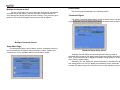
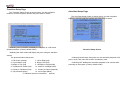
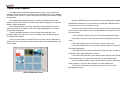
The Slideshow Mode Setup Screen is shown below. Use the navigation
buttons to move through the options and press Enter to select.
Repeat Mode
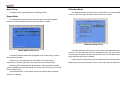
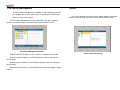
The Repeat Mode Setup Screen is shown below. Use the navigation
buttons to move through the options and press Enter to select.
Slideshow Setup Screen
Repeat Mode Setup Screen
• Selecting ONE will repeat the highlighted music continuously, until the
Stop button is pressed.
• Selecting ALL will repeat all the music files in the music library
continuously, until the Stop button is pressed. (Factory default mode)
• Selecting OFF will disable the repeat feature. Music playback will start
from the highlighted music file through to the last music file found in the music
library and then stop.
(The Repeat button on the remote control can still provide the Repeat
feature if so desired)
• Selecting MANUAL will give full control of the photo slideshow timing to
the user. The user will need to use the navigation keys of the remote control to
scroll through the photos stored in the memory card. This will allow each photo
to be displayed as long as is desired.
• Selecting AUTO will make the photo slideshow start automatically after
displaying the photo thumbnails for about 10 seconds. (Factory default mode)