1
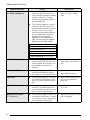
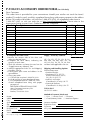
Size 49
Stamp 59
Style 2 52
Style1 51
Tape Length 57
Tape Margin 56
Text Alignment 54
Text Rotation 55
Width 50
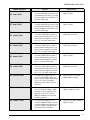
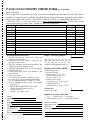
Delete key 45
Deleting
File from memory 68
Text 45
Text and formats 45
Text lines 45
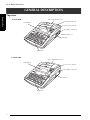
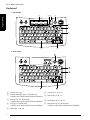
Description of machine 2
Display clearing 45
Displaying text 38
Drying garments with labels 33
E
EAN128 special characters 93
Editing
Text 45
Emphasizing 53
Ending line of text 41
Entering
Accented characters 41, 42
Barcodes 43
Blank space 40
Capital letters 40
Special characters 41
Symbols or pictures 42
Text 40
Uppercase letters 40
Erasing
File from memory 68
Text 45
Text and formats 45
Text lines 45
Error messages 77
F
Fabric tape 34
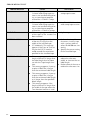
Feed&Cut key 63
Font function 48
Format functions
Block 47
Global 46
Format templates 59
Formatting
Entire text 46
Text 46
Text automatically 59
Text blocks 47
Frame function 53
Framing 53
Functions
Accent 42
Auto Cut 62
Auto Format 59
Barcode 43
Block Format 47
Block Length 57
Block Margin 57
Clear 45
Font 48
Frame 53
Global Format 46
Layout Preview 62
Line Effects 52
Line Out 45
Mirror Printing 58
New Block 41
Numbering 64
Repeat Printing 63
Size 48
Stamp 59
Style 1 50
Style 2 51
Symbol 42
Tape Length 56
Tape Margin 55
Text Alignment 53
Text Rotation 54
Width 50
G
Global Format functions 46
Grip 2
H
Handle 2
Hardware specifications 88
Highlighting 53
I
Incremental printing 64
Indicators
Alt 41
Auto Cut 62
107