1
Crestron AV2 & PRO2
2-Series Integrated Dual Bus Control System
2.
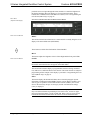
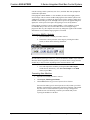
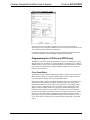
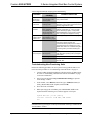
Alternatively, click the Transfer button
on the SIMPL Windows
toolbar, or open Viewport and click File Transfer | Send Program.
3.
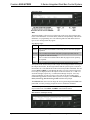
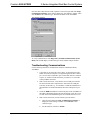
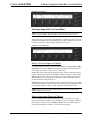
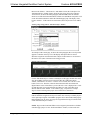
Click Browse, locate the SPZ file and click Open. This will display the
program's header information and enable one or both of the What to Send
check boxes. If the program does not contain any SIMPL+ modules only
the SIMPL Program check box will be enabled. If it does contain
SIMPL+ modules, then the SIMPL+ check box will also be enabled. Select
one or both check boxes and then click Send Program to begin the
transfer.
NOTE: Unlike X-Series processors, the 2-Series processor does not require a
permanent memory image. Also, the 2-Series adds the ability to automatically
retrieve the current program from the control system. Simply verify that the Retrieve
Current Program before overwriting check box is selected.
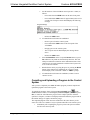
Choose where the program will be sent: Internal Flash or Compact Flash. (With
the Compact Flash option, if the Viewport does not detect a Compact Flash card, you
will be prompted to insert a card and retry the upload procedure.) The 2-Series
processor also provides the option to retrieve the current program from internal or
Compact Flash memory before overwriting it. Simply select the Retrieve Current
Program check box and specify the filename and directory.
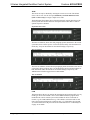
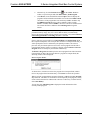
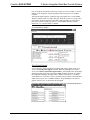
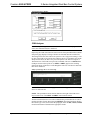
The Retrieve Program command copies the current program from either internal or
Compact Flash to disk. If the Viewport detects a program in Compact Flash, the
following window will be displayed:
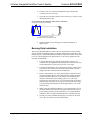
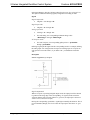
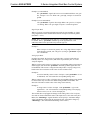
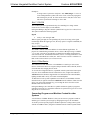
Retrieve Program Window
As shown above, click Yes to retrieve the program from Compact Flash, or No to
retrieve the program from internal memory. Click Cancel to cancel the operation.
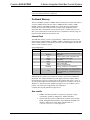
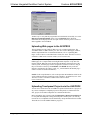
When a program is uploaded, that program's filename is added to the New Program
drop-down list. This makes it convenient to reload frequently used programs, as they
can be selected from the list without need to browse to a directory. To delete the list,
click Clear History.
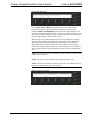
You can also click Check Program to display the header information of the
currently loaded program.
Operations Guide - DOC. 5957A
Integrated Dual Bus Control System: AV2 & PRO2 • 23