1
2-Series Integrated Dual Bus Control System
Crestron AV2 & PRO2
Example 6:
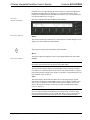
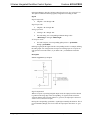
A voltage source is placed on Versiport 1 and <MinChange1> is set to 10
via an Analog Initialize symbol. The value of <i1> will not be propagated
until it changes by at least 10. If the current value is 500, then a new value
will not be reported until it changes to 510 or 490.
Slot 7: C2I-RY8
The C2I-RY8 provides eight isolated relays for controlling low voltage contact
closure devices such as drapes, screens and lifts.
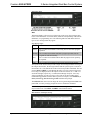
In Program Manager, drag the C2I-RY8 symbol from Program View to Detail View.
The symbol contains the following signals:
Signals
•
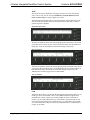
8 relays: <A1> through <A8>
When a signal goes high, the corresponding relay closes for as long as the signal
remains high. When the signal goes low, the relay opens. If a signal is undefined, the
relay is open.
Slot 8: C2Z Card Slot
The 300Mb/s Z-BUS enables the addition of 10/100 Ethernet applications. To
prepare for communicating with other devices via the Z-BUS port using a C2ENET
-1 or -2 card, you must set up an IP table to identify the IP address and port ID for
each of those devices. For detailed information, refer to “Creating an IP Table” in the
Crestron e-Control Reference Guide, Doc. 6052. The latest version is available as a
PDF on the Crestron website (www.Crestron.com).
Slot 9: C2Net-Device
The C2Net-Device slot enables the AV2 and PRO2 to control up to 252 Cresnet
devices. Each Cresnet device is assigned a unique identifier called a Net ID, which is
a hexadecimal value ranging from 03 to FE.
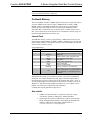
To view the list of supported devices, expand the control system in the bottom pane
of System Views and double-click the C2Net-Device slot, or right-click and select
Add Item from the submenu. Supported devices include network control modules,
lighting modules and a variety of Crestron wired touchpanels.
To add a device to the system expand the C2 Net-Device slot and double-click the
desired Net ID, or right click and select Add Item from the submenu. Then select the
device you want to add. Alternatively, you can drag the device from the Cresnet
Modules folder onto the Net ID.
In Program Manager, the C2Net-Device symbol contains no signals; to program a
controlled Cresnet device, expand the C2Net-Device symbol in Program View. Then
drag the device to Detail View.
Converting Programs and Modules Created for other
Systems
A useful feature of SIMPL Windows is that you can convert a program created for
another type of control system, simply by changing the target to an AV2/PRO2.
To do this you first open the program, and then replace the existing control system
with the AV2/PRO2. That is, drag the AV2/PRO2 from the Control Systems folder
32 • Integrated Dual Bus Control System: AV2 & PRO2
Operations Guide - DOC. 5957A